Round steps and rankings
Performed by: Call manager
Committees usually work on a round's proposals together rather than one at a time. The call's Rounds tab gives them three tools: completing a step for every proposal of a round, round steps that collect one report per contributor for the whole round, and the round's ranking and meeting notes. What happens after the committee — publishing the round's results and completing it — is described in Publishing a round's results.
Completing a step for the whole round
Committee steps are often decided for all proposals of a round in one meeting. On the call's Rounds tab, a round's actions menu offers Complete a step for the round. Pick the Step — the dialog then lists the round's proposals at that step, each with an optional feedback field — and the Outcome, click Continue, and confirm with Complete for n proposal(s).
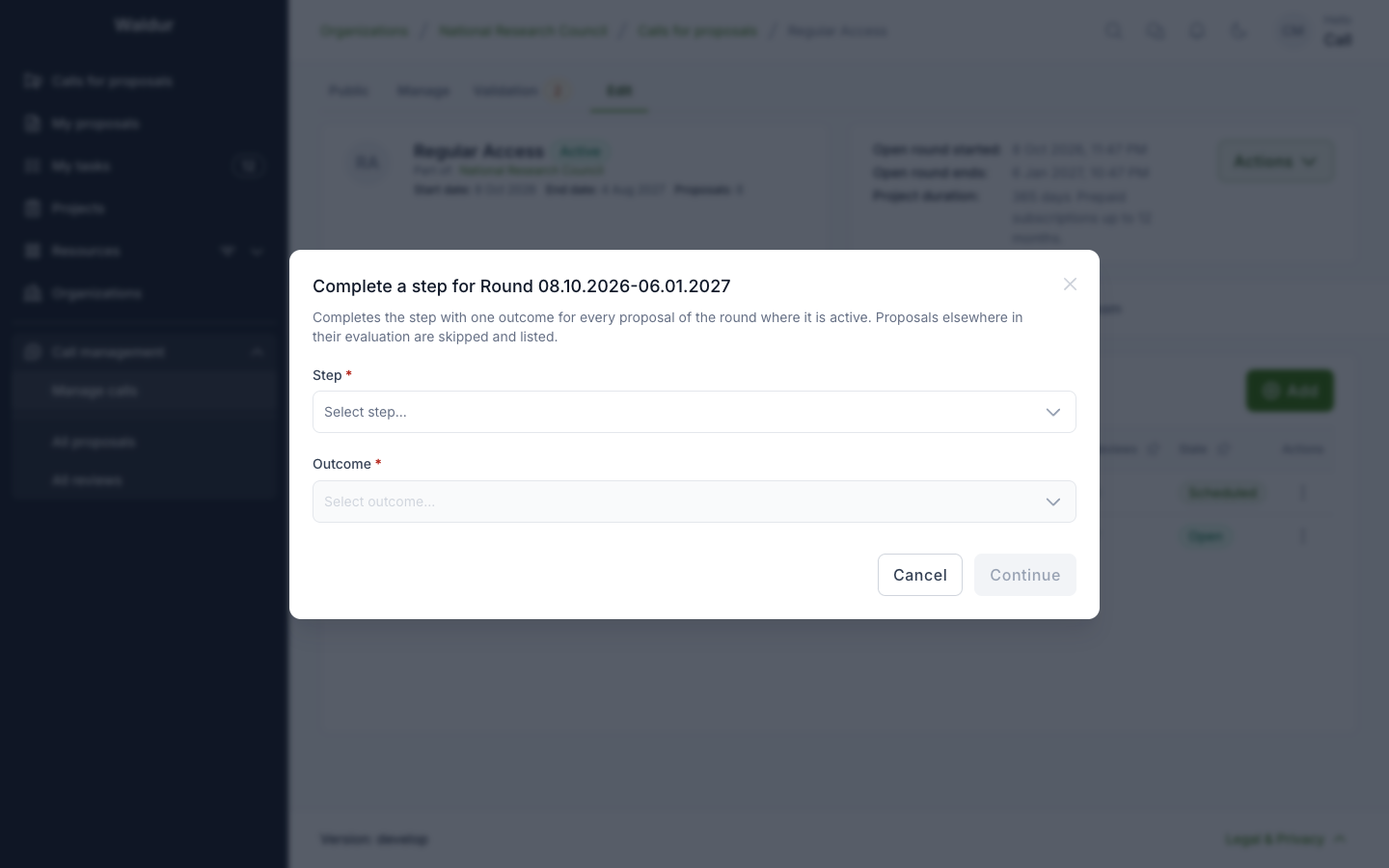
Each proposal of the round that stands at that step is completed on its own, as if you had completed it on the proposal: the step's gates, notifications and records apply to each. The result, shown below, lists which proposals were Completed, which were Not completed, with the reason — a failure leaves that proposal as it was and does not stop the others — and which were Skipped (not at the step, or a step you cannot act on). Running it again completes only what is still open.
The allocation decision cannot be completed for a round: awards are decided per proposal. Feedback on a step whose report is released to the applicant stays withheld until the report is released.
Round steps and round reports
A step set to Runs once per round (see Per-step settings) — the committee meeting of the Extreme Scale template, say — is not completed for the round as above, nor on a proposal. Expanding a round on the Rounds tab shows its Steps tab, listing each enabled step with when it is Due in this round, how many proposals stand Before / at the step, and its State. Each row offers Due date, to set when the step is due for every proposal of the round, and Move on (n) when proposals wait after the step to be moved on together.
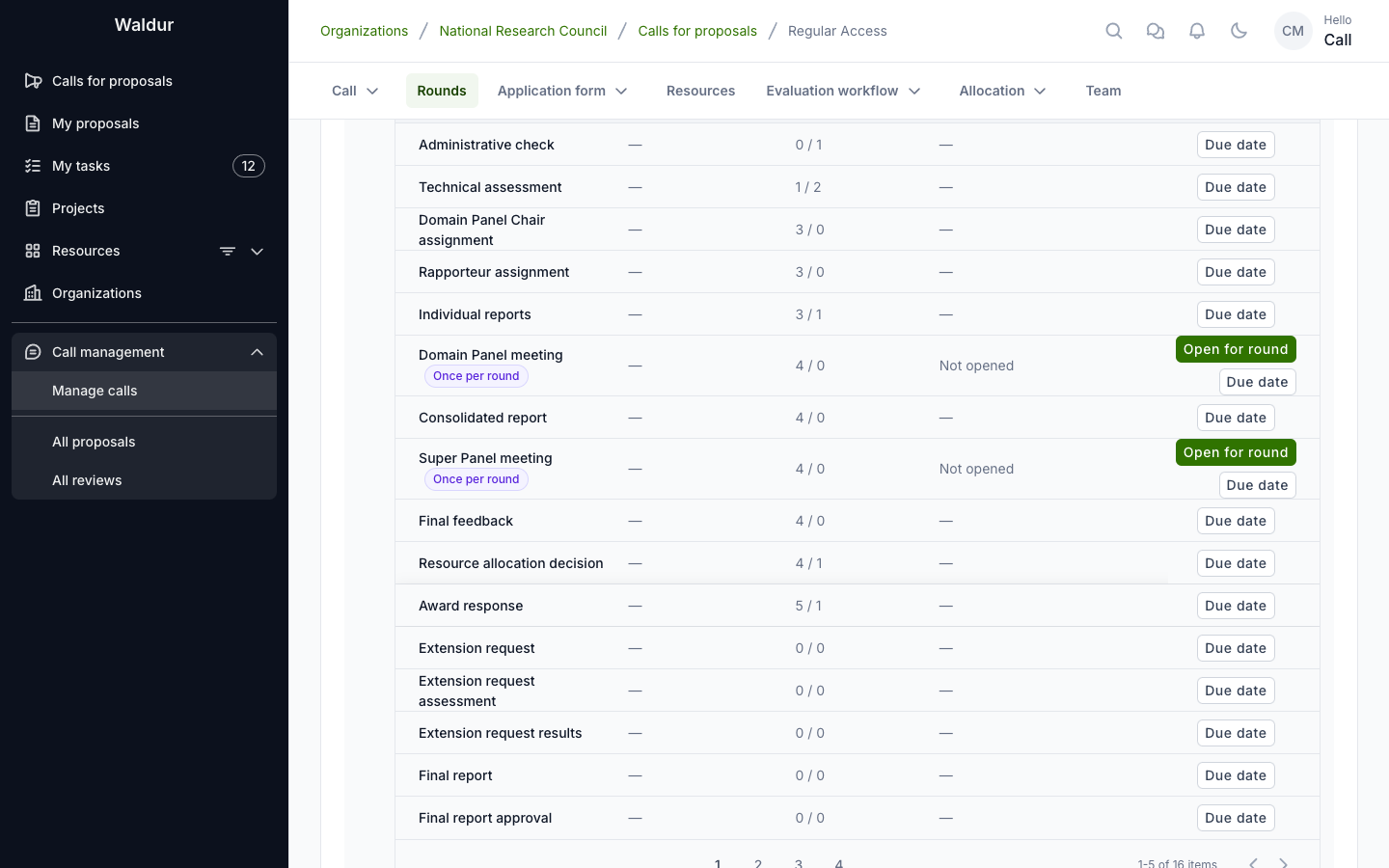
On a round step, Open for round moves the round's proposals waiting before the step into it, optionally with a Due date; its contributors each write one round report covering the proposals they hold it for, and the step completes for the round once the reports are in. If some of the round's proposals have not reached the step yet, opening is refused: they join the step as they arrive, or Open anyway with a Reason for opening early, which is recorded on the round. Once opened, the button reads Open again.
Round reports are listed on the round's Meeting notes tab as Round report: step. Open report leads to the report's own page, where its author writes the notes, answers the step's form, ranks the proposals the report covers under Ranking in this report, and clicks Submit report. A call manager can Reopen a submitted report to hand it back to its author; proposals that reached the step since then join it.
Ranking and meeting notes
Expanding a round on the Rounds tab also shows its Ranking and Meeting notes tabs: the committee's record of the round, kept beside the workflow.
- Ranking — Rank proposal gives a proposal of the round its Rank, a Final score, Recommended resources per requested offering and component, and Notes. Ranks are unique within the round. Only proposals that are submitted or in review can be ranked. The table's export Ranking for import downloads the ranking, followed by the round's unranked proposals so the file can be filled in; Import CSV creates or updates rankings from such a file, all or nothing, and can swap ranks.
- Meeting notes — Add note records a meeting with a Title, Notes and attached documents.
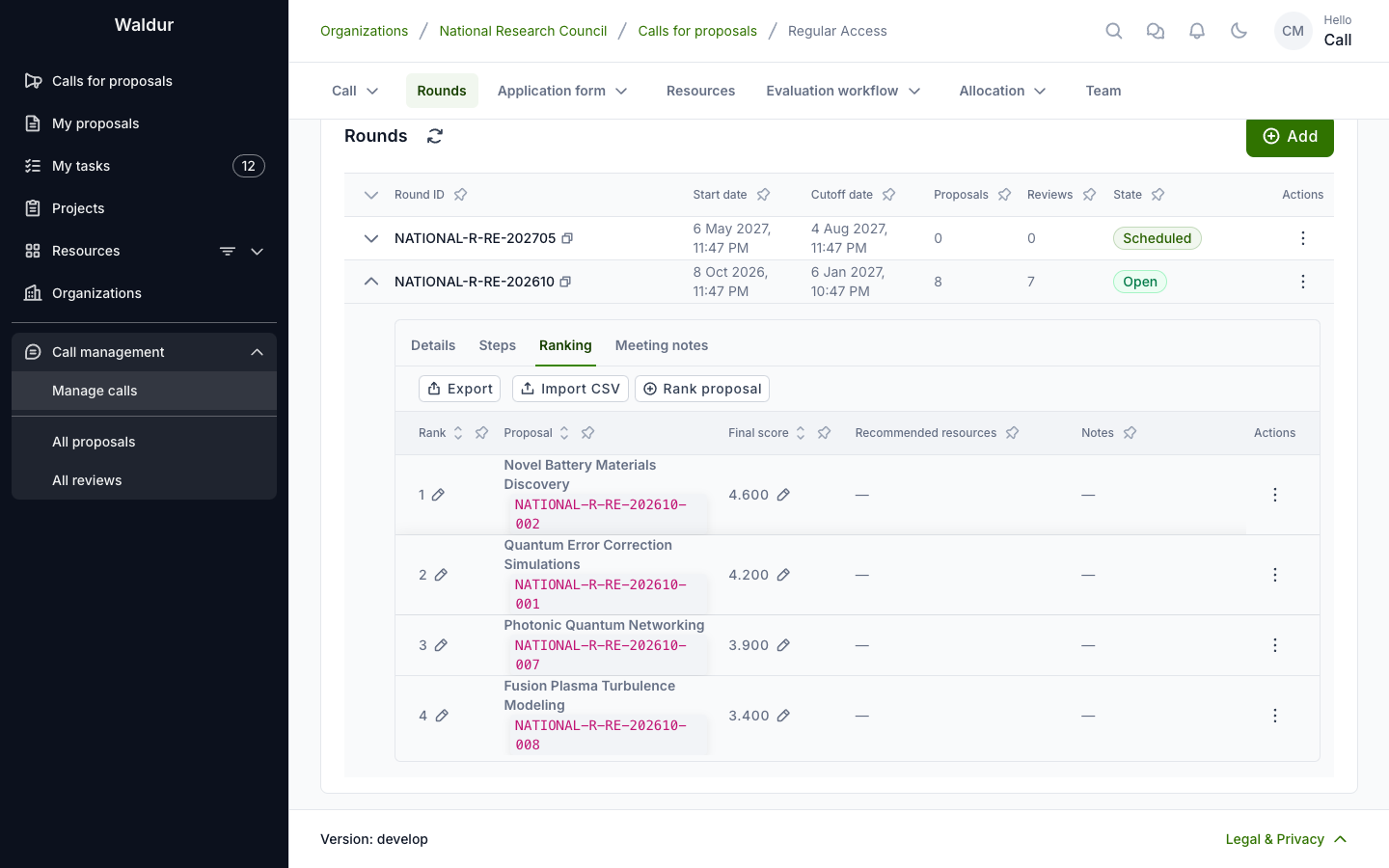
The ranking is locked once the round moves to deciding; meeting notes stay editable. A ranked proposal's Awarded resources section shows the recommendation, and Prefill from recommendation copies it into the awarded resources.
Call managers, the organisers of the call-managing organisation and staff edit both, and the call's panel chair and vice-chair write the overall ranking as well. Panel members and support read them, as do those allowed to read the call's results once the round's results are published; reviewers and applicants see neither. A round report and its ranking are written by its author until submitted, and read by the call managers, staff, support and those working on a later step that reads the round step. Anyone on the applicant team of a proposal in the round, or with a conflict of interest on record with one of them, sees nothing of that round's ranking or notes, and nobody can rank a proposal whose applicant team they are on.