Reporting resource usage
Offerings billed by usage need a usage report for each billing period. Reports normally arrive automatically from a site agent, but a service provider can also submit them by hand from Waldur.
Organization owners, service provider managers and offering managers of the providing organization can report usage, by hand or through the API (a site agent uses the token of such a user).
Submitting a report
- Open your organization, switch to the Service provider tab and select Resources.
- Find the resource and open the actions menu (⋮), or open the resource and use the Actions menu. Under Provider actions, choose Report usage.
- The dialog opens with one tab per reportable component. Fill in the Amount on each tab — the report cannot be submitted while any component is missing an amount.
- Optionally add a description. It is stored with the report and shown in the usage history.
- Choose what should happen if the next month passes with no report (see below).
- Select Submit usage report.
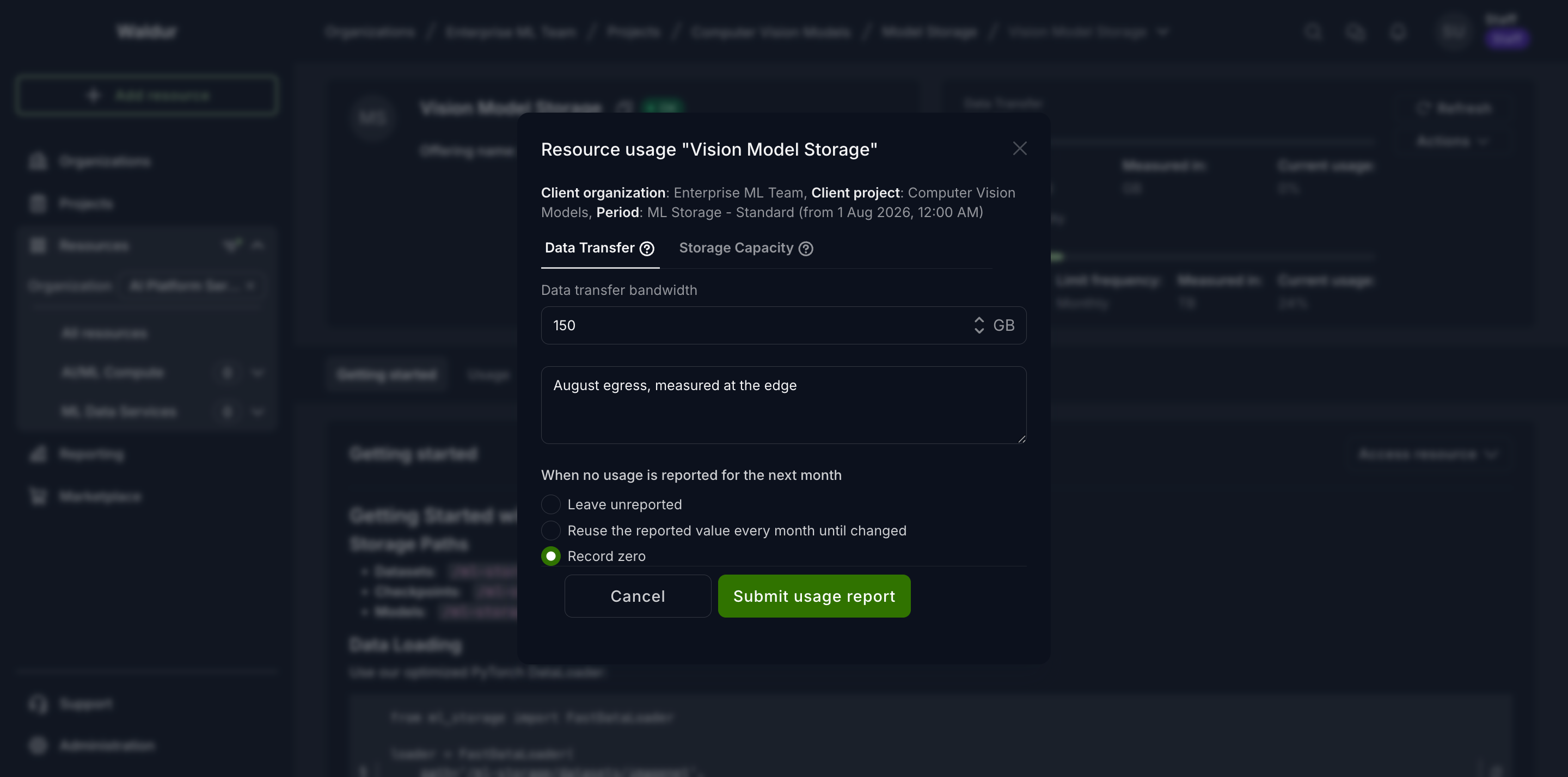
When no usage is reported for the next month
Each component carries its own setting for what Waldur should record if the following billing period goes by without a report. The choice is made per component, so one component of a resource can carry its value forward while another is left blank.
| Option | What is recorded next month |
|---|---|
| Leave unreported (default) | Nothing. The period stays blank, and nothing is billed for it. |
| Reuse the reported value every month until changed | The value from this report is repeated. |
| Record zero | An explicit zero. |
The distinction between the first and third options matters when a resource legitimately goes idle — an allocation that ran no jobs, a service that handled no requests. Leave unreported records nothing, which reads as "we do not know". Record zero states that the usage was measured and it was nothing, so reports and statistics show a complete picture.
Note
Whichever option is chosen, an actual report always wins. If you submit a report for the new month, that value is kept — a reused value or a zero is only ever filled into a gap.
Warning
Record zero produces an invoice line with a quantity of zero, exactly as reporting 0
by hand does. On an offering with many components this makes invoices longer, though the
amount charged is unaffected.
Re-reporting also resets this setting. A new report always states its own choice, so a component left on Leave unreported in the latest report stops carrying values forward.
Reporting for individual users
Where an offering tracks per-user consumption, Report user usage records a breakdown against usernames. Per-user records only split up the total, so they do not carry a missing-usage setting of their own — that belongs to the resource's total usage report.
Viewing what was reported
Open the resource and select the Usage tab to see the history per component, as a chart or as a table. Consumers see the same history for their own resources; see Usage reports.