Custom metrics
A service can report its own metrics for the resources it provides — courses completed, learners active, tickets resolved, a median response time — and the projects using those resources see them on their Metrics tab, with a trend, a breakdown and a goal.
As a service provider you choose which metrics an offering reports, and your service (or its site agent, or an OpenTelemetry Collector) sends the numbers.
Where to find it
Open the offering, switch to Edit, and choose Integration → Metrics.
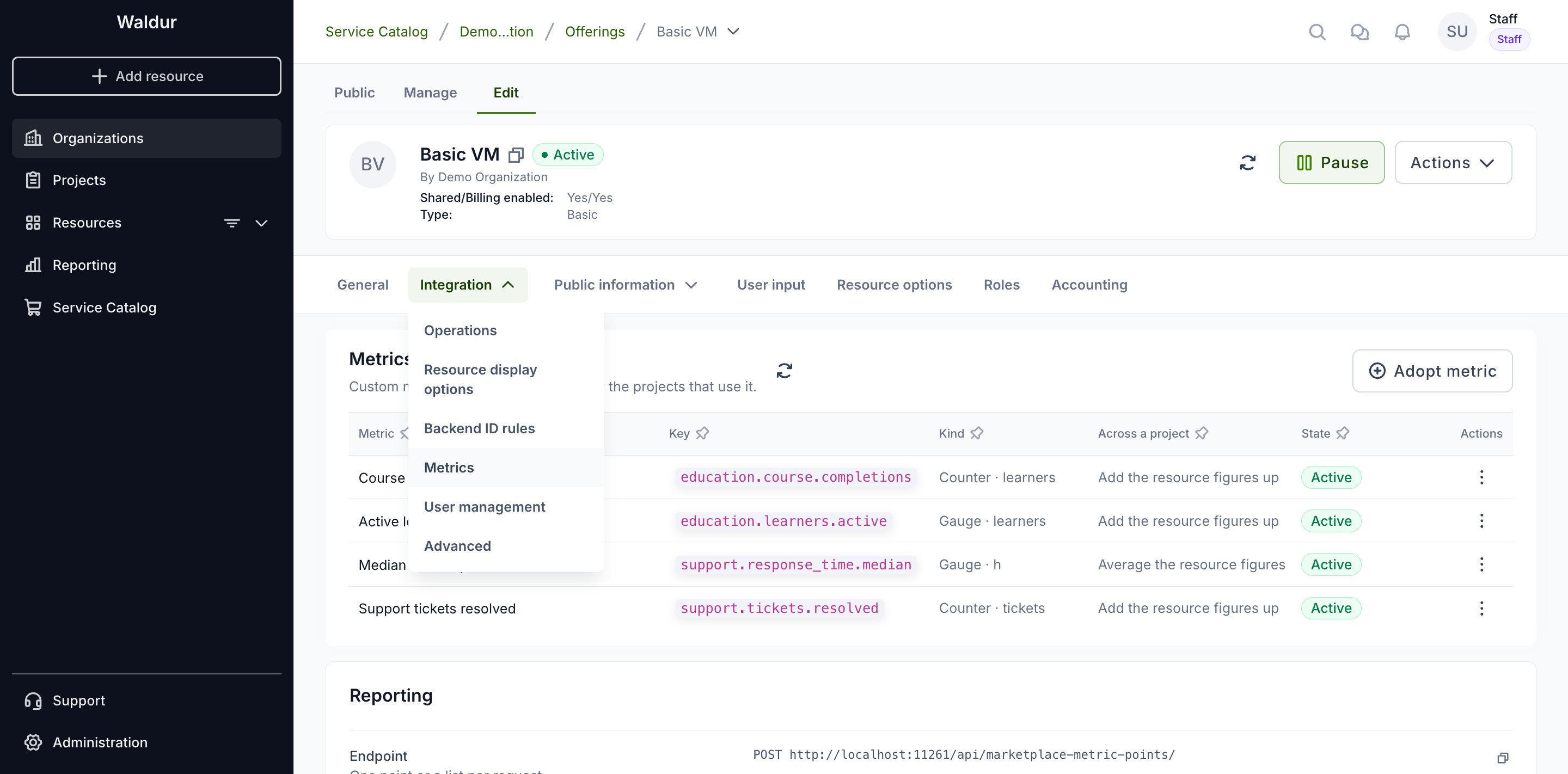
The table lists the metrics the offering reports.
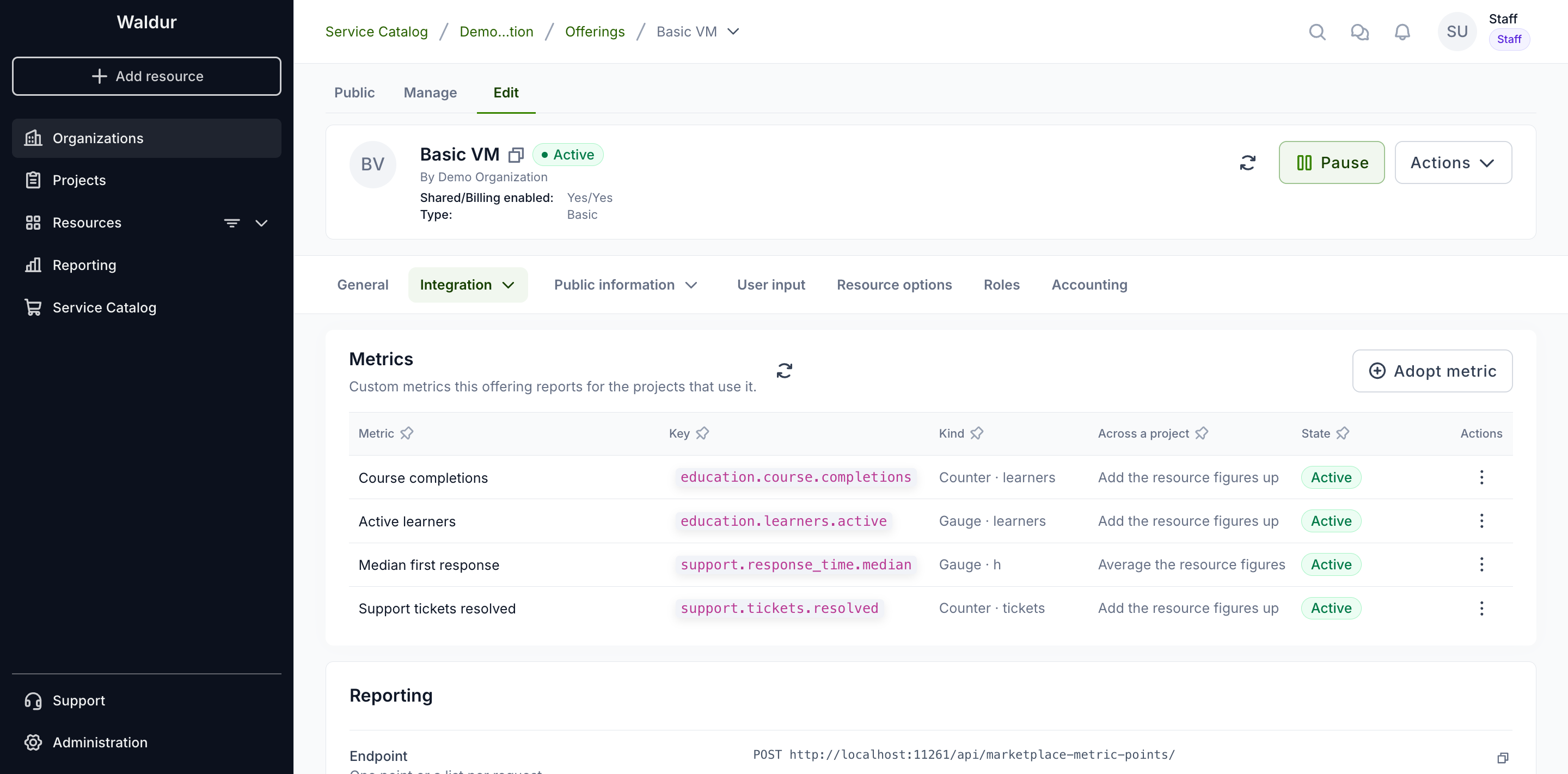
- Kind — a Gauge is a level read at a moment; a Counter counts things that happened. The unit follows.
- Across a project — how the figures of a project's resources combine: added up, or averaged. Counted amounts are always added up. An average is unweighted: every resource counts once.
- State — Active, Paused or Archived.
Adopting a metric
Organization owners, service provider managers and offering managers can adopt and manage an offering's metrics.
Metrics come from the catalogue, so the same metric means the same thing on every offering. Choose Adopt metric, pick the metric, and optionally give it a display name of your own.
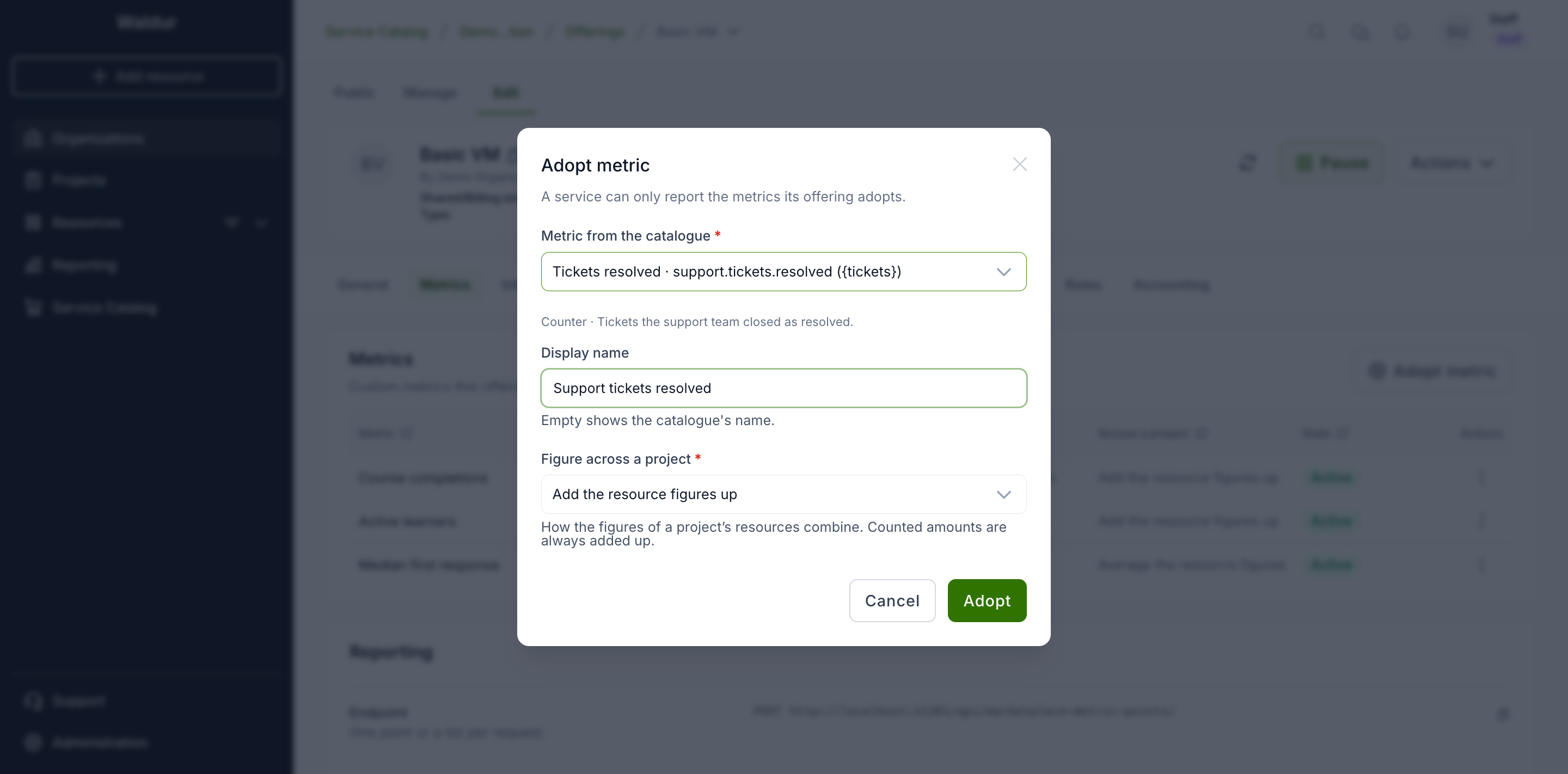
A service can only report metrics its offering has adopted. If the catalogue
lacks a metric you need, ask staff to add it, or add a private definition for
your organization through the API (POST /api/marketplace-metric-definitions/
with owner_customer set to your organization).
Managing a metric
The actions menu at the end of each row:
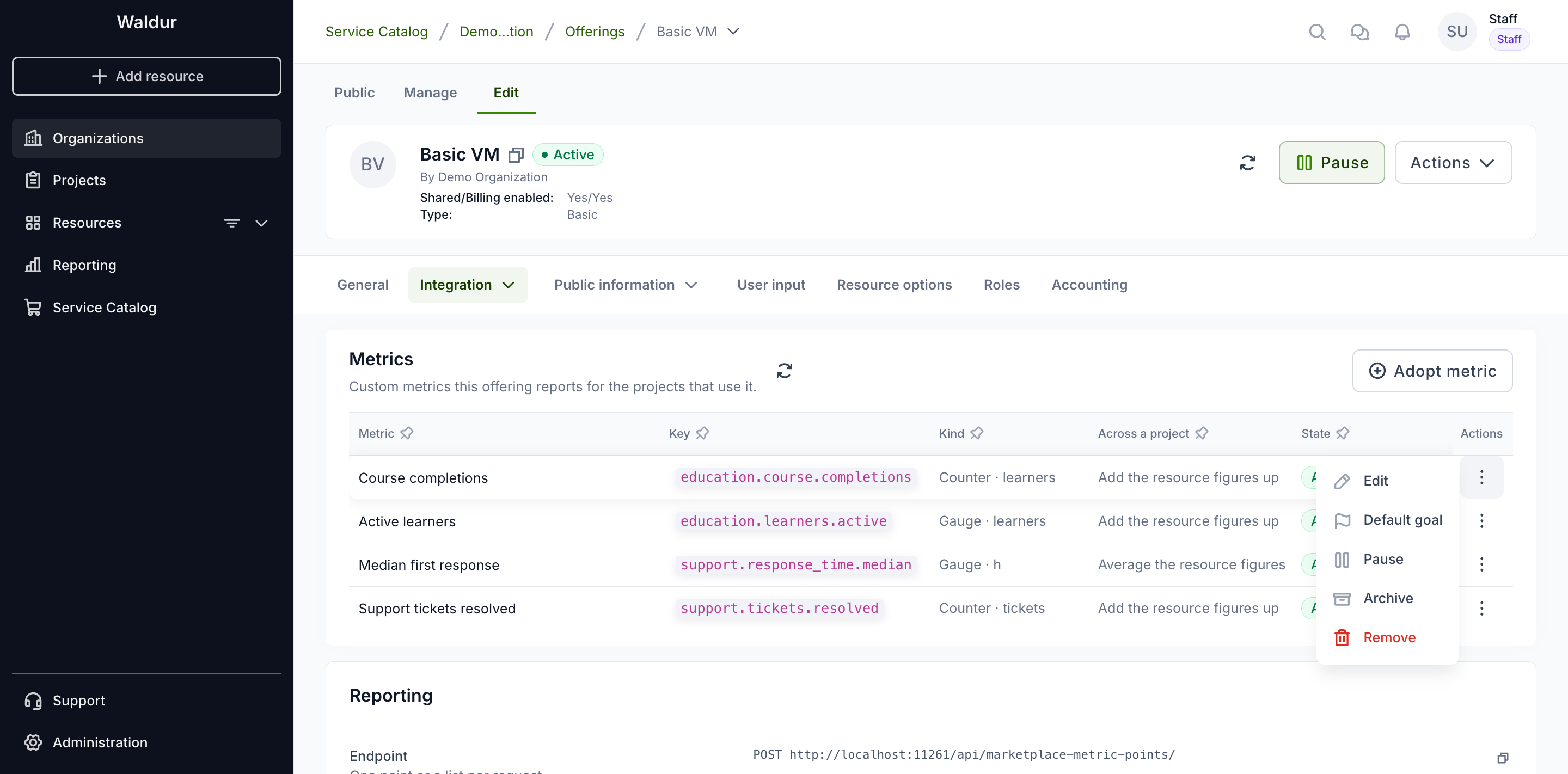
- Edit — change the display name or how resources combine.
- Default goal — the target every project using the offering aims for, unless it sets its own.
- Pause — refuse new points; what was reported stays visible.
- Archive — stop collecting and hide the metric from projects. The data is kept for a grace period (30 days by default) and then purged.
- Resume — make a paused or archived metric active again.
- Purge data — on an archived metric, delete everything it collected straight away, then the metric itself.
- Remove — only for a metric that never received data.
Default goals
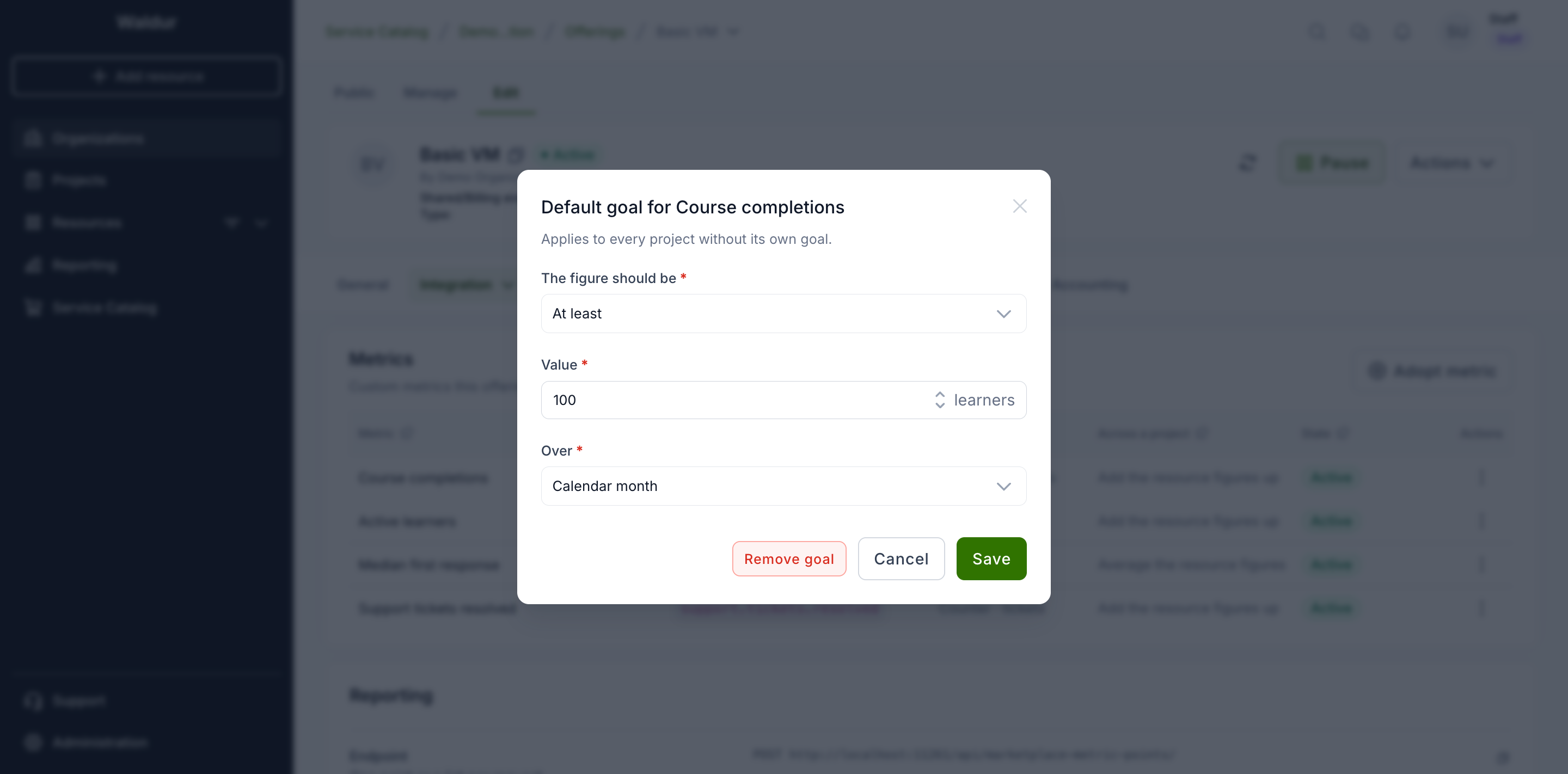
A goal says what the figure should be — at least or at most a value — over a calendar month, a calendar quarter or the last 30 days. Projects see whether they meet it, and a project manager can set a project's own goal instead.
Reporting data
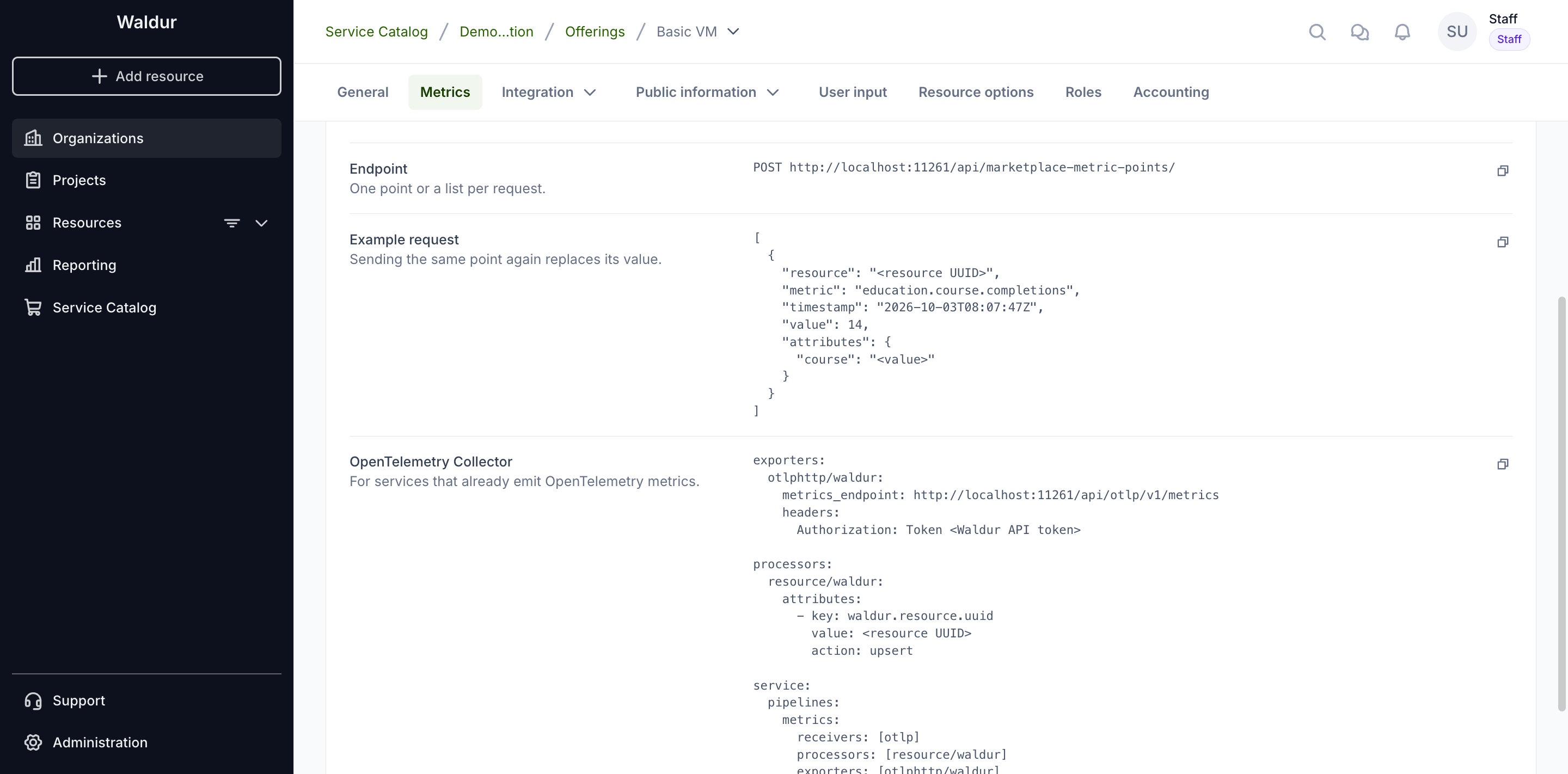
Below the table, the Reporting card shows where and how to send points, with examples built from the offering's metrics.
The caller authenticates with a Waldur API token of a user who may report usage for the offering — an organization owner, a service provider manager or an offering manager, as for usage reporting. Every resource in a request must be one the caller may report for, or nothing is recorded and the request fails with 403.
Requests to both endpoints together are limited to 600 a minute per
reporting user. Above that Waldur answers 429 with a Retry-After header,
which OpenTelemetry exporters honour; send points in batches rather than one
request per point.
Native endpoint
POST /api/marketplace-metric-points/ takes one point or a list:
1 2 3 4 5 6 7 8 9 | |
The response says how many points were accepted and which were refused, and why:
1 | |
- A point is identified by resource, metric, attributes and timestamp. Sending it again replaces the value, so retries never count twice and a corrected value can be sent. Running totals are the exception: a total at the same or an earlier time than the last one is refused, unless it repeats that last total exactly.
- A counter is reported either as the amount since the previous point, or
as a running total with
start_time— when the total started counting. Running totals are turned into increments; a newstart_timeor a smaller total is read as a restart. The first total of a counter that started more than the late-data window ago is taken as a baseline, not counted, so adopting a metric for a long-running service does not credit months of activity to one moment. - A point is refused when:
- its metric is not adopted by the resource's offering, or is paused or archived;
- the resource is not in a working state (OK, Updating or Terminating);
- an attribute is not declared by the metric, or its value is not a finite number, a boolean or a text without NUL characters;
- it would exceed the attribute or series caps;
- its timestamp is more than an hour ahead or older than the late-data window (7 days by default).
Tip
A median, percentile or average cannot be rebuilt from summed data.
Compute it in the service and report it as a gauge — for example
support.response_time.median — rather than sending individual
response times.
OpenTelemetry
Services that already emit OpenTelemetry metrics can export them to
POST /api/otlp/v1/metrics (OTLP over HTTP, JSON or protobuf, optionally
gzip-compressed). Each OpenTelemetry resource must carry the attribute
waldur.resource.uuid, and a metric's name must be its catalogue key. Gauge
and Sum (delta or cumulative) are accepted; histograms, summaries and data
points without a value are counted as rejected data points in the response's
partial-success field. A body larger than 20 MB after decompression is refused
with 413.
An OpenTelemetry Collector configuration that adds the resource attribute and exports to Waldur:
1 2 3 4 5 6 7 8 9 10 11 12 13 14 15 16 17 18 19 | |
Note
Offerings whose source has reported metric data or goals cannot be merged into another offering yet.