GLAuth (LDAP) user accounts
Linux and HPC offerings provisioned through the Waldur site agent expose their offering users to a GLAuth (LDAP) directory, so that clusters and other backends can authenticate them. Each account is rendered with a numeric UID/GID (see Managing POSIX ID pools) plus a set of LDAP attributes derived from the Waldur user.
This page describes the account attributes a service provider can control and how they map to LDAP.
Where the settings live
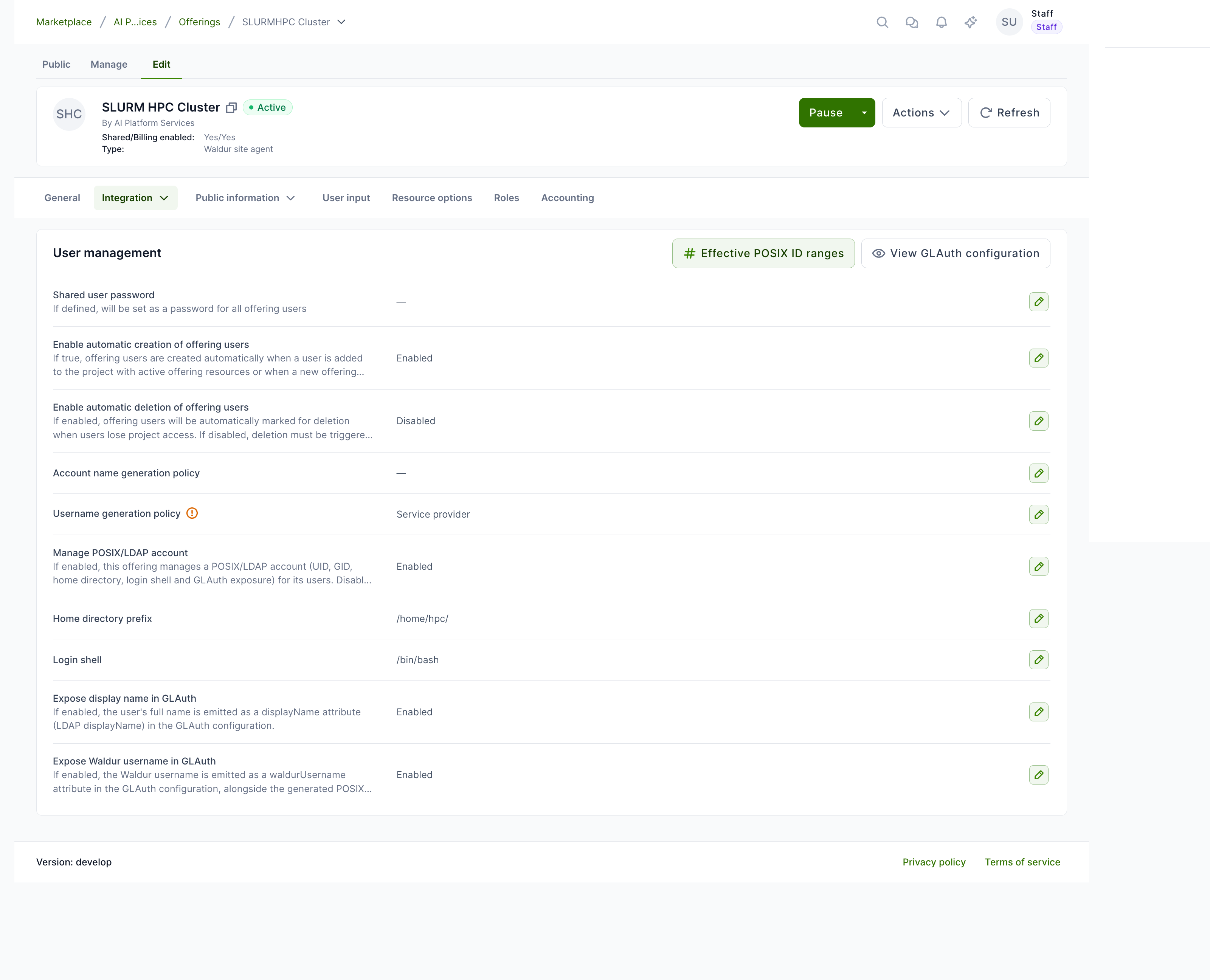
Open the offering and go to Edit → Integration → User management. The panel collects every option that affects how offering users and their GLAuth records are generated.
Account attributes
| Setting | Effect |
|---|---|
| Manage POSIX/LDAP account | Master switch (default on). When off, the offering's users carry only a username — no UID/GID, home directory, login shell or GLAuth exposure — and the POSIX settings below are hidden. Turn it off for offerings that only need a username. |
| Shared user password | If set, becomes the password (passsha256) for every offering user. |
| Enable automatic creation of offering users | Create offering users automatically when a user gains project access to an active resource. |
| Enable automatic deletion of offering users | Mark offering users for deletion automatically when project access is lost. |
| Account name / Username generation policy | How the POSIX login name (and preferredUsername) is generated — from the Waldur username, a service-provider-assigned name, an anonymized prefix, or an identity claim. |
| Home directory prefix | Prepended to the username to form homeDir (LDAP homeDirectory); defaults to /home/. |
| Login shell | Default login shell assigned to every account (LDAP loginShell); defaults to /bin/bash. |
| Expose display name in GLAuth | Emit the user's full name as a displayName custom attribute (LDAP displayName). |
| Expose Waldur username in GLAuth | Emit the Waldur username as a waldurUsername custom attribute, alongside the generated POSIX login name. |
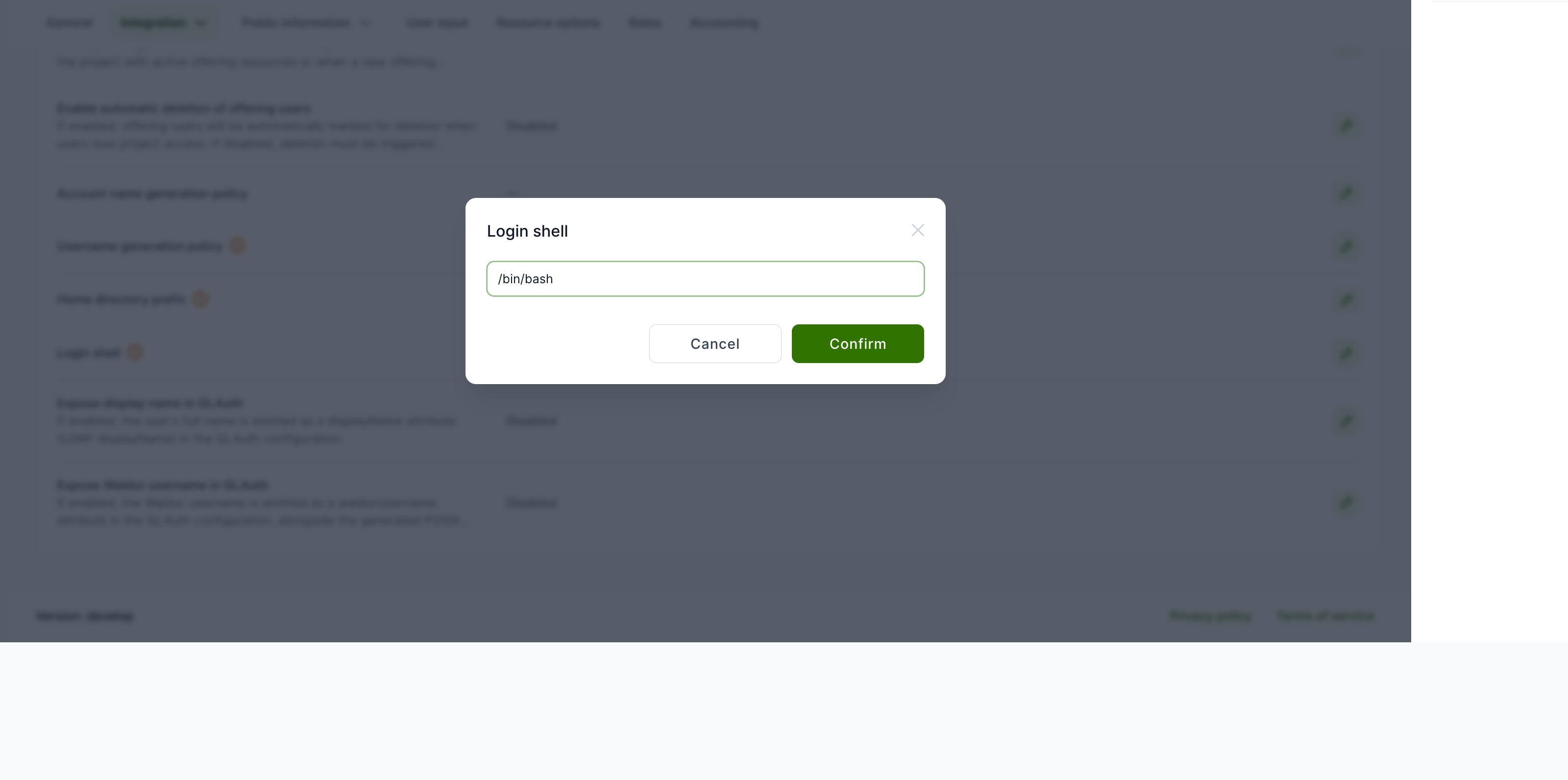
To change a value, click the pencil on its row and confirm. For example, the Login shell can be set to any path your backend expects:
How attributes map to LDAP
For each offering user, the GLAuth record is built from the Waldur user and the settings above:
| LDAP attribute | Source |
|---|---|
cn (name) |
The generated POSIX login name (per the Account/Username generation policy). GLAuth serves no uid attribute. |
givenName |
The user's first name. |
sn |
The user's last name. |
mail |
The user's email. |
uidNumber / gidNumber |
Allocated from the offering's POSIX ID pool. |
homeDirectory |
Home directory prefix + the generated login name. |
loginShell |
The Login shell setting. |
preferredUsername |
The generated POSIX login name — the same value as cn, kept as a custom attribute for compatibility. |
displayName |
The user's full name — only when Expose display name is enabled. |
waldurUsername |
The Waldur username — only when Expose Waldur username is enabled. |
Login name vs. directory identity
The LDAP cn (name) is the generated POSIX login name — the value
produced by the Account/Username generation policy — and homeDir
follows it. The original Waldur username is exposed only through the
optional waldurUsername attribute; enable Expose Waldur username if
downstream systems need to correlate the POSIX login back to the Waldur
account.
Key SSSD off cn, not preferredUsername
On the client set ldap_user_name = cn (see
Shared project storage with GLAuth and SSSD).
GLAuth cannot filter searches on custom attributes, so
ldap_user_name = preferredUsername matches nothing and no user ever
resolves (empty getent, failed key-based SSH login). cn already carries
the generated login name, so keying off it is correct and sufficient.
To inspect the rendered output at any time, use View GLAuth configuration on the User management panel.
Sourcing UID and GID
By default both the uidNumber and the gidNumber of every account are
allocated from the offering's POSIX ID pool. An offering can
instead take either identifier from the Waldur user's own attributes —
uid_number and primary_gid — which are typically populated from an
identity-provider claim (an OIDC/SAML uidNumber/gidNumber) during login. Two
per-offering options control this:
| Option | Values | Effect |
|---|---|---|
uid_source |
pool (default) / user_attribute |
Where each account's UID comes from: the pool, or the user's uid_number attribute. |
gid_source |
pool (default) / user_attribute |
Where each account's primary GID comes from: the pool, or the user's primary_gid attribute. |
This is how a federated deployment keeps a user's UID stable and identical across every provider (it belongs to the identity, not to any one site) while still letting each provider allocate project and role GIDs locally.
Collision-free pairing
Set uid_source = user_attribute together with a GID-only pool (a pool
whose UID range is left empty — see
Managing POSIX ID pools). Waldur then
never allocates a UID that could clash with the externally-supplied one, and
the GIDs still come from the pool. When an account is sourced from a user
attribute that is missing, Waldur leaves that identifier unset and logs a
warning rather than falling back to the pool.
This pairing is also one of the two supported answers when a site arrives with legacy UIDs that fall outside every configured pool — see legacy identifiers outside a pool. Note that identifiers sourced this way are not tracked by a pool, so they show no pool scope in the offering user's POSIX identifiers table; that is expected, and is explained under where an identifier came from.
Exposing the POSIX identity attributes
The user's uid_number and primary_gid are only visible to a provider if the
offering exposes them. On the offering's Integration → Advanced → User
attribute exposure configuration, enable POSIX UID and POSIX primary
GID (they appear once the matching profile attributes are enabled for the
deployment). Once exposed, each value is returned on the offering-user API
alongside the user's other exposed attributes, so a provider can confirm the
federated UID/GID a user brings — useful when the offering is sourcing from the
user attribute rather than the pool.
Username-only offerings
If an offering only needs a username — no Linux account, GIDs or GLAuth exposure — turn Manage POSIX/LDAP account off. Its users then keep just their username; Waldur stops assigning UIDs, GIDs, home directories and login shells, and the account never appears in the GLAuth directory. This lets a provider run username-only offerings next to full HPC offerings without changing any instance-wide setting.
Per-user overrides
The login shell, home directory, UID and primary GID default from the offering-level settings and the POSIX ID pool allocator, but a provider can override them for an individual account. On the provider's Offering users list (or the offering's Users tab), open the row's actions menu and choose Edit POSIX attributes.
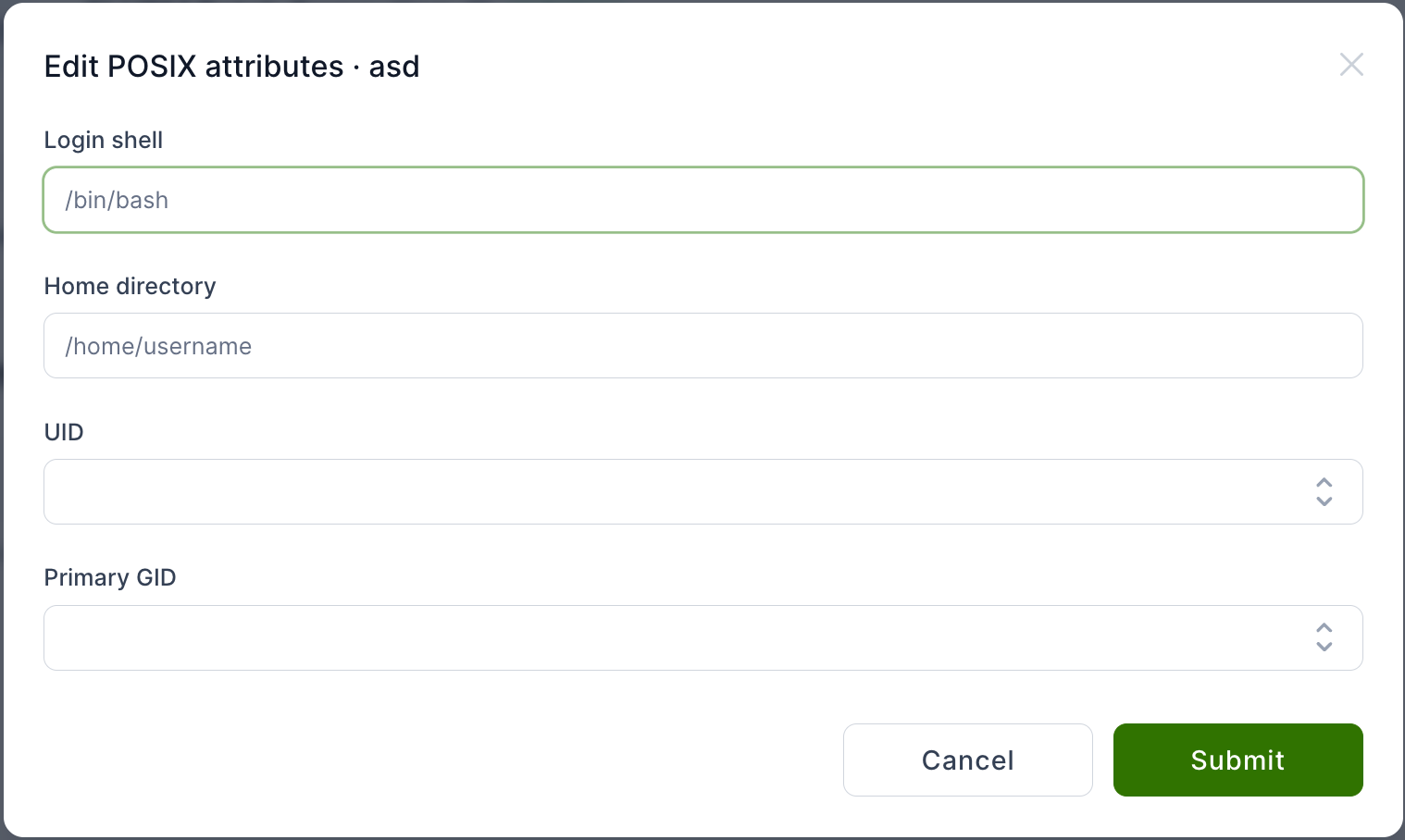
- An explicit home-directory override is preserved even if the username later changes (an auto-derived one re-follows the username).
- Setting a UID or primary GID records that value as the account's identity in the offering's pool, and the allocator skips it when handing out sequential numbers so it can never collide with an automatic assignment.
Override constraints
A UID/GID override must fall within the offering's pool range, and a value already in use by another account is rejected — the database enforces that no two accounts share a UID and no two groups share a GID.
Setting overrides through the API
Edit POSIX attributes is not UI-only. The same overrides can be applied programmatically, which is the practical route when onboarding many accounts at once:
1 | |
| Field | Notes |
|---|---|
login_shell |
Absolute path, for example /bin/bash. |
home_directory |
Absolute path. |
uidnumber |
The account's UID. |
primarygroup |
The account's primary GID. |
All four are optional, but at least one must be supplied. The response echoes
the stored uidnumber and primarygroup together with a warnings list:
1 | |
warnings carries non-fatal advisories only — a value that is one of the
reserved POSIX ids (65534, 65535) or is above 231, which some
software using signed 32-bit ids cannot handle. It is never used to report a
rejected value.
Values that violate the constraints above are rejected outright with HTTP 400: a UID or GID outside the offering's resolved pool range, a value already held by another active account, or an offering for which no pool resolves at all. The action is all-or-nothing — if the primary GID is rejected, the UID change submitted in the same call is rolled back with it.
Calling this endpoint requires permission to update offering users on the offering's organization.
Group memberships
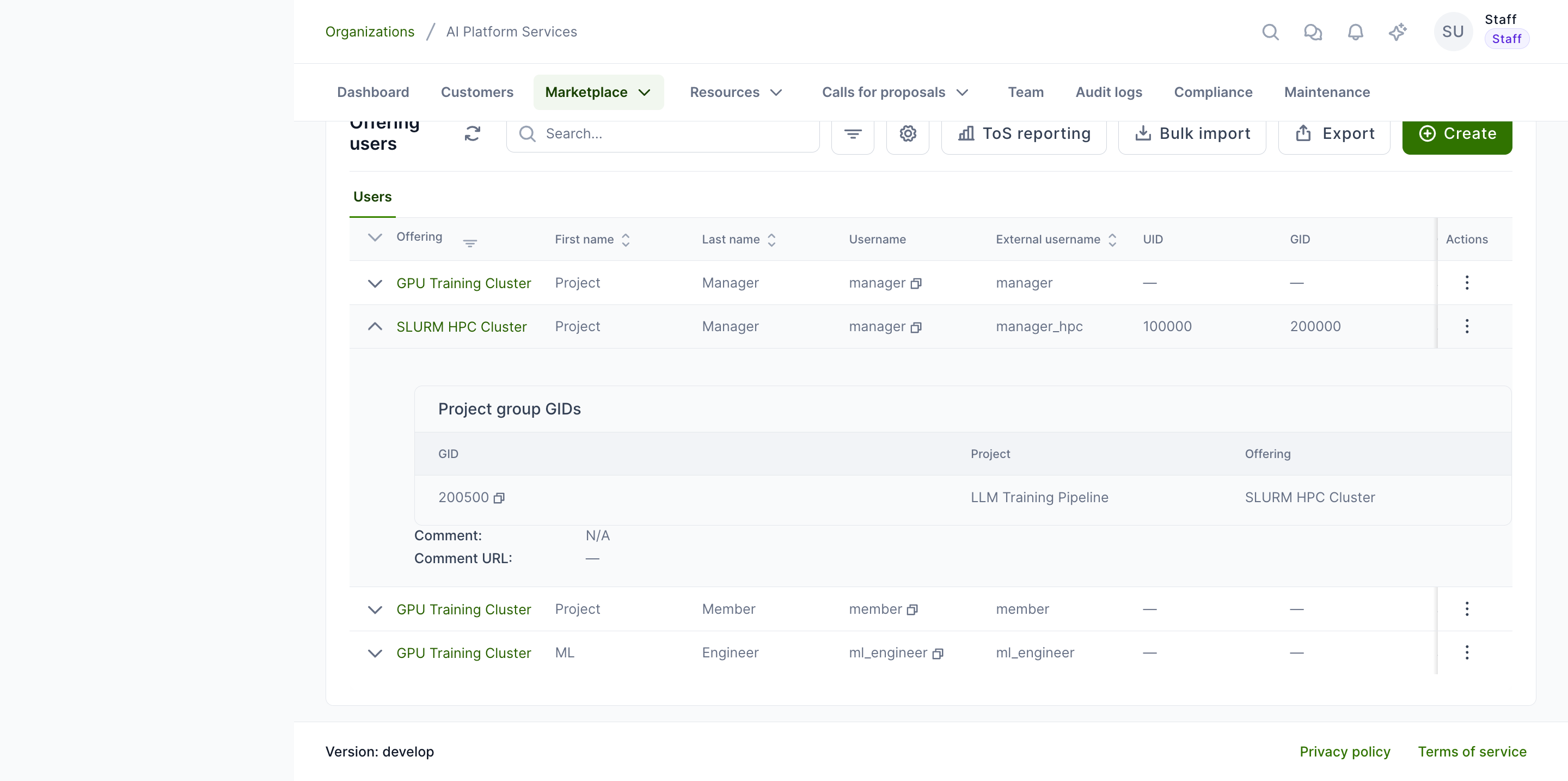
Expanding an offering user shows the project group GIDs they belong to —
the shared GIDs emitted in their GLAuth otherGroups — each with its owning
organization, a link to the project (when you may open it) and the POSIX ID
pool the GID came from.
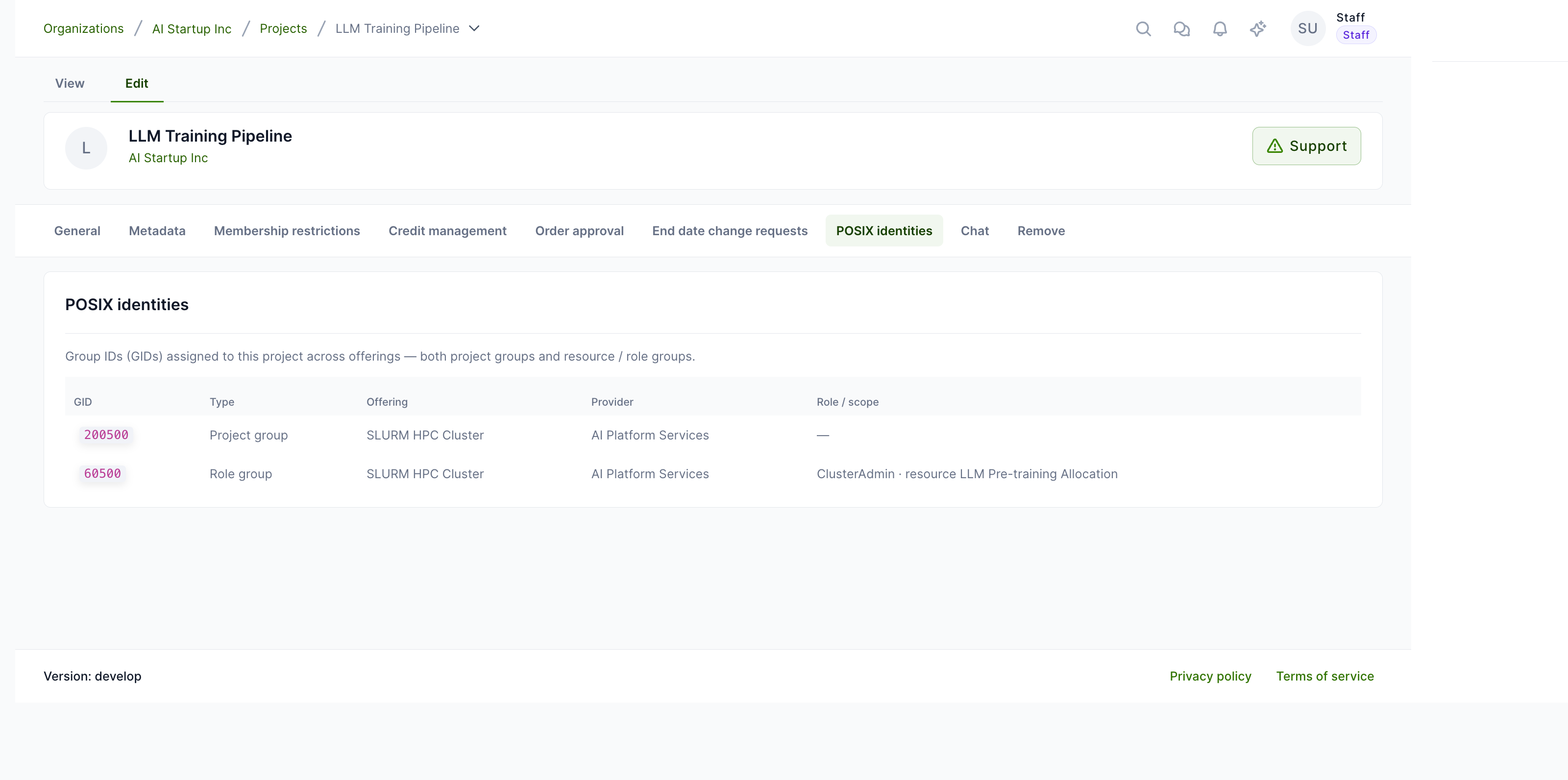
The same information is available project-side: on a project, open Manage → POSIX identities to see every GID assigned to the project across offerings — both project groups and resource/role groups, with their offering, provider and scope. The GID values are copy-pastable.
Role groups
Beyond the per-project groups, an offering can emit a GLAuth group for each role a user holds on a resource or a resource project (a sub-project of a resource). This lets a provider grant shared-storage or scheduler access from Waldur roles instead of static Unix groups. Two per-offering plugin options turn it on, each mapping a Waldur role name to the short name used in the group:
| Option | Maps | Example |
|---|---|---|
resource_role_map |
resource role name → group role name | {"ClusterAdmin": "admin"} |
resource_project_role_map |
resource-project role name → group role name | {"ProjectMember": "member"} |
The group name is rendered from a template (overridable per offering):
| Option | Default template |
|---|---|
resource_role_group_template |
${resource_slug}_${role_name} |
resource_project_role_group_template |
${resource_slug}_${rp_uuid_short}_${role_name} |
Each role group is a posixGroup whose gidNumber is allocated from the
offering's POSIX ID pool, with the users holding that role
as its memberUids. A group is emitted only for a role listed in the maps,
and only while at least one user actually holds it — so the directory stays
limited to the access a provider has opted into.
For example, with the maps above and a resource cluster whose ClusterAdmin
is alice, GLAuth gains a group cluster_admin (member alice); a resource
project team-x under it whose ProjectMember is bob yields
cluster_<rp-uuid>_member (member bob). Both appear next to the project
groups under ou=groups in the offering's View GLAuth configuration viewer.
Reviewing a user's identifiers
Expanding an offering user also shows a POSIX identifiers table with the account's UID and primary GID and, for each, the POSIX ID pool it is tracked by. A value that is not tracked by a pool — seeded from a preset or imported before pool management existed — is shown as Not from a pool.
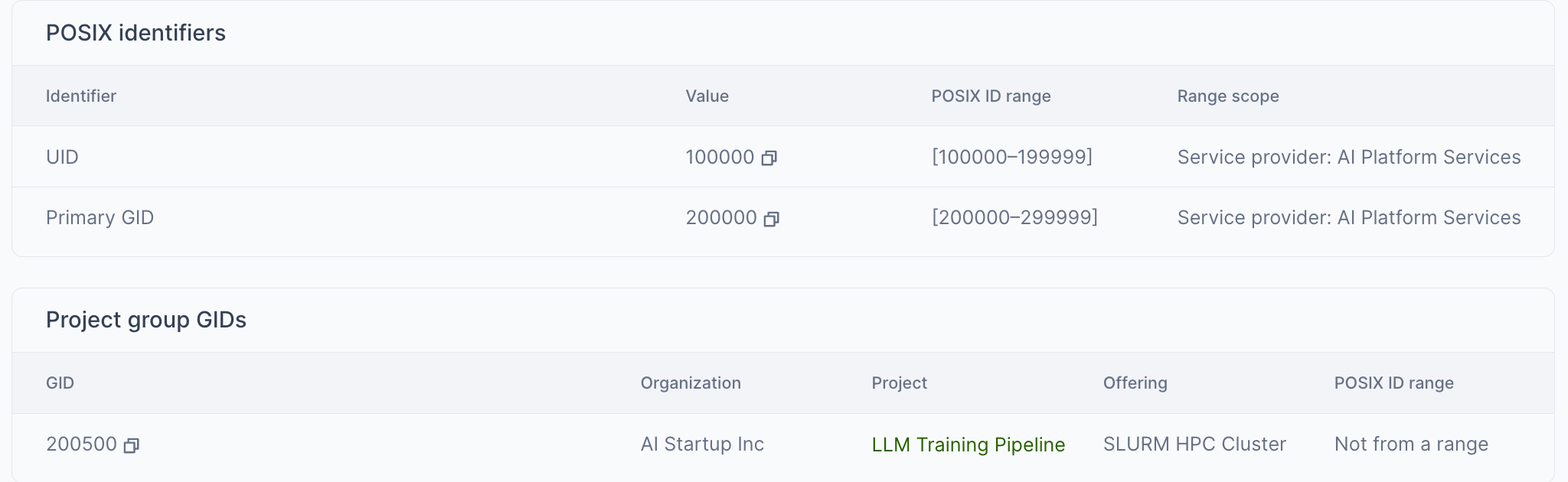
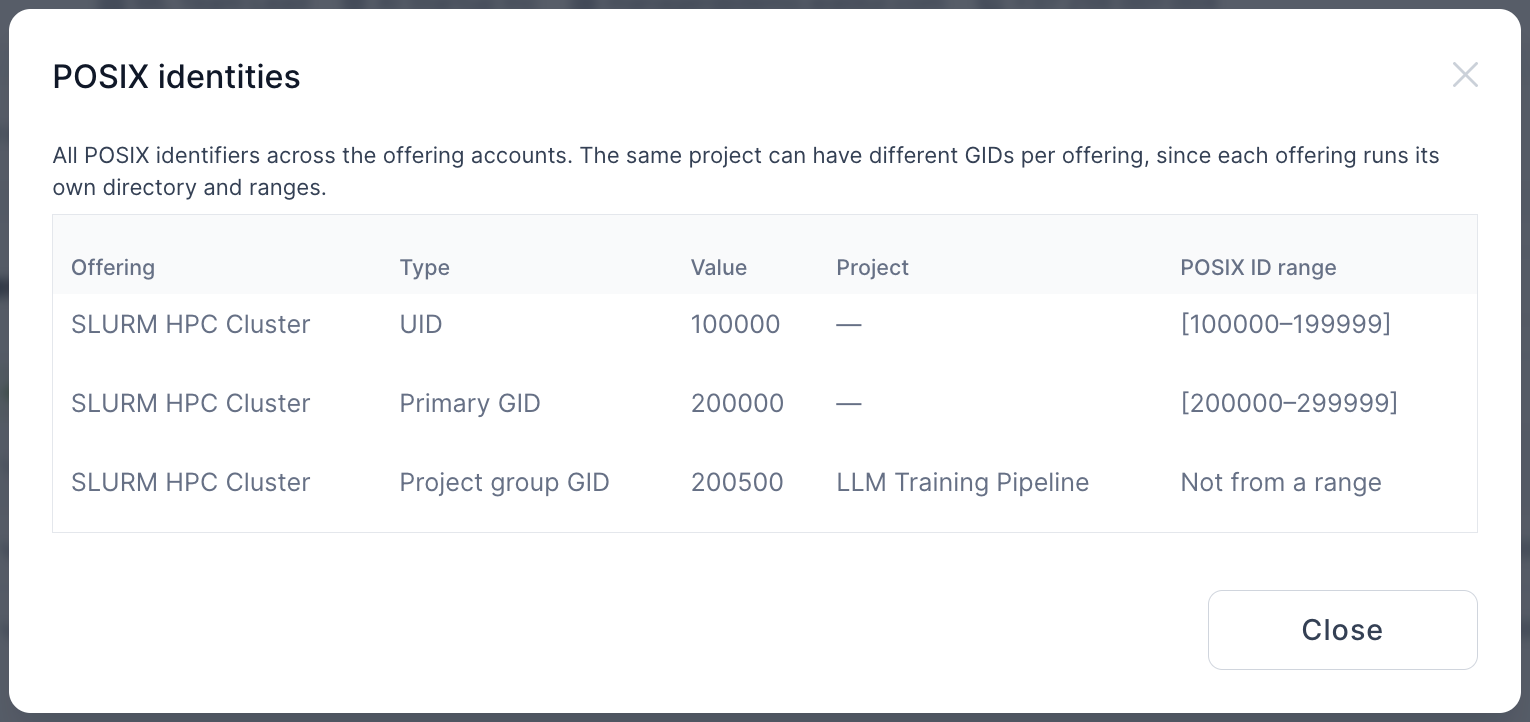
A user can review all of their own identifiers in one place: on their profile, open Remote accounts and use the POSIX identities action. The popup consolidates every UID, primary GID and project group GID across all the offerings they have an account on, each tagged with its offering and the pool it came from. Because each offering runs its own directory and pool, the same project can appear under several offerings with different GIDs.