Team management for staff
Adding organization members
New user already has account in current Waldur instance
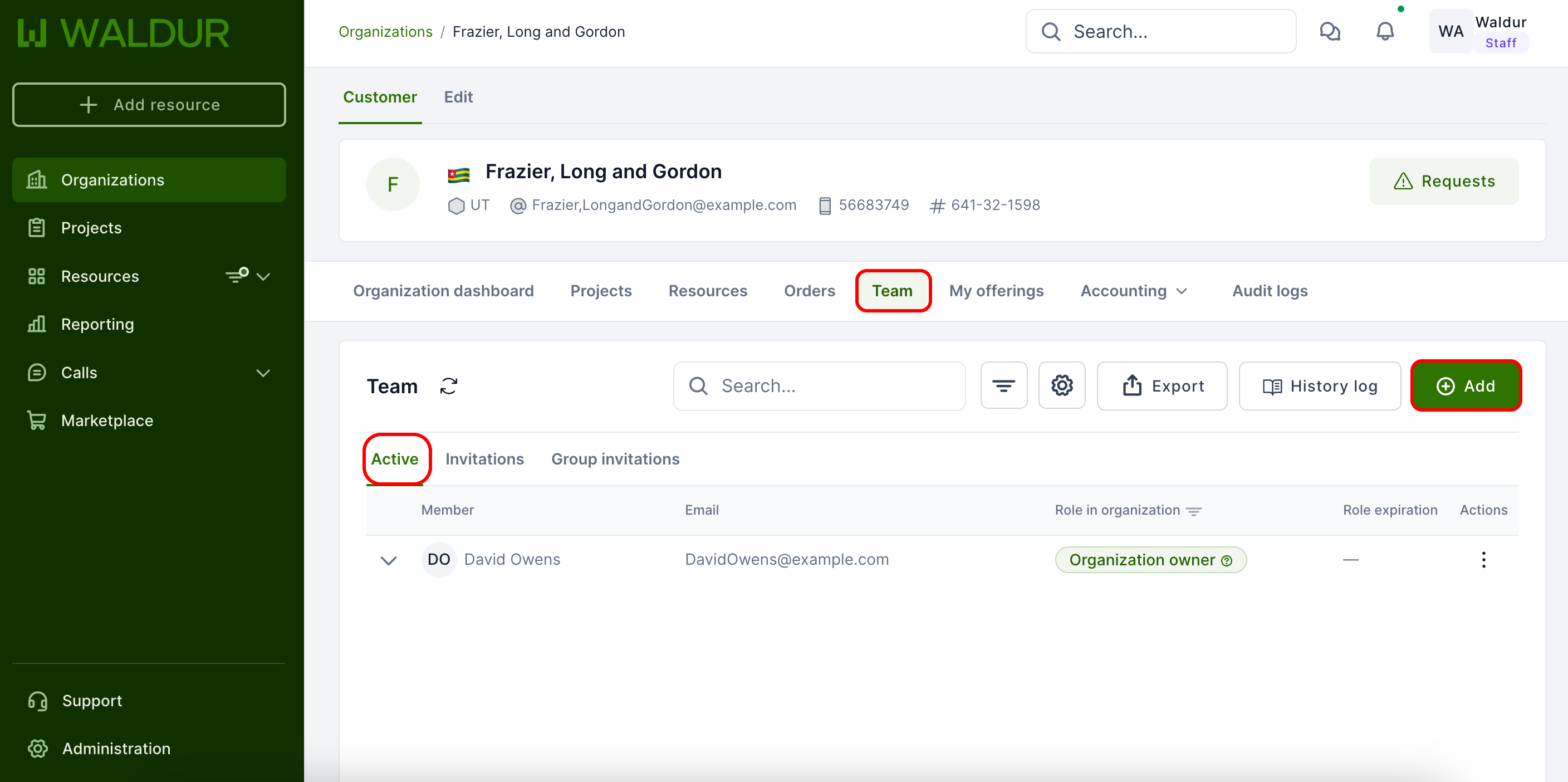
- Open the organization in Waldur.
- Select Team from the menu. The organization's members are listed under the Active tab, alongside Invitations and Group invitations.
-
Click Add and choose Member to open the Add member dialog.
-
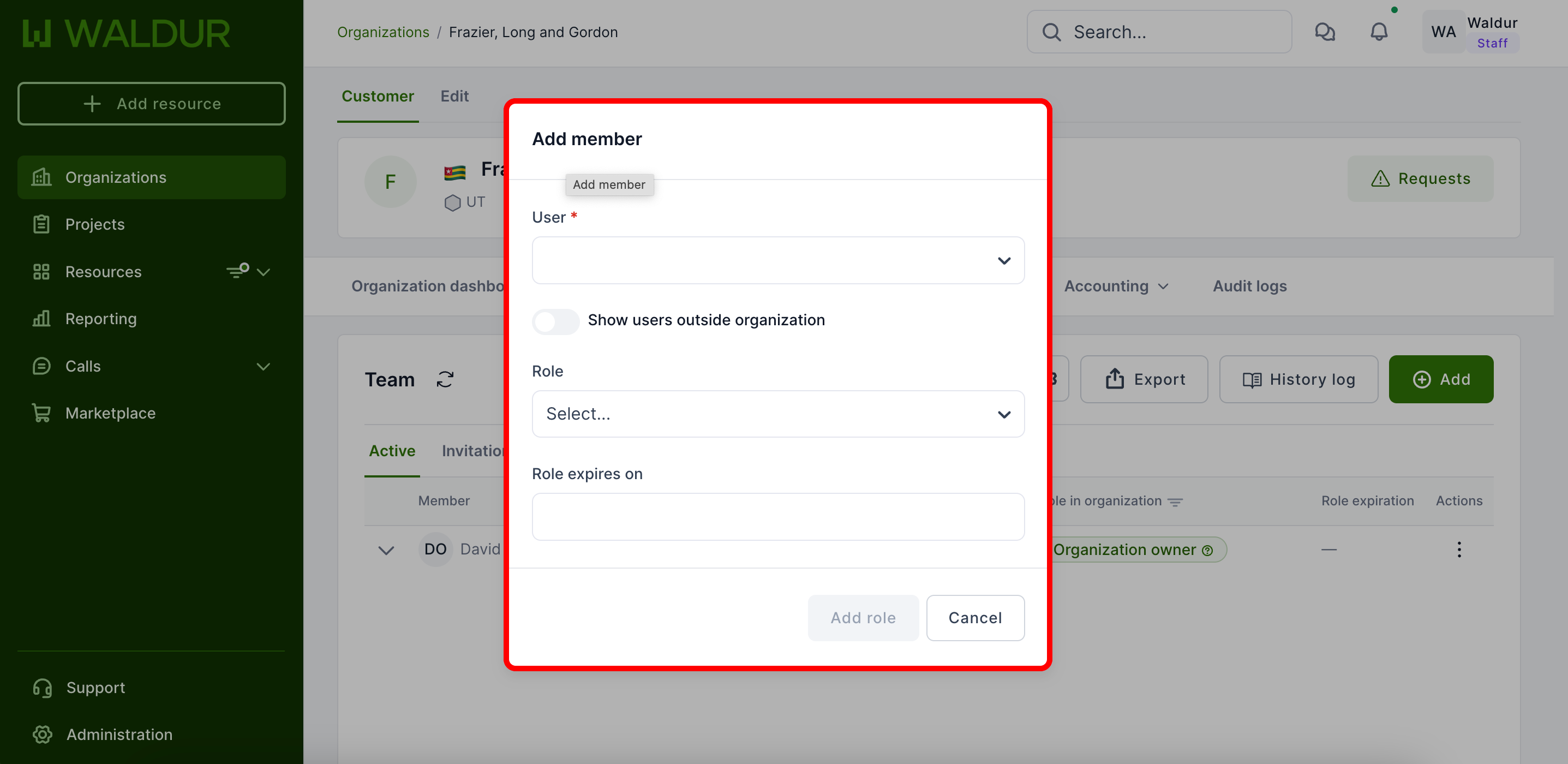
Select correct user, set the role and expiration date if necessary.
-
Finally, click Add role.
- User now will be added to the organization.