Resources, role mapping and team
Performed by: Call manager
Three parts of a call's configuration decide what it hands out and who works on it: the offerings on its Resources tab, the role mapping under Allocation, and the people on its Team tab.
Offerings
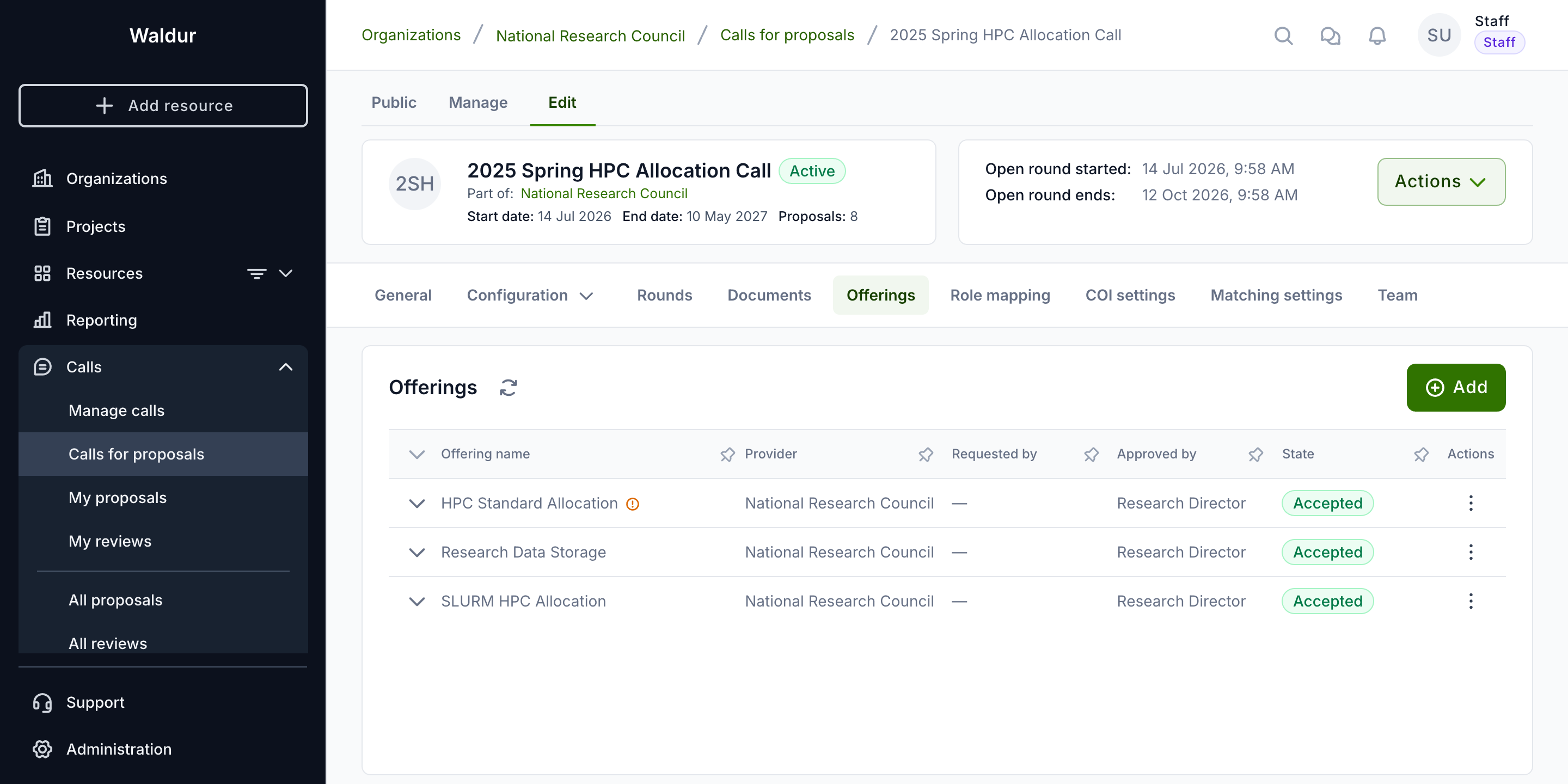
Define available resources on the Resources tab:
- Add Offerings: the New offering dialog walks through Select offering and Configure request, then submits the request to the offering's service provider
- Ensure all required offerings have been approved by service providers: the list shows each offering's Offering name, Provider, State, Requested by, Approved by and Purchase order, and a pending request reads Waiting for the provider
- Expand an offering to set what a proposal may request of each of its components: Any amount, Fixed at, At least or Up to an amount
- Offerings that require a purchase order pass that requirement on to the call — see Purchase orders in calls
What applicants can request from these offerings is narrowed further by the call's resource templates.
Role mapping
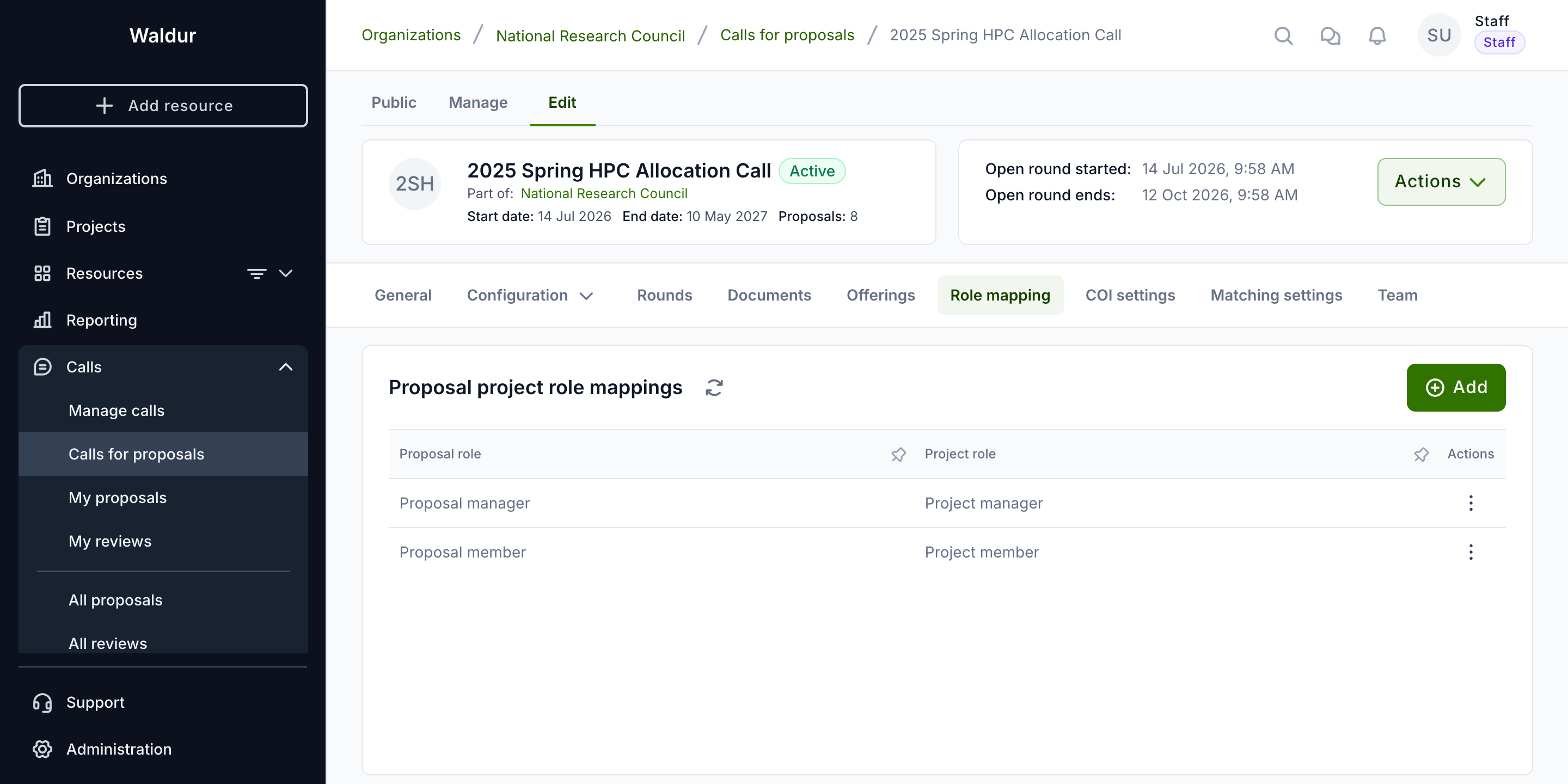
Configure project role assignments under Allocation → Role mapping:
- Proposal project role mappings: Map each proposal role to corresponding project roles
- Map every proposal role whose holders should get access to the project. Mappings are not required — activation only warns with No role mappings — but without them projects allocated from approved proposals have nobody on them, not even the applicant
- Mappings can be added at any time, but apply only to proposals approved afterwards
Call team
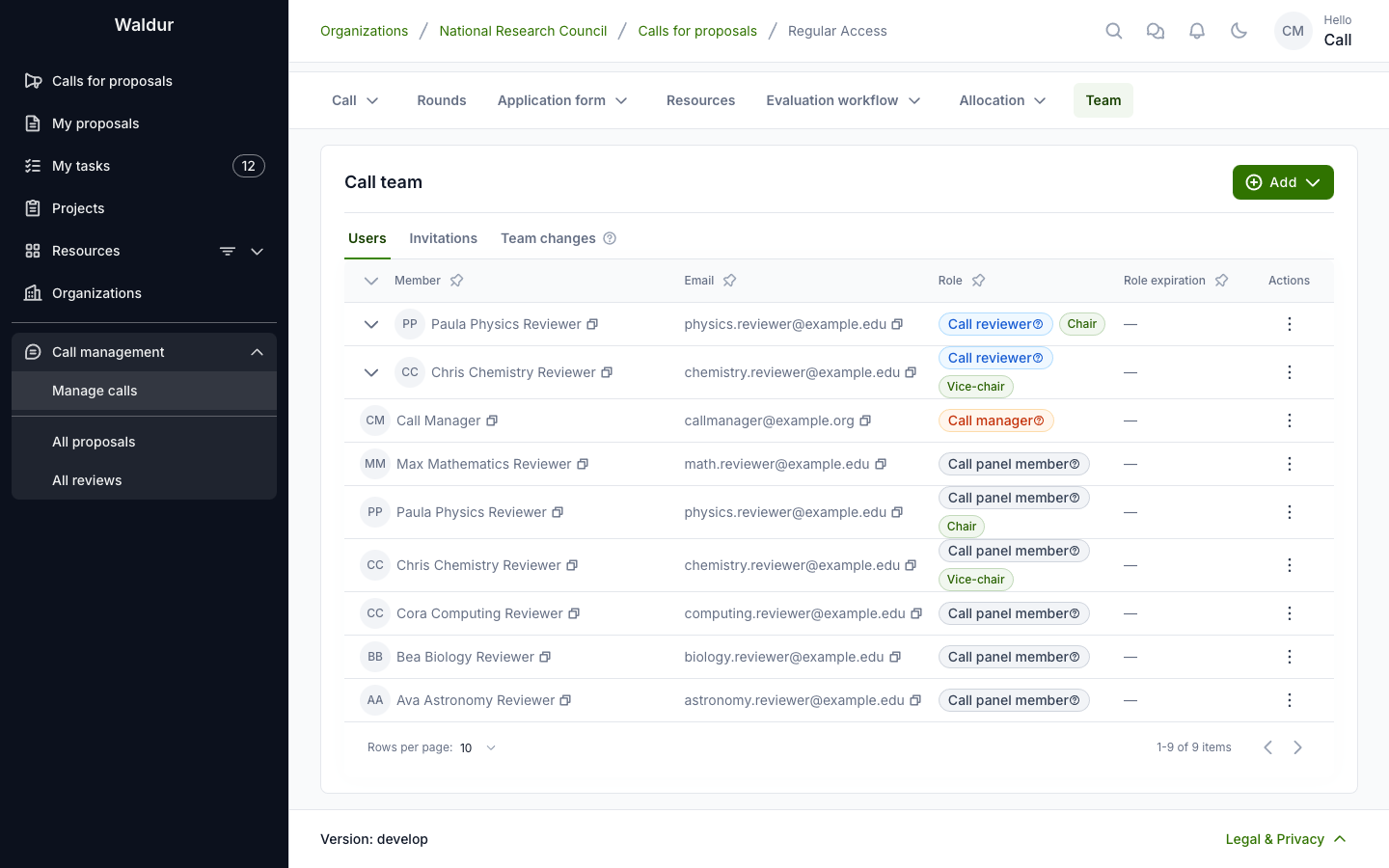
The Team tab grants the Call manager, Call panel member and Call reviewer roles on the call. Its sub-tabs are Users, Invitations and Team changes. Granting the Call reviewer role adds its holder to the call's reviewer pool as accepted; revoking it declines their pool entry.
A panel member's row offers Set as panel chair and Set as vice-chair. Steps can name the panel members, or the panel chair or vice-chair, as the role that completes or contributes to them (see Workflow configuration).
The reviewer pool itself is managed on the call's Manage → Reviewer pool tab. See Reviewer management.