Catalogue mode
This guide explains how to enable and use the Catalogue mode in Waldur. This feature changes the marketplace to a catalog-only view, where services are displayed as a list of offerings but cannot be ordered directly through the platform.
Enabling Catalogue mode
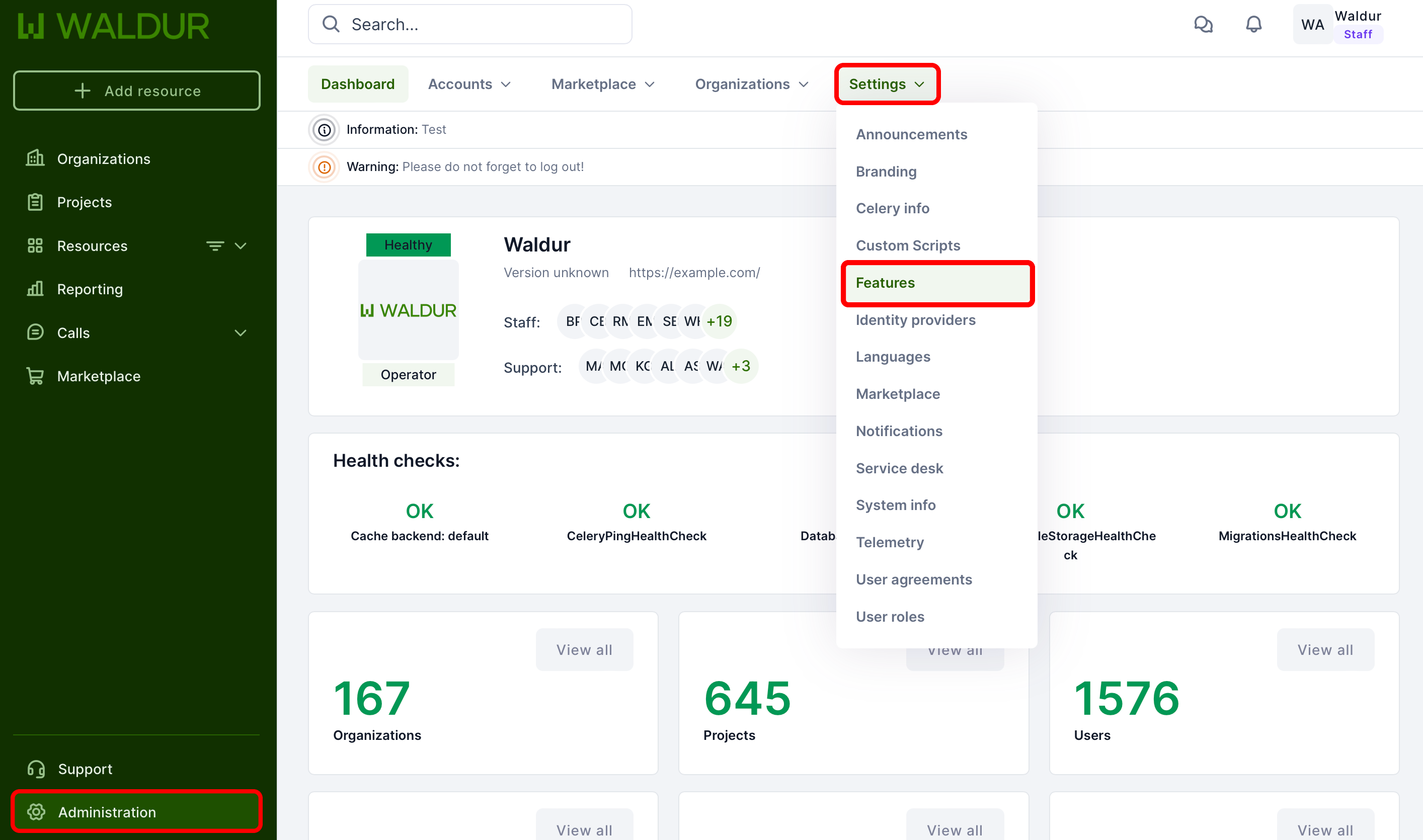
Step 1: Open the feature settings
Open Administration → User interface → Features.
Step 2: Enable the feature
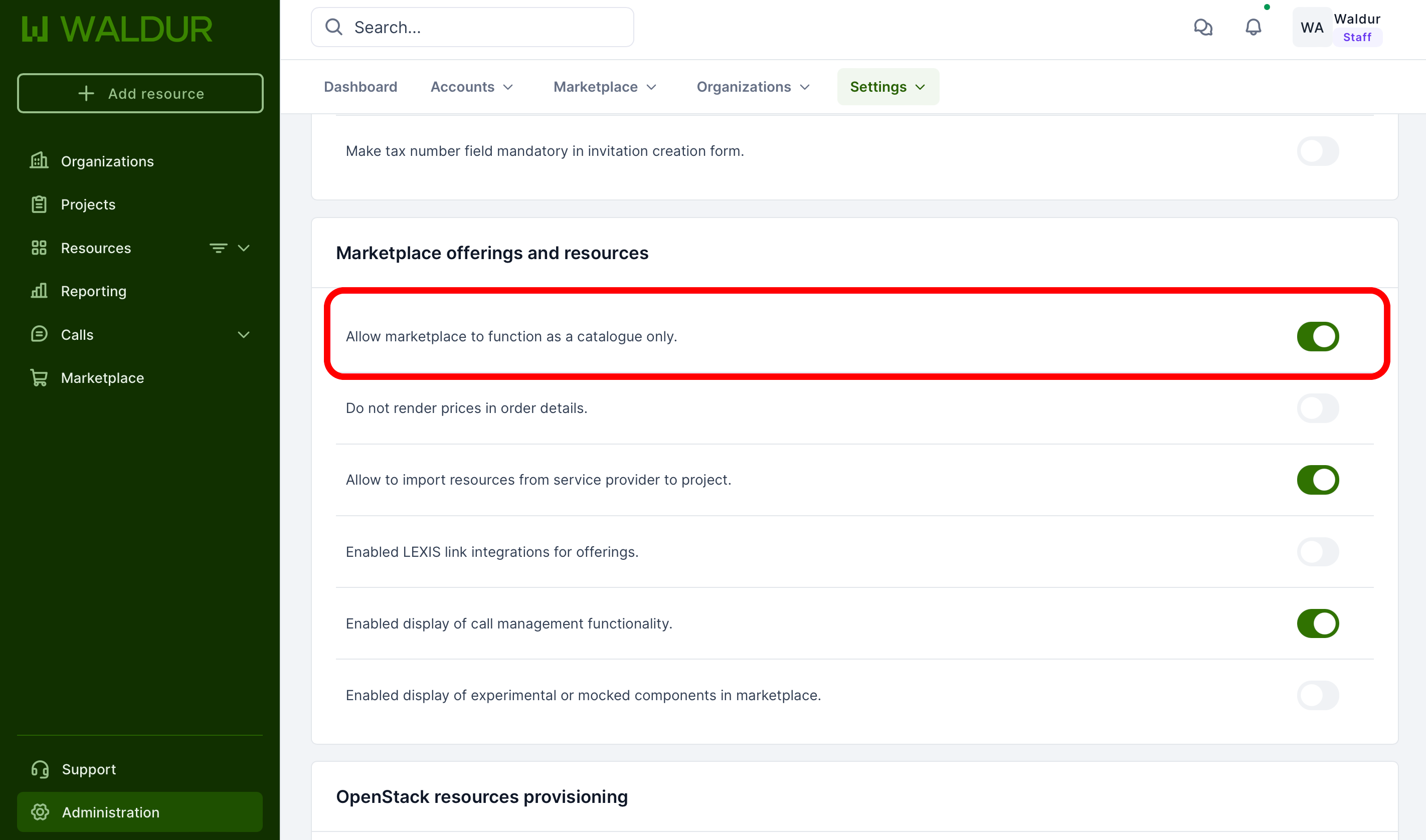
- Select the Marketplace offerings and resources tab.
- Find Run the marketplace as a catalogue (Allow marketplace to function as a catalogue only in older versions).
- Toggle the switch on and click Save.
Understanding Catalogue mode
When enabled, Catalogue mode introduces the following changes:
Key features
- Display-Only Functionality: The marketplace transforms into a directory-style listing of services
- No Direct Ordering: Offerings cannot be ordered directly through the portal
- Service Showcase: Organizations can present their services and offerings in a "yellow pages" format
Use cases
- Organizations wanting to showcase their services without enabling direct ordering
- Creating a comprehensive service directory
- Establishing a reference point for available offerings across different organizations
What changes?
- Order buttons are removed from offering details
- Focus shifts to informational display of services
- Maintains full visibility of offering details and specifications
- Preserves organization and category browsing capabilities
Combining with calls
Catalogue mode disables ordering only. An offering that is open for proposals still offers Apply for access, so a catalogue can grant services through review. See Service access modes.
Note
The Catalogue mode can be disabled at any time by following the same steps and toggling the feature off.