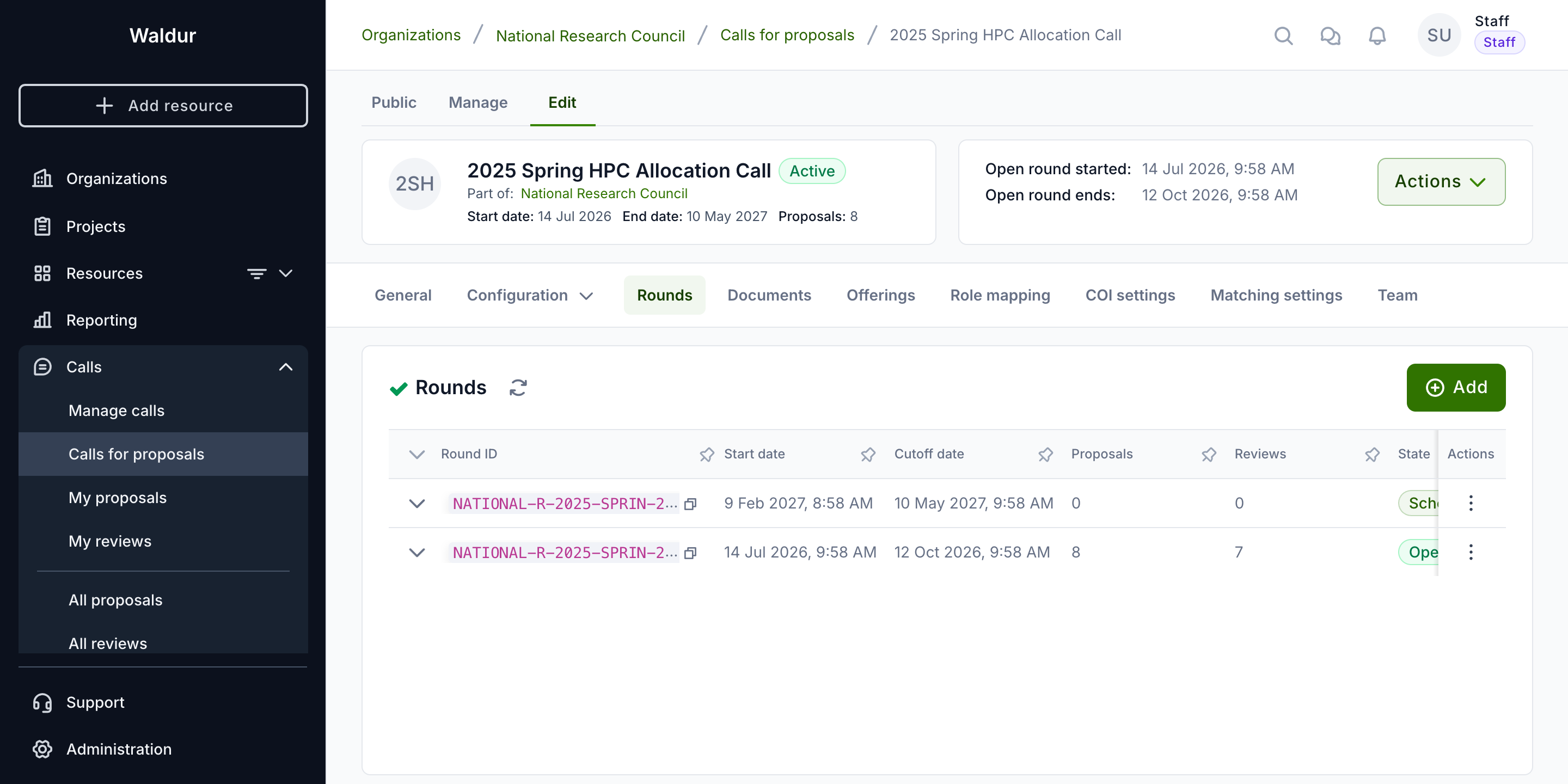
Rounds
A round schedules one submission period of a call: when proposals can be submitted, how long review takes, and when resources are allocated. A call needs at least one round before it can be activated.
Configuring rounds
Performed by: Call manager
- On the call's Rounds tab, open the New round dialog.
- On the Submission step, set:
- Time zone, Start date and Cutoff date — or tick No cut-off (continuously open)
- Optionally Repeats, to create several rounds at once: pick a Cadence (Monthly, Quarterly, Biannual, Yearly or Custom), the Number of rounds and the Submission window (days) each round stays open, in place of the cutoff date
- On the Allocation step, set the Allocation date — asked only when the call's allocation decision step allocates on a fixed date.
- Click Create.
A round's row actions edit it afterwards: Edit submission settings, Edit review settings (where Review duration without a step deadline (days) is set), Edit allocation settings, the round's lifecycle actions, and Delete.
A round only schedules submission, review and allocation. How many reviewers a proposal needs, the minimum score, who decides and when resources are allocated are set on the call's workflow steps.
A round can only be deleted while it has no proposals at all, in any state — drafts, and rejected or cancelled proposals, included. Deleting a round would delete its proposals with it, and a rejection or a cancelled draft is an outcome of the round that stays on record. The Delete action is disabled with that reason on such a round.
After the cut-off a round moves through its own lifecycle — evaluating, deciding, results published, closed — described under Round lifecycle after the cut-off. Committee work on a round — completing a step for all its proposals, round steps, the ranking and meeting notes — is described in Round steps and rankings.
Drafts at the cut-off
A proposal left in Draft when its round's cut-off passes has no submitted content to evaluate. By default it is not cancelled: it moves on to the call's next round, keeping its sections and answers, and its creator is emailed to say which round it now belongs to and when that round's deadline is. Nothing is submitted on the applicant's behalf — the proposal stays a draft until they submit it themselves.
Two things end this:
- No later round. If the round that closed is the call's last one, the draft is cancelled; there is nowhere for it to move on to.
- The setting is off. With Carry unsubmitted drafts over to the next round turned off under Call → General configuration, every draft left at the cut-off is cancelled, as Waldur did before the setting existed.
Only drafts carry over. A submitted proposal stays with the round it was submitted to, whatever its outcome.
When evaluation starts
Each call decides when a submitted proposal's evaluation starts:
- On submission (the default) — the first enabled workflow step starts as soon as the applicant submits.
- At the round cut-off — every proposal stays Submitted until its round's cutoff date, and the evaluation of all of them starts together after the cut-off, so a panel can assess a round's proposals as one batch. A background job checks for such proposals every hour, so they move to In review within about an hour of the cut-off.
Choose it with Evaluation starts under Call → General
configuration (the call's evaluation_start field in the API). It cannot be
changed while the call has proposals that are submitted or in review.