Changing a resource end date
A resource's termination date (end date) decides when it is scheduled for termination. Setting it takes one permission, and only that one. Everyone else — project managers included — asks for the change, and someone holding the permission decides.
| Who | What they see | What happens |
|---|---|---|
| Holders of the end date permission (by default, organization owners) | Set termination date | The date changes immediately |
| Everyone else with access to the resource | Request end date change | A request is raised for someone to approve |
The request flow has to be enabled per offering. Where it is off, only the permission holders have any end date action at all — the behaviour Waldur has always had.
Note
Prepaid offerings are not covered. They extend through renewal, which prices the extra period upfront — an arbitrary date would bypass that. The setting cannot be switched on for them.
Asking for a change
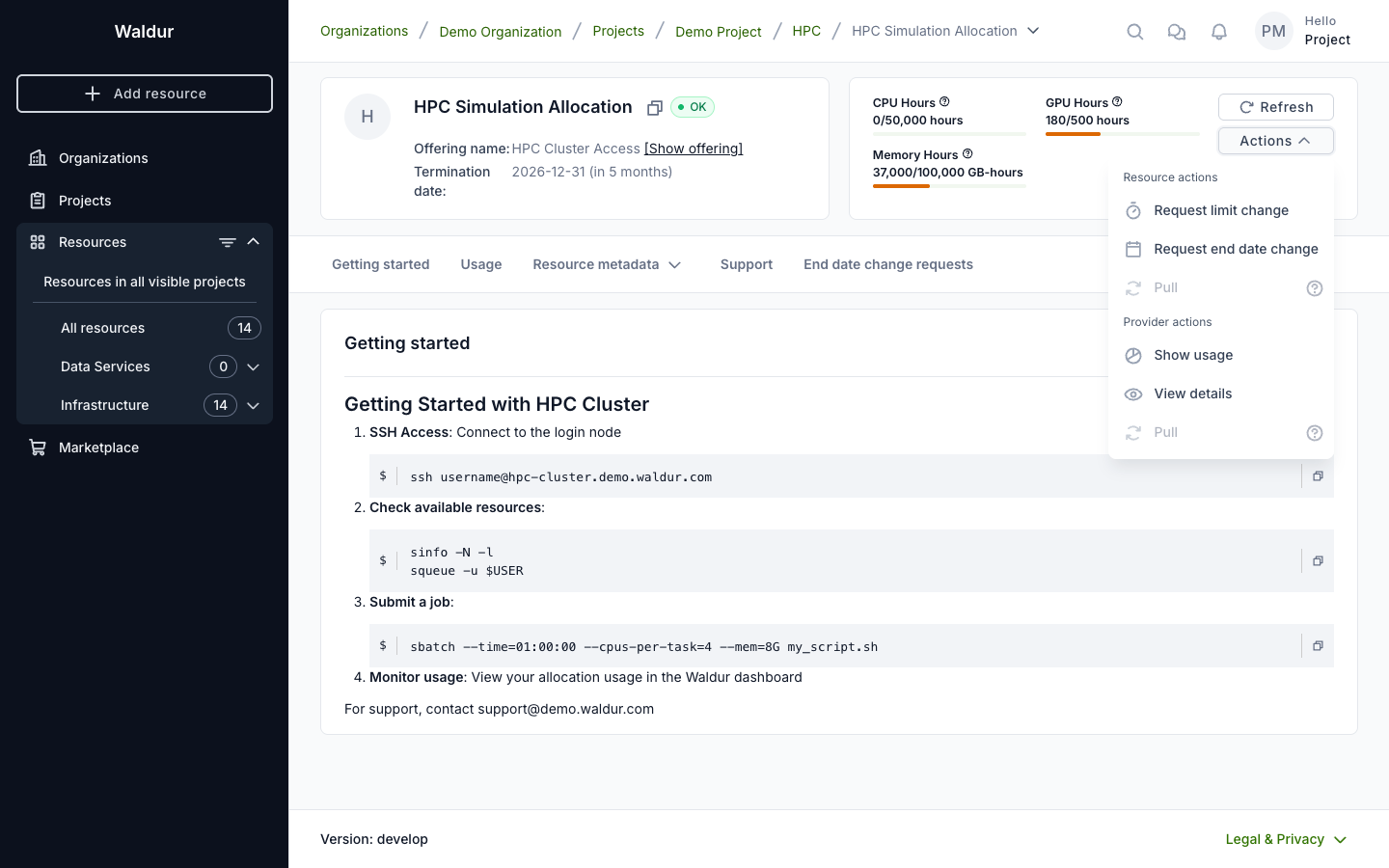
Use Actions → Request end date change on the resource.
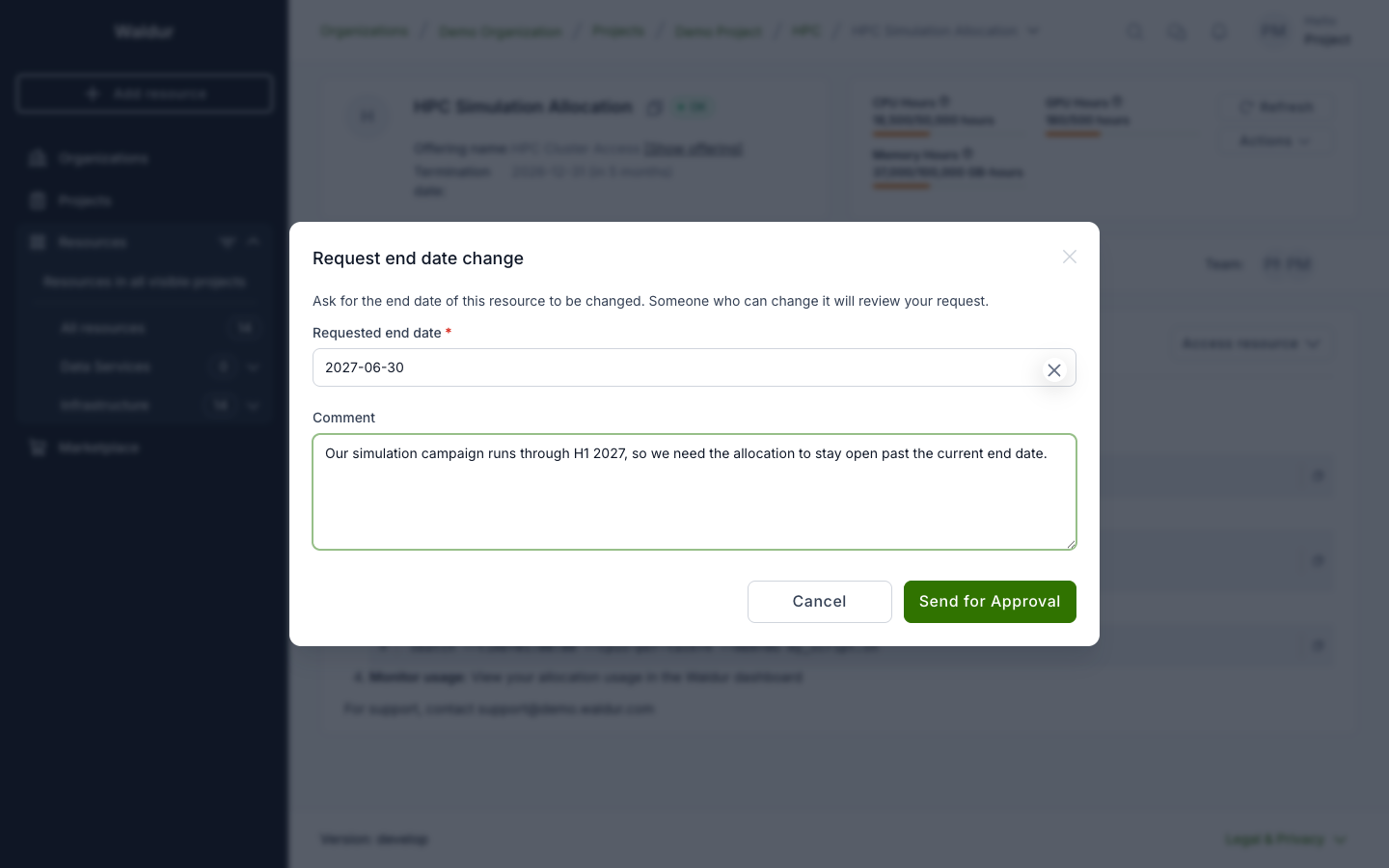
Pick the date you need and say why — the comment is what the approver reads when deciding, so it is worth filling in.
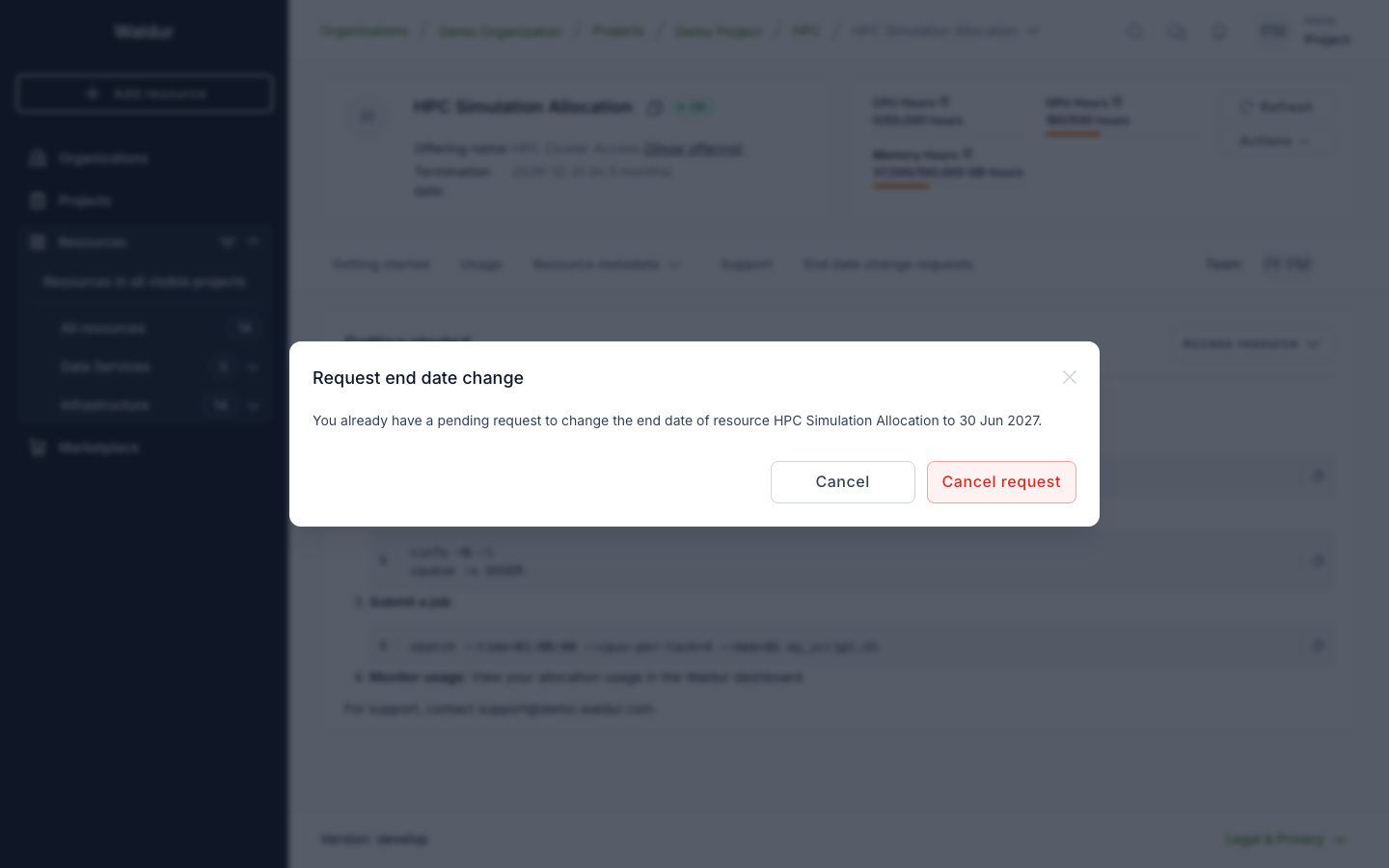
You can have one open request per resource. Opening the action again shows the pending one and lets you withdraw it if the date is no longer what you need.
OpenStack
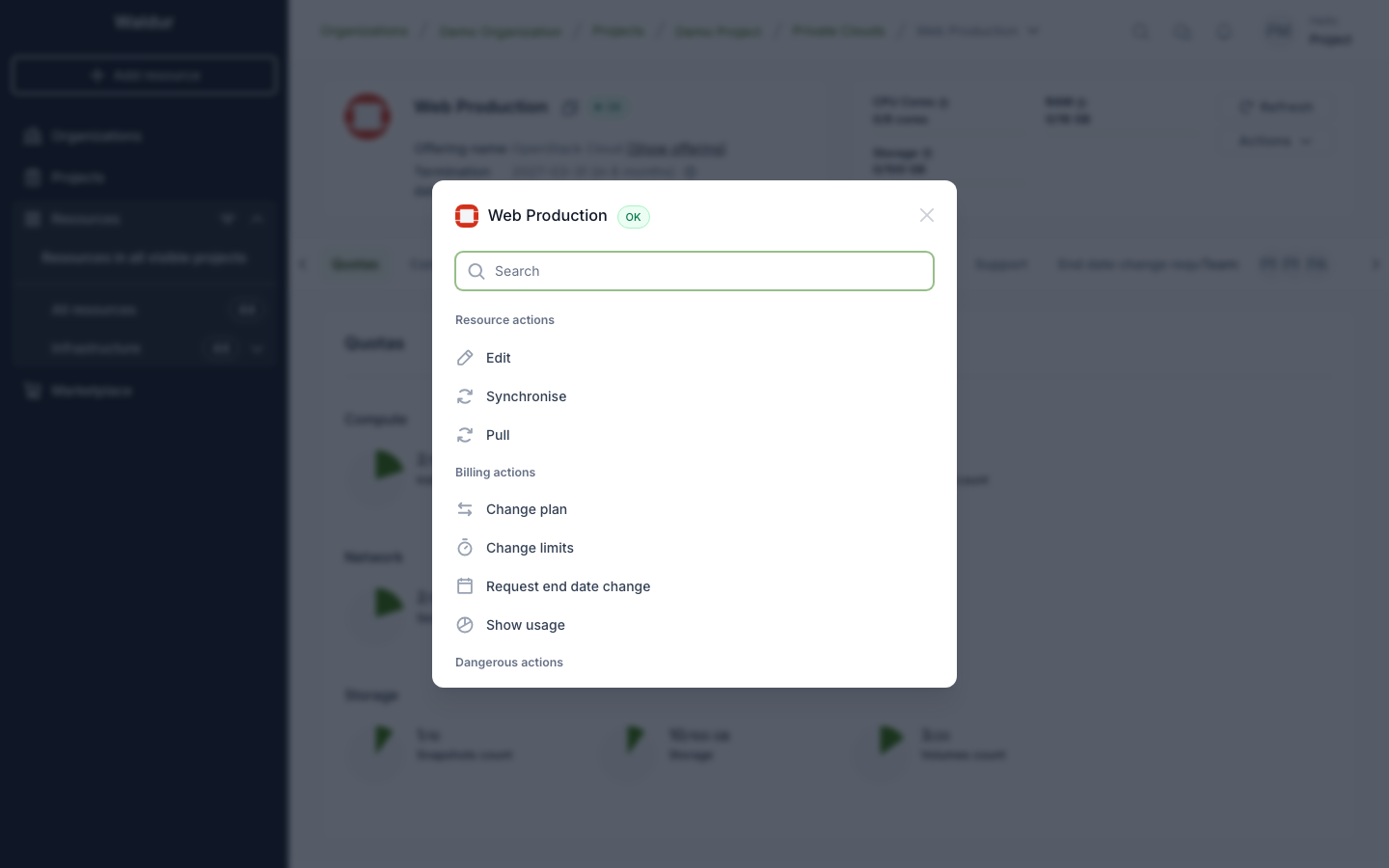
On OpenStack, the request is made on the tenant. Open the tenant's Actions menu and choose Show all: Request end date change is listed under Billing actions.
Virtual machines and volumes do not offer the request. They belong to the tenant they were created in and end with it, so ask for the tenant to be extended instead.
Following your request
Requests appear on the resource under Change requests → End date when limit change requests are shown on the resource as well, or as an End date change requests tab on its own.
You see the requests on any resource you can see. Pending is shown first; All keeps the history, so you can tell whether something was approved or rejected and by whom.
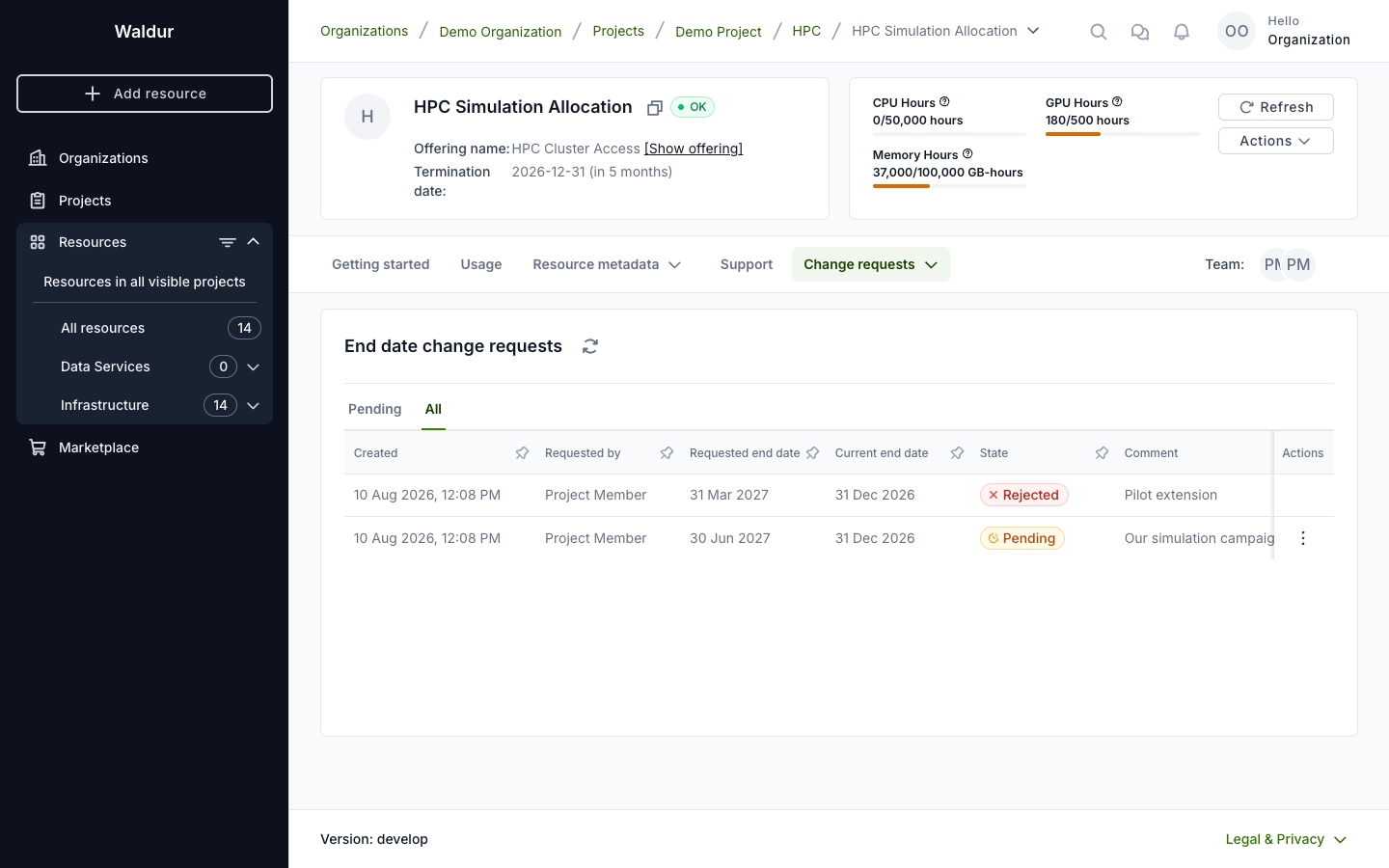
Only someone who may decide gets the Approve and Reject actions on a row.
Deciding a request
Approving changes the end date immediately — there is no further step and no order to follow.
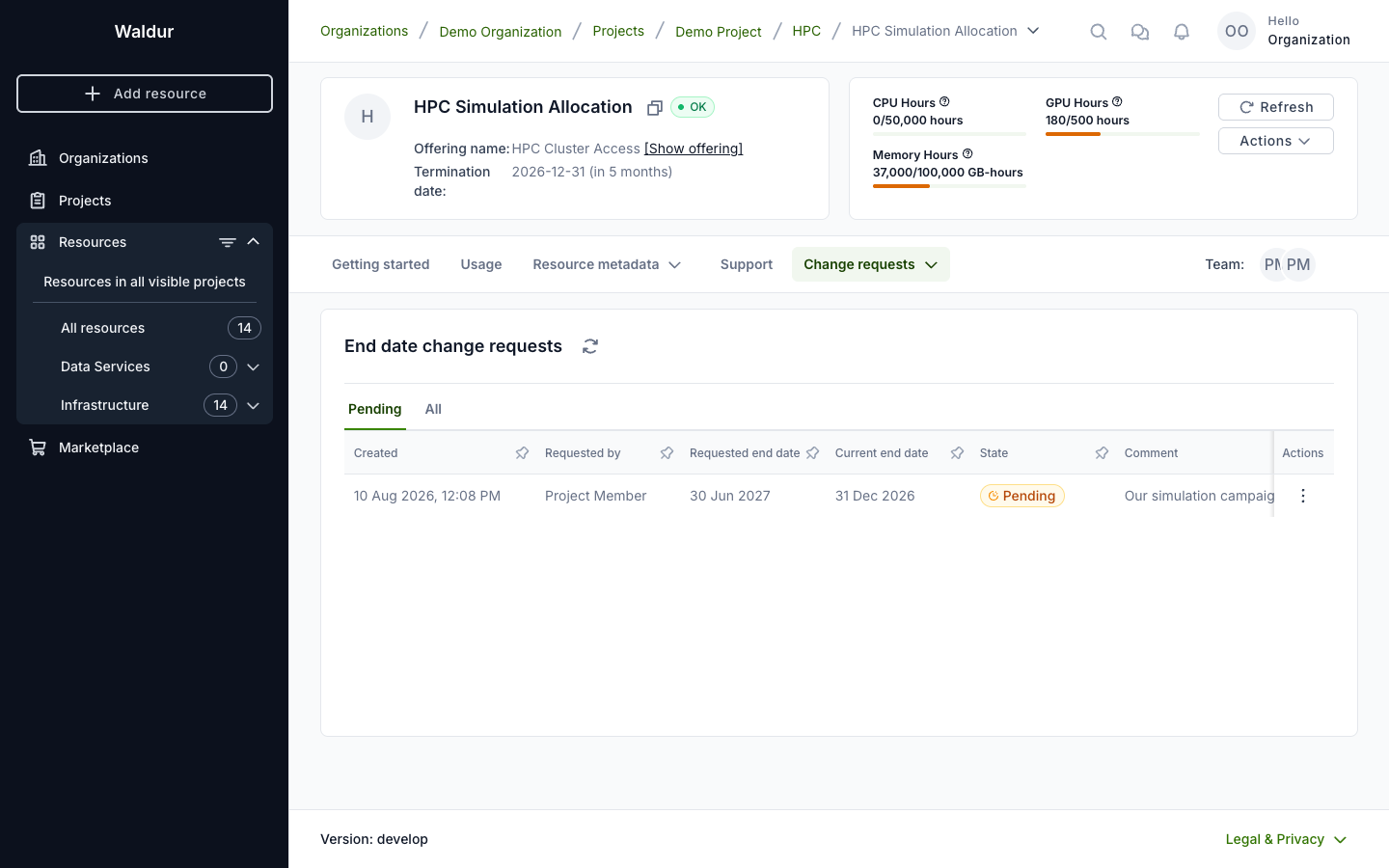
Rejecting closes the request and changes nothing. Either way the requester can see the outcome under All.
A request is re-checked at the moment it is approved, not trusted from when it was raised. If the date has become unacceptable in the meantime — the project end date moved in, or the offering stopped accepting these requests — approval is refused and the request stays pending.
Setting the date directly
Holders of the end date permission use Actions → Set termination date and the change applies on save.
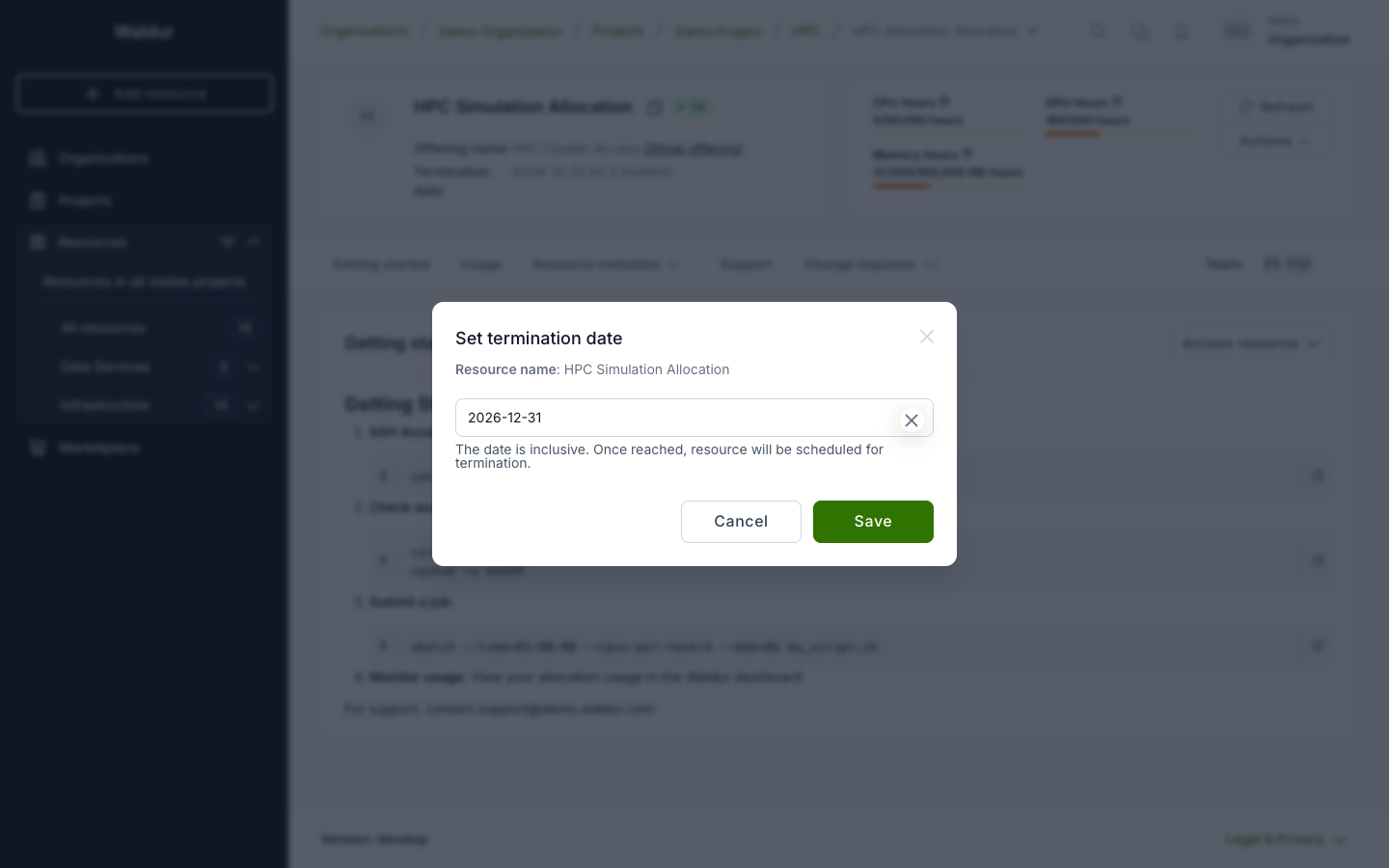
They cannot raise a request instead: it would be an approval they could grant themselves.
What is recorded
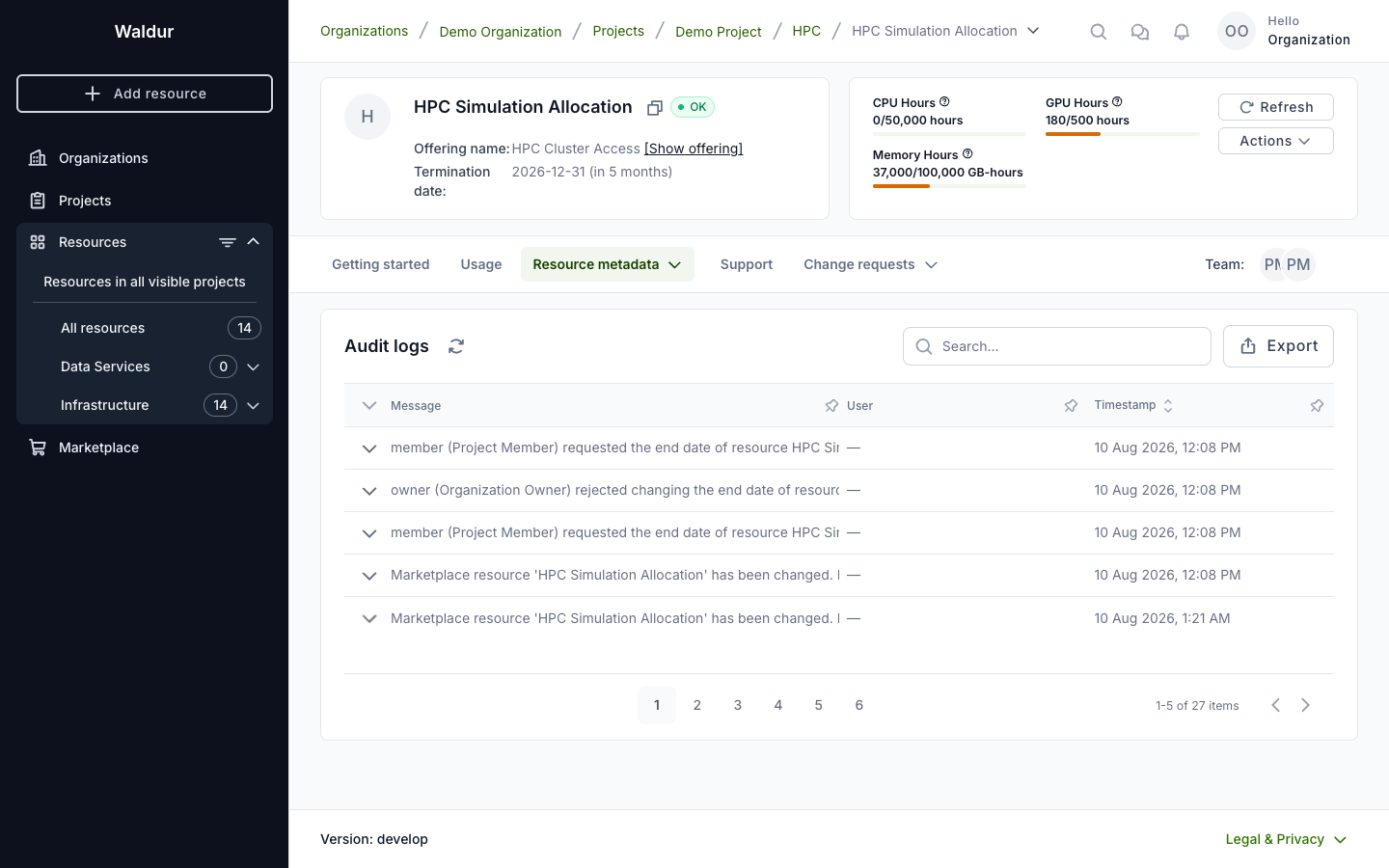
Every step lands in the resource's audit log — who asked, for what date, and who approved, rejected or withdrew it. A rejected request leaves a trace too, which is the point of routing the change through a request rather than a silent edit.
When the end date arrives
A resource whose termination date has passed is terminated by Waldur, and it does not matter whether the person who asked for the date still has access to it. If they have since left the project or lost their role, Waldur looks for someone else who may terminate the resource — another project manager, the organization's owner, or the service provider — and places the order under that name. An end date therefore keeps its meaning after the requester moves on, and resources are not left running because the only person who asked for the termination can no longer do it.
Enabling the flow (service provider)
Requests are off by default; every offering keeps the permission-only behaviour until it opts in.
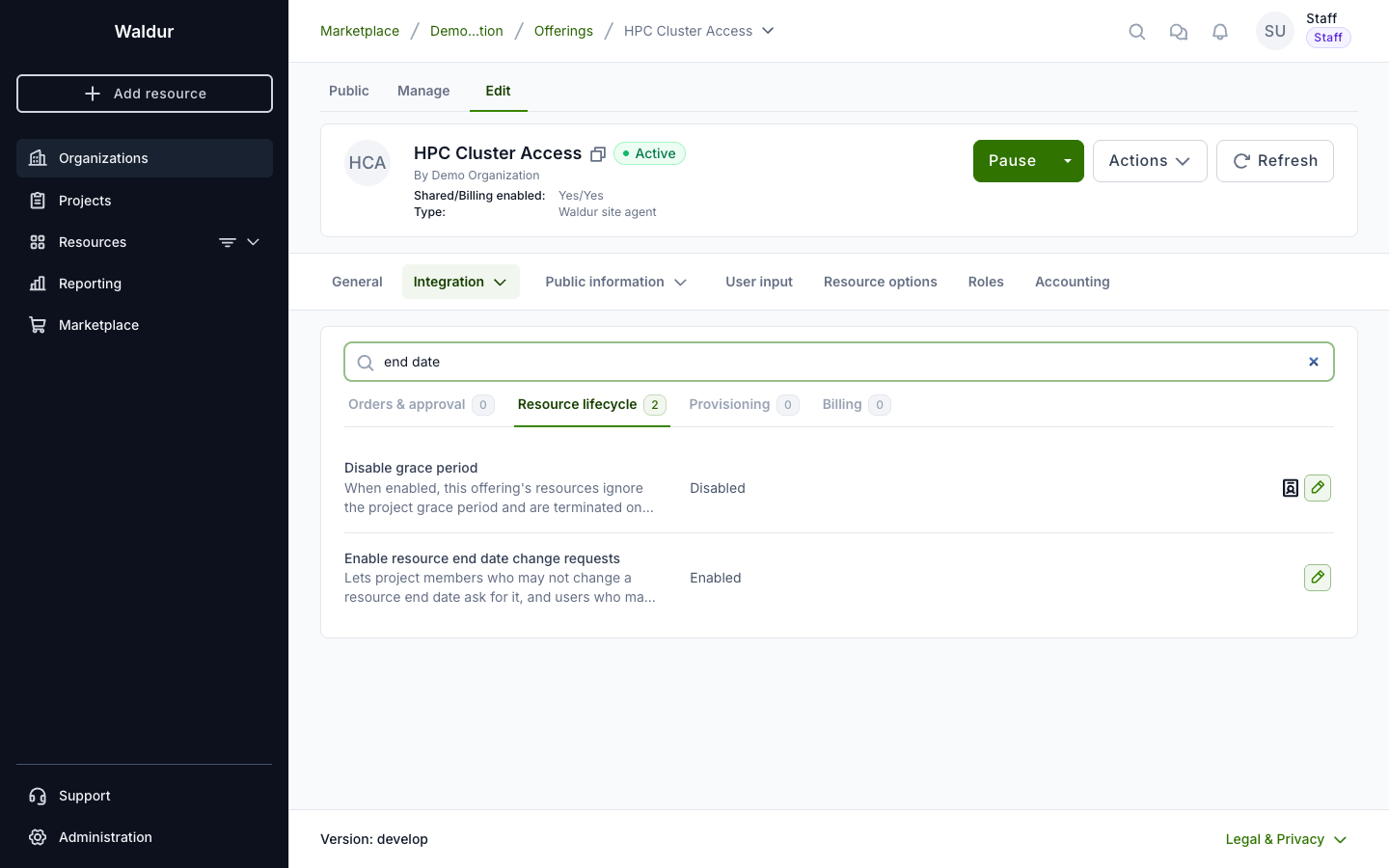
- Open the offering and go to Edit → Integration → Operations.
- Select the Resource lifecycle tab.
- Turn on Enable resource end date change requests.
Note
Editing this setting requires permission to manage the offering's integration, held by the provider organization's owners, service provider managers and offering managers. It cannot be enabled on a prepaid offering.
Approving outside Waldur
Requests are published as events, so an external approval system can take the decision instead of a Waldur user — a purchasing or ticketing workflow, for instance.
Such a system subscribes to the resource_end_date_change_request event type,
records its own reference on the request, and calls approve or reject when its
verdict is known. Nothing changes for the requester: they raise the request the
same way and see the same outcome.
Note
Both routes stay open. A request can be decided in Waldur by anyone holding the permission even while an external system is still considering it.