Keycloak
Waldur supports integration with Keycloak identity manager.
Below is a guide to configure Keycloak OpenID Connect client and Waldur intergration.
Configuring Keycloak
Instructions below are aimed to provide a basic configuration of Keycloak, please refer to Keycloak documentation for full details.
- Login to admin interface of Keycloak.
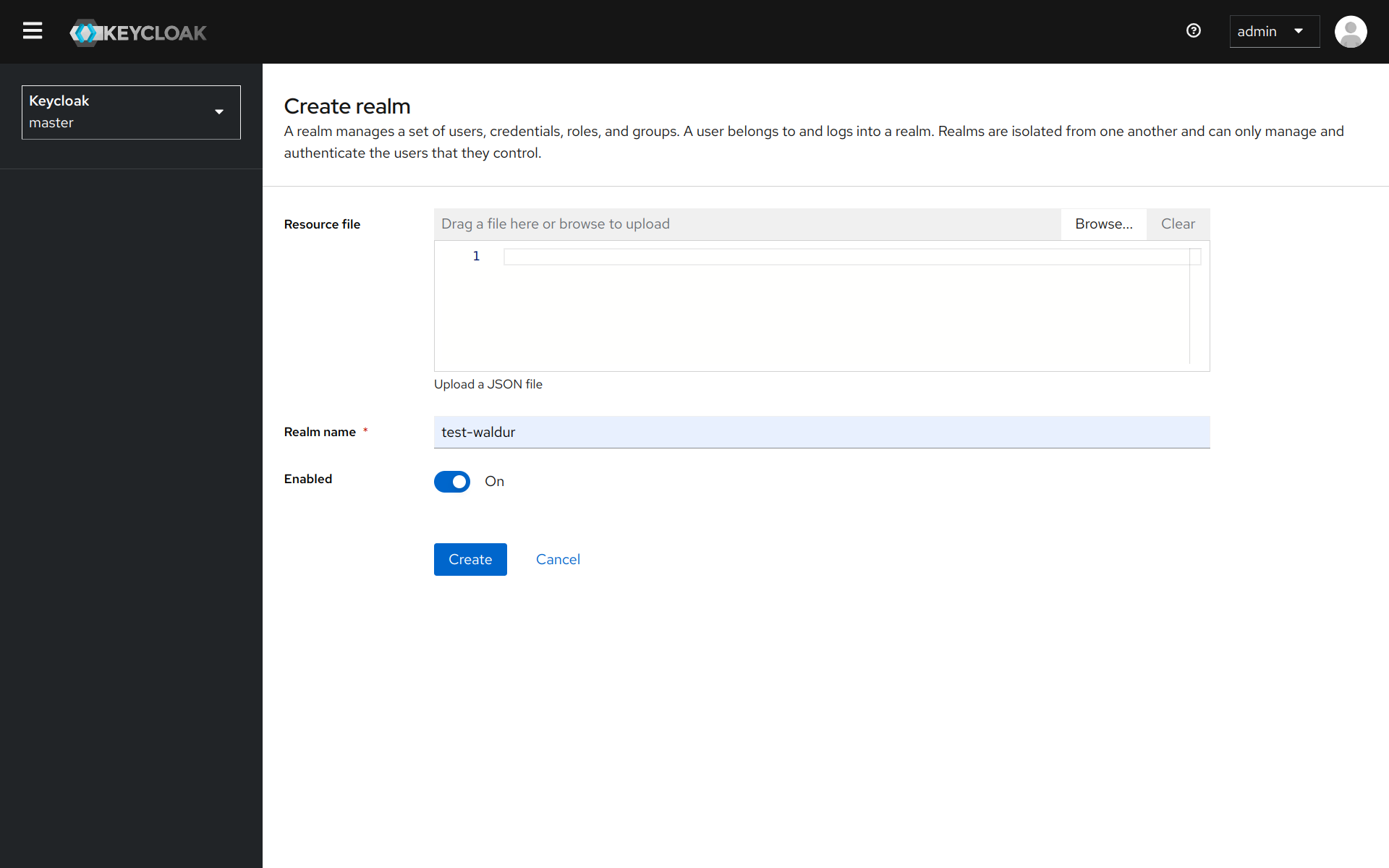
- Create a new realm (or use existing)
- Open a menu with a list of clients.
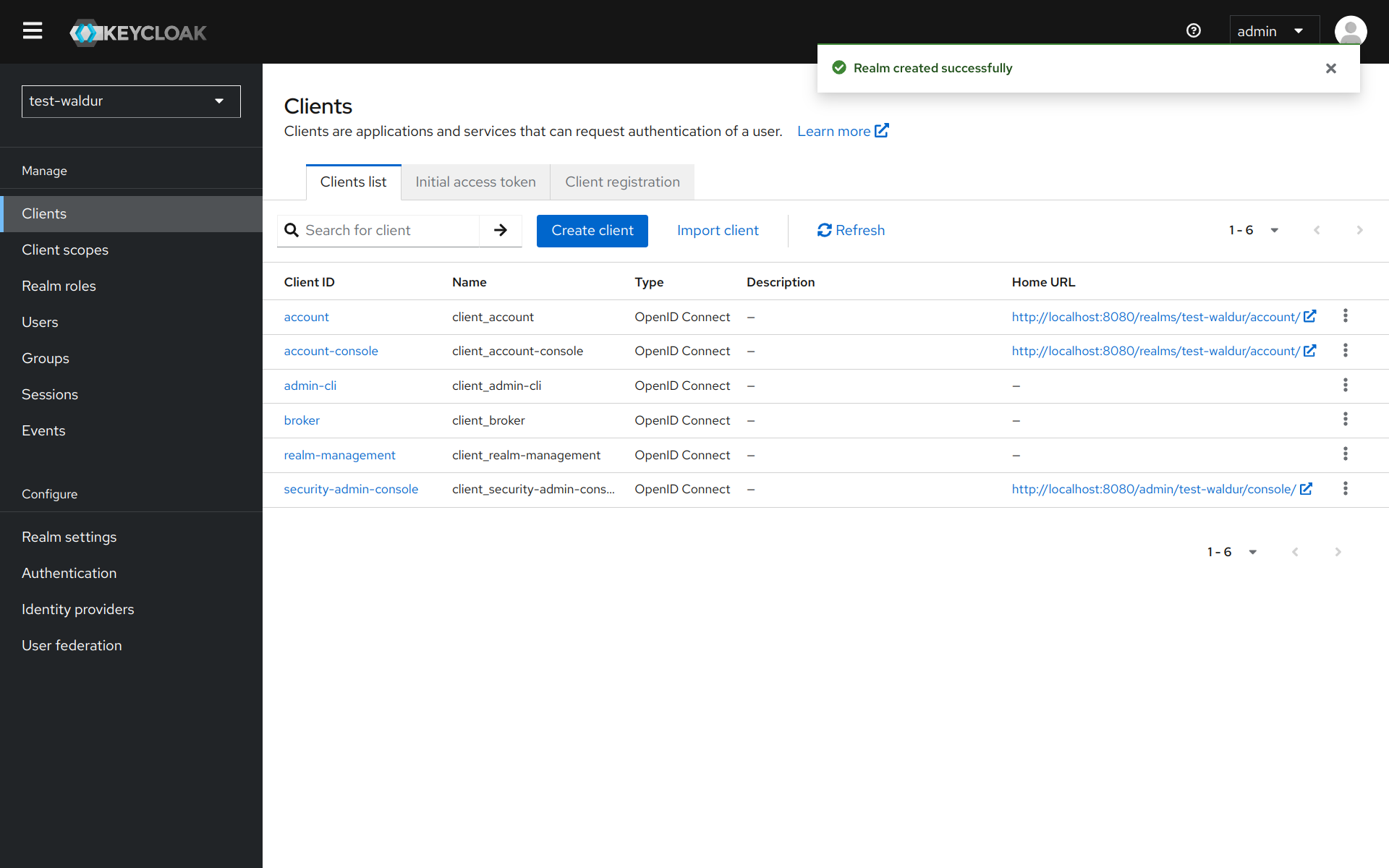
- Add a new client for Waldur by clicking on
Create clientbutton.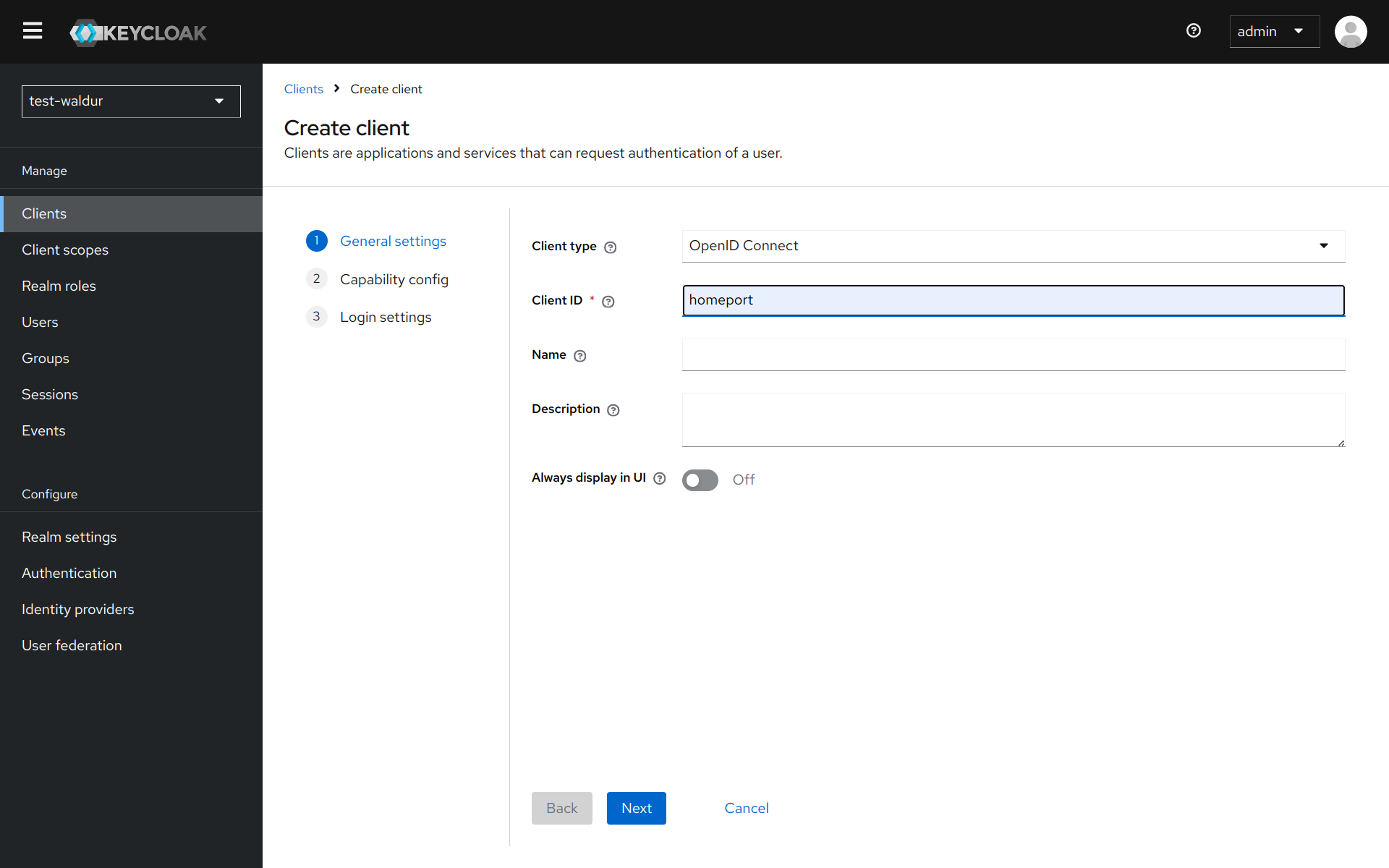
- Make sure that
Client authenticationis enabled.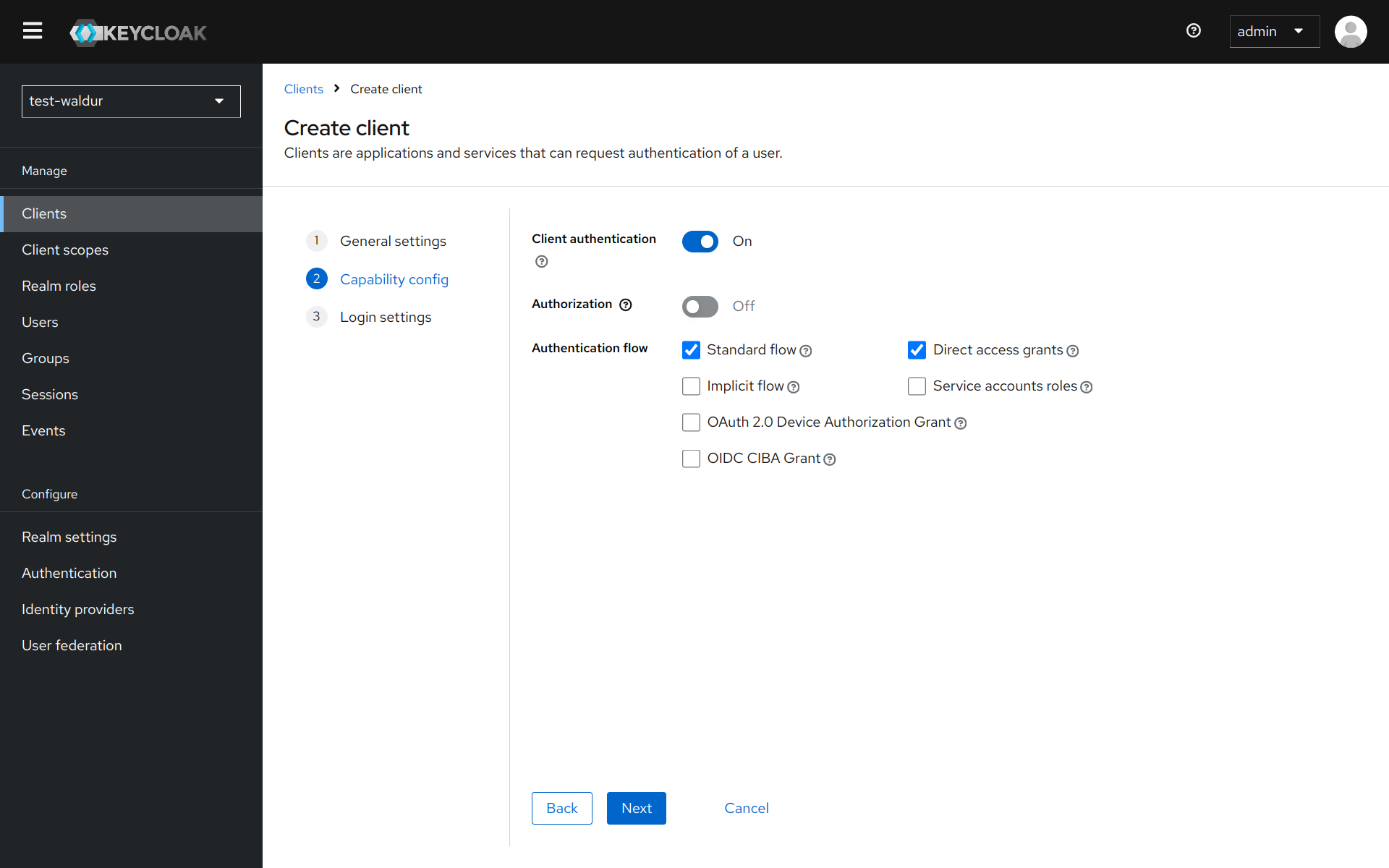
- Change client's Valid redirect URIs to "*".
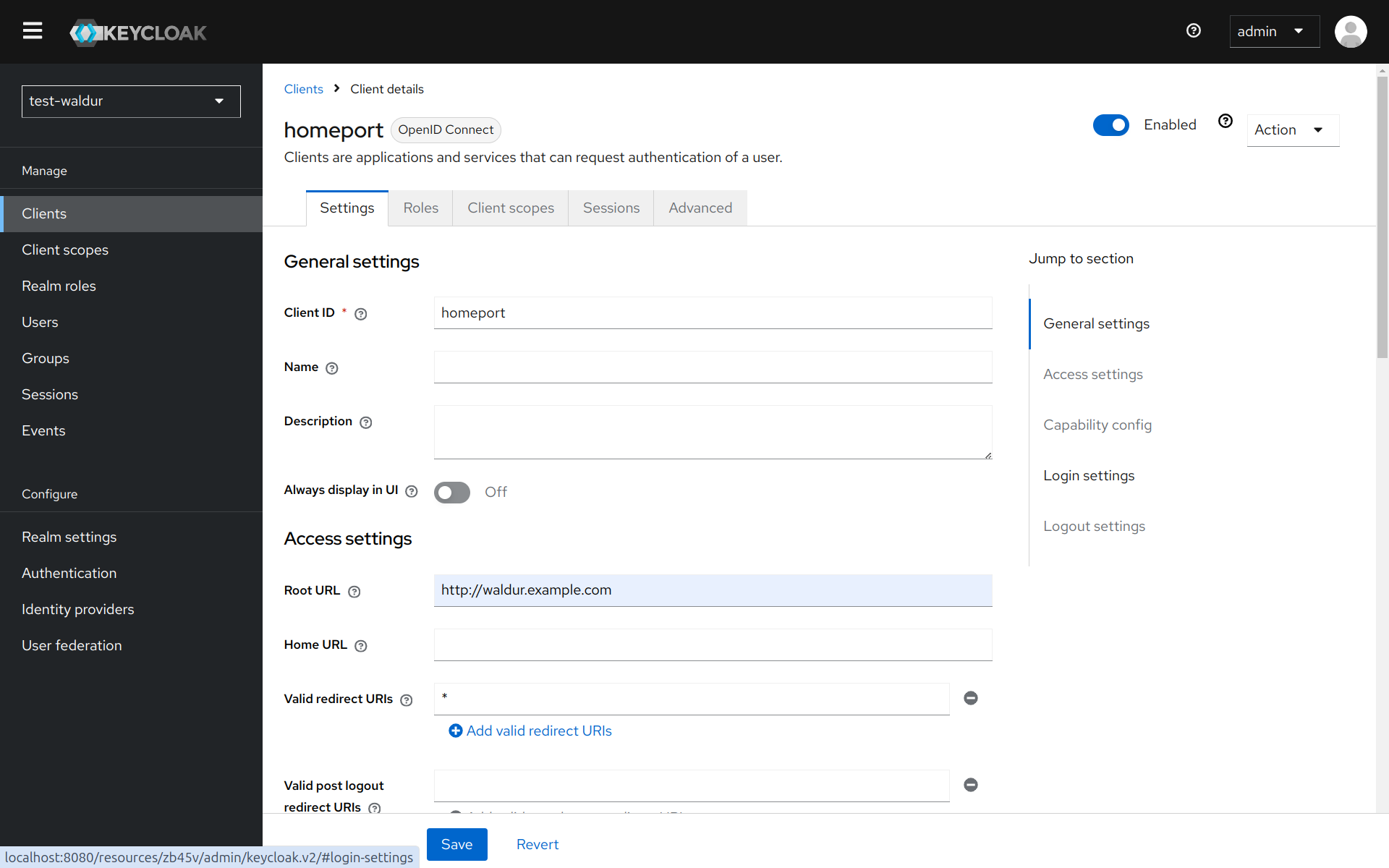
- Copy secret code from
Credentialstab.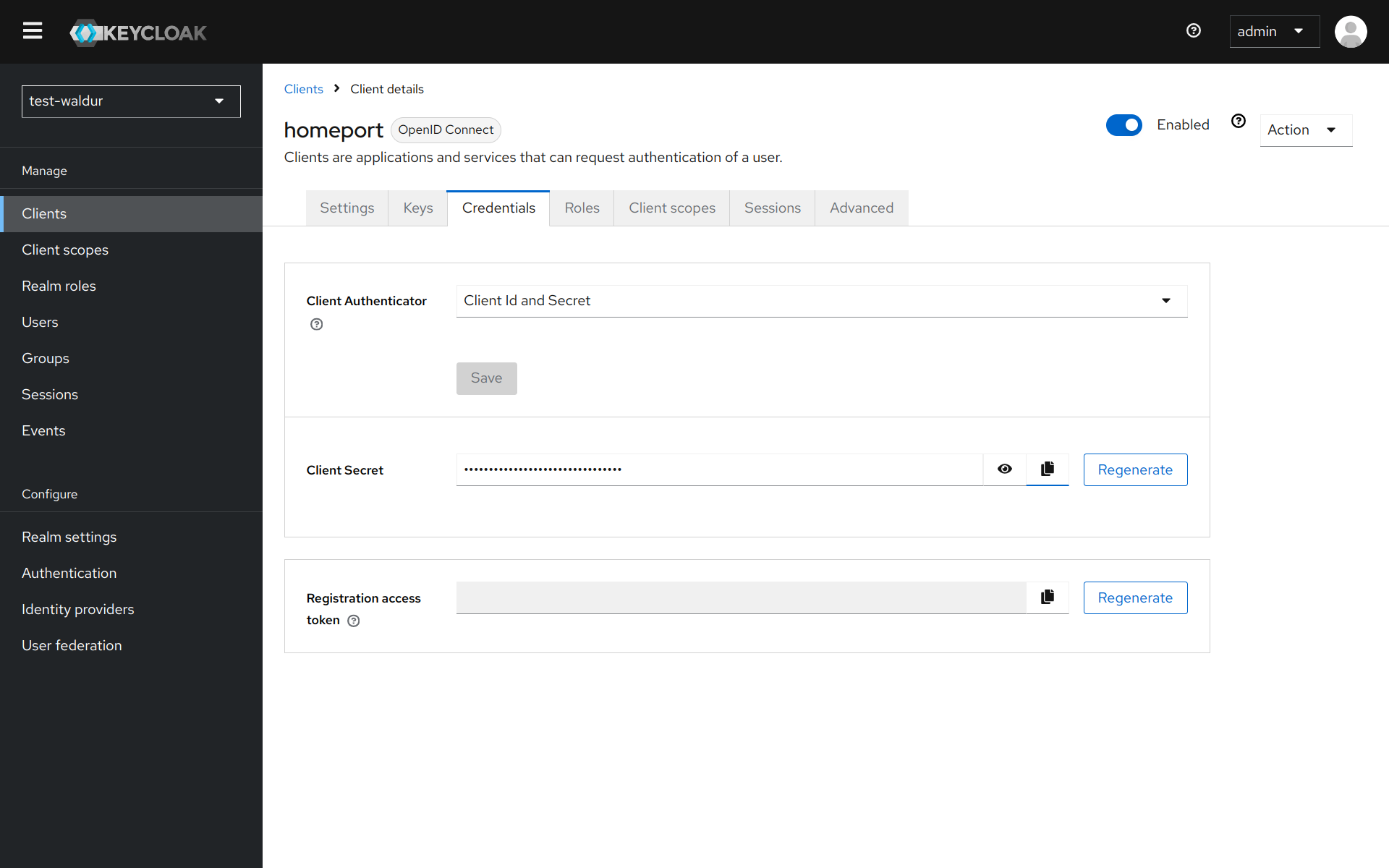
- You can find the settings required for configuration of Waldur under the following path on your Keycloak deployment (change
test-waldurto the realm that you are using):/realms/test-waldur/.well-known/openid-configuration
Configuring Waldur
Keycloak is configured in the user interface, not in settings.py.
-
Open Administration → Configuration → Identity providers.
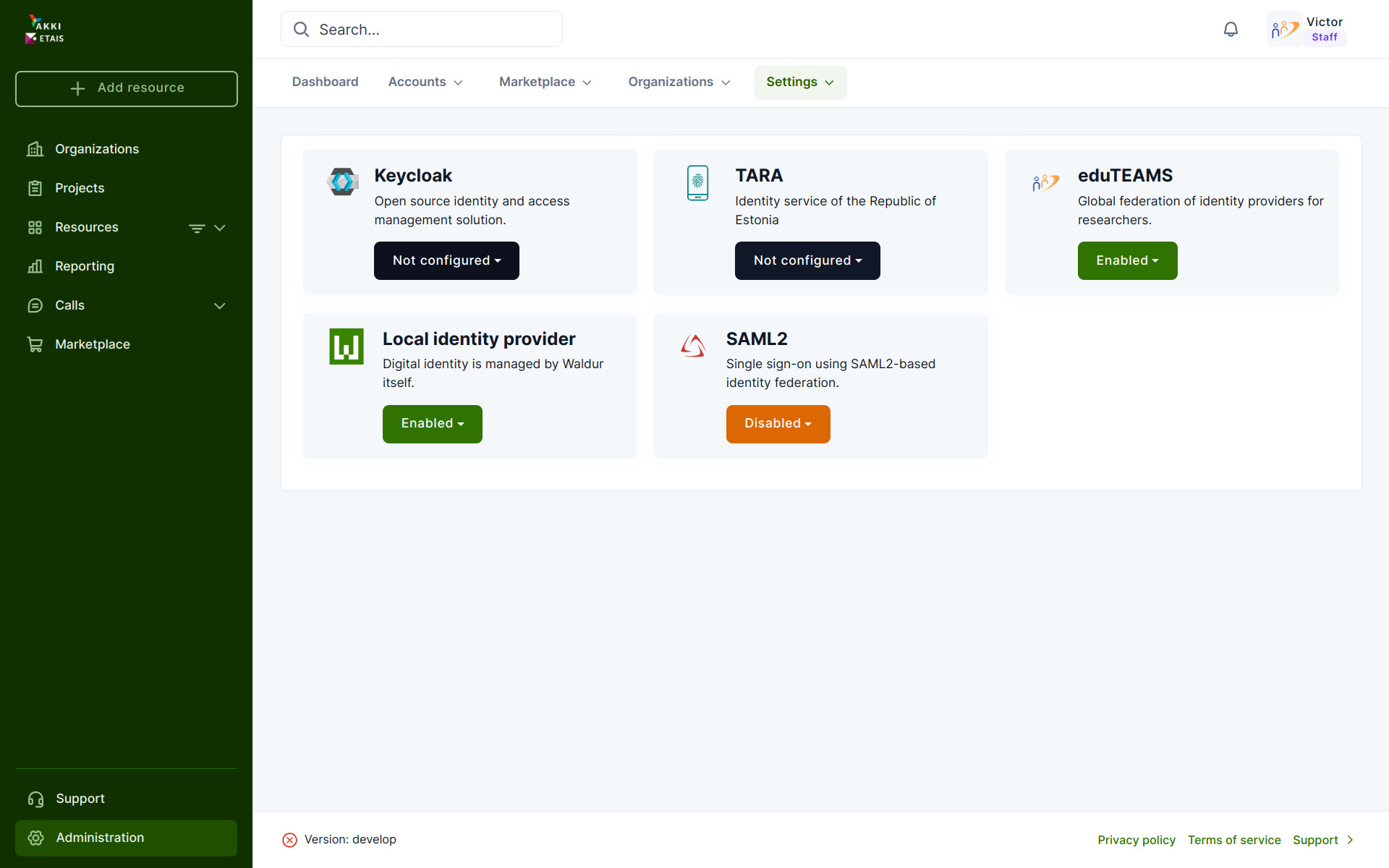
-
Open the Keycloak provider details through the
Editentry of its dropdown menu.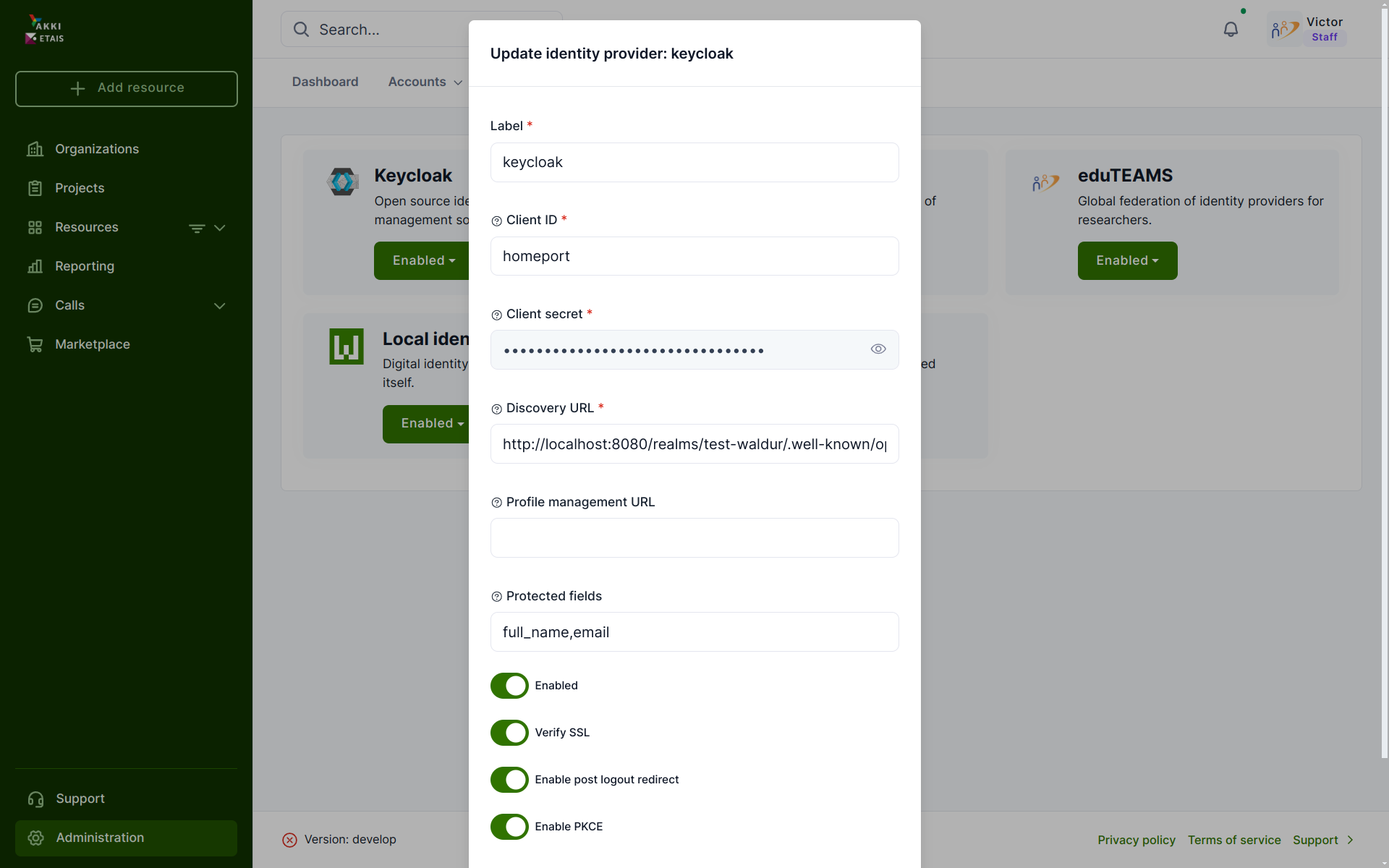
-
Fill in
Client ID,Client secretandDiscovery URLfrom the steps above. For extra security, enable SSL, PKCE and post-logout redirect.