Purchase orders in calls
Some offerings may not be provisioned until the applicant supplies a purchase order — the authorisation from their organisation to spend the money. When such an offering is part of a call, Waldur collects the purchase order during the proposal rather than after the allocation, so the reviewer sees the authorisation alongside the amounts and the applicant is not asked for it a second time.
Setting the requirement
Performed by: Service provider (on the offering)
The requirement is a property of the offering:
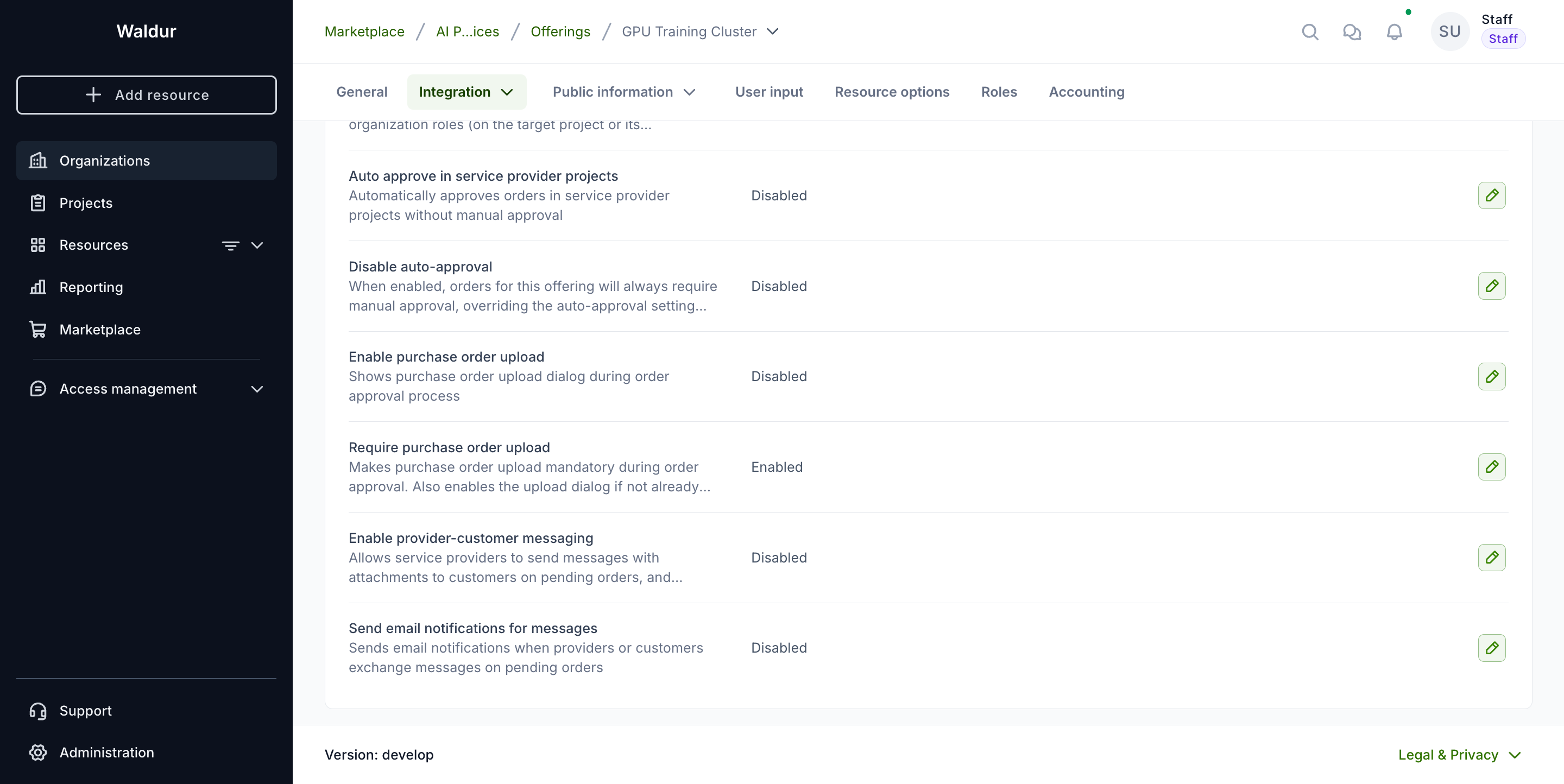
- Open the offering and go to Integration → Operations.
- Set one of:
- Enable purchase order upload — a purchase order may be supplied, but it is optional.
- Require purchase order upload — a purchase order is mandatory. This also enables the upload if it was not enabled already.
When the offering is added to a call, the call entry inherits the requirement as it stands at that moment.
Note
Changing the offering's setting afterwards does not rewrite calls that already include it. An offering that starts requiring purchase orders will not retroactively block proposals in a call that was configured before the change.
Supplying a purchase order
Performed by: Call member (Applicant)
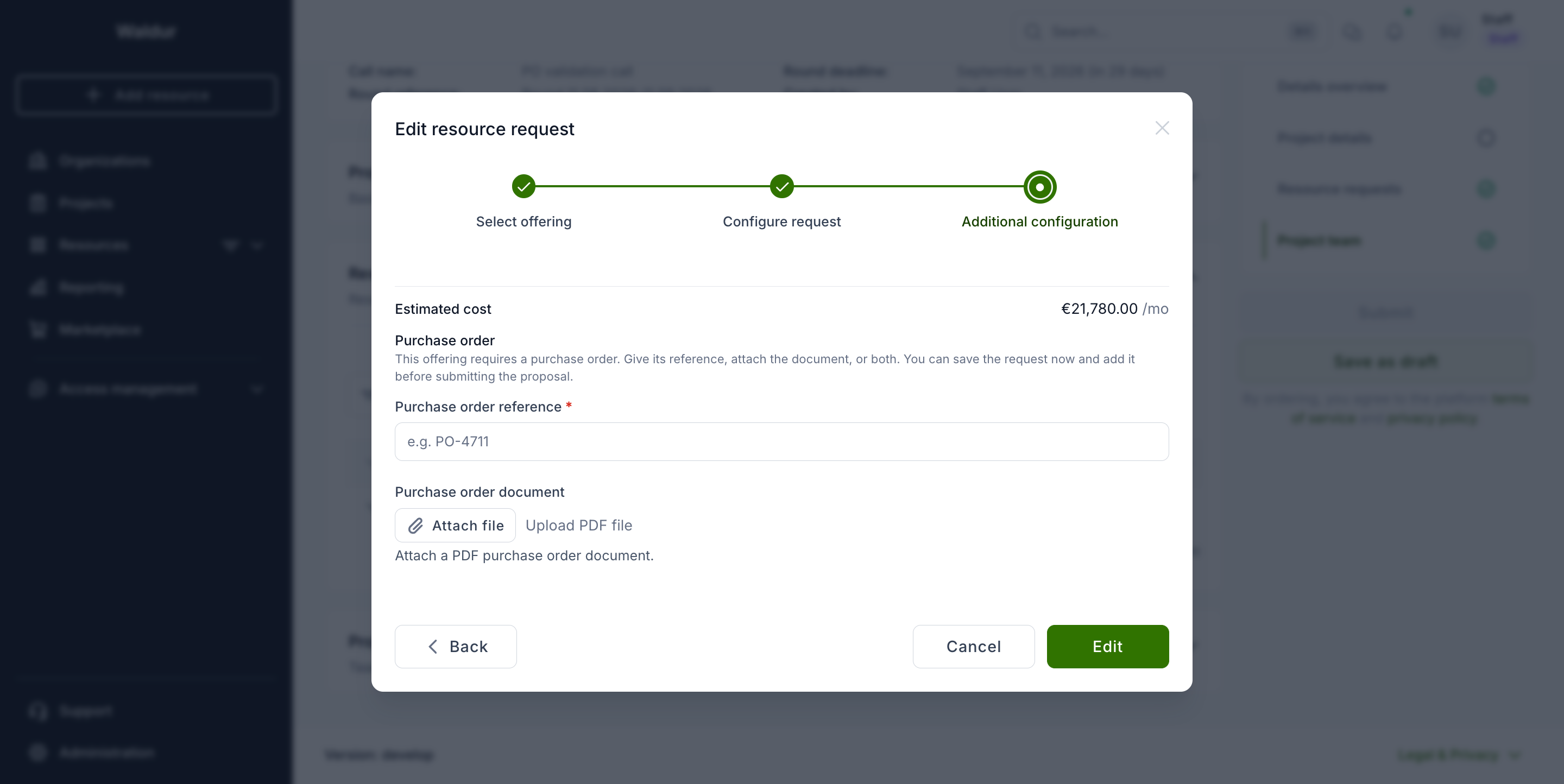
Purchase orders are supplied per resource request, in the Additional configuration step of the resource request form:
- Purchase order reference — the identifier from your organisation's finance system, for example
PO-4711. - Purchase order document — the purchase order itself, as a PDF.
Either one satisfies the requirement. Some providers want the document, others only need the reference, and supplying both is fine.
Tip
You do not need the purchase order to save the request. Enter the amounts, save, obtain the purchase order from your organisation, then reopen the request and attach it. Only submitting the proposal requires it.
The Purchase order column in the resource requests list shows where each request stands — Required while one is still missing, and the reference (or Attached) once it is supplied.
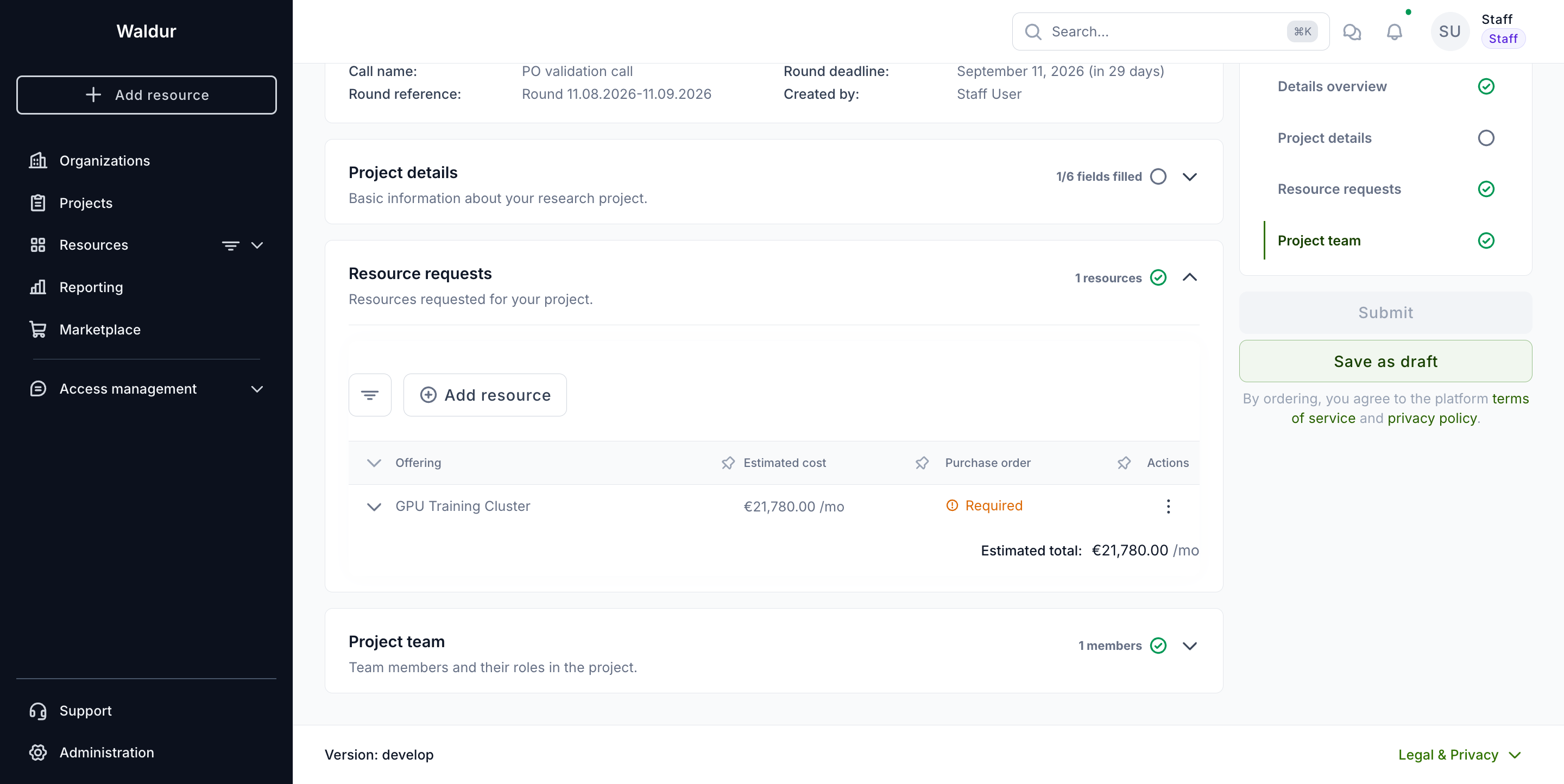
Submitting the proposal is refused while any request is missing a purchase order the call demands, and the message names the offerings concerned:
1 | |
What happens after acceptance
When the proposal is accepted, the project is created and each requested resource becomes an order. The purchase order travels with it: the document is attached to the order and the reference is recorded as its PO reference, both visible on the order's page.
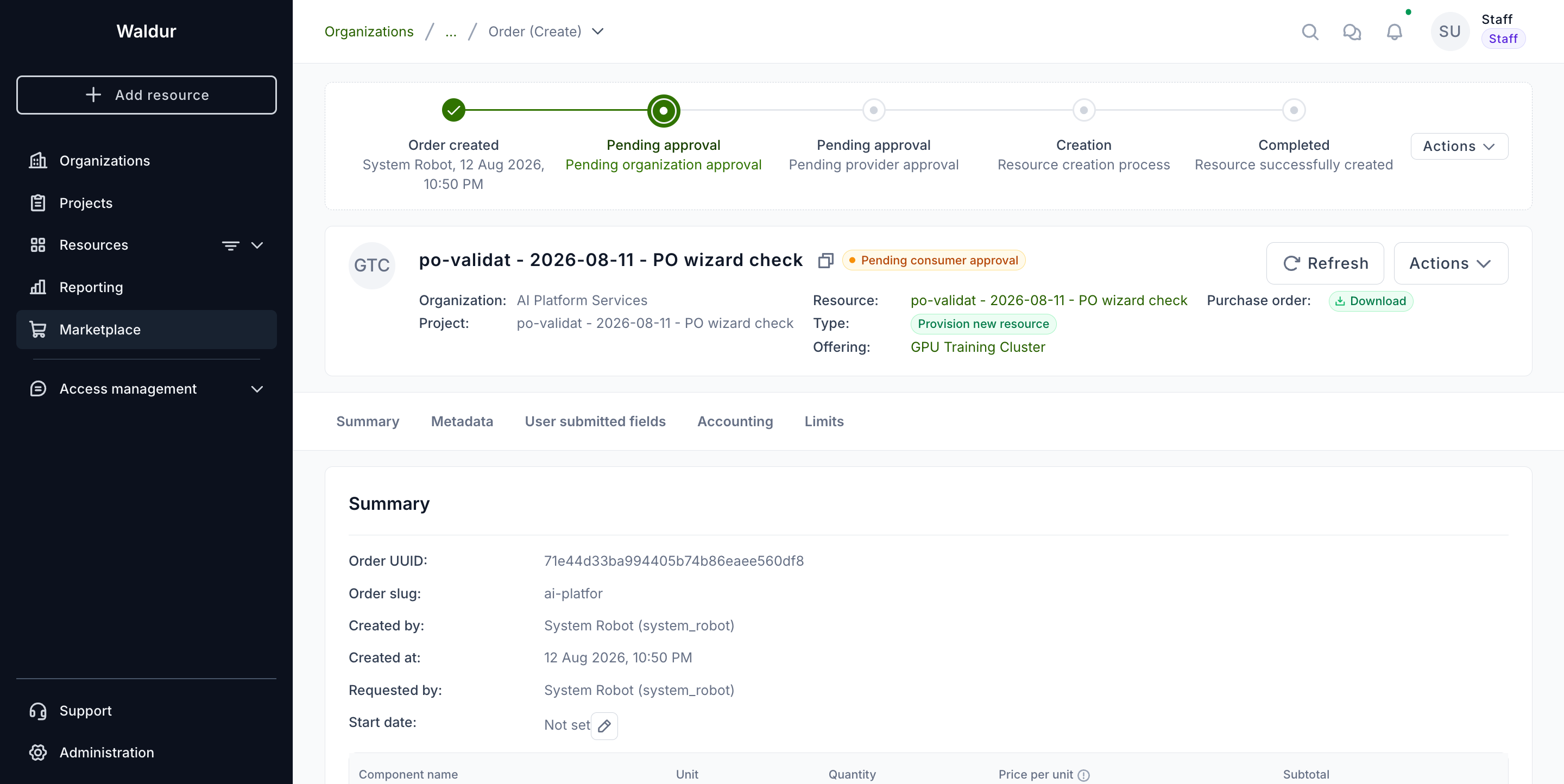
Because the authorisation was already collected and reviewed as part of the proposal, the consumer approval step on these orders is completed automatically and nobody is asked to upload the document again. Provider approval still applies where the offering requires it.
The provider's requirement always applies
The offering's Require purchase order upload setting governs order approval on its own, whatever the call collected. The two can disagree: a call takes its copy of the setting when the offering is added, so an offering that starts requiring a purchase order later leaves earlier calls collecting nothing.
Where they disagree, the order is not approved automatically. It waits in pending consumer approval until somebody uploads the document, exactly as an ordinary order from the marketplace would.
Note
Only the document satisfies the provider's requirement at this point. A reference on its own is enough to submit the proposal, but an order for an offering that requires the upload still waits for the file.
To avoid this, turn the requirement on before adding the offering to a call, or re-add the offering afterwards so the call picks up the current setting.
Troubleshooting
| Symptom | Cause |
|---|---|
| The proposal cannot be submitted and names an offering | A resource request for that offering has neither a reference nor a document. Open the request and supply one. |
| The purchase order block is not shown on a request | The offering neither enables nor requires purchase orders, or it was added to the call before the setting was turned on. |
A request still shows Required after a document was attached |
The upload did not complete. Reopen the request — an attached document is shown as a download link in the purchase order step. |
| An allocated order waits for consumer approval although the proposal carried a purchase order | The offering requires the document and only a reference was given, or the offering began requiring one after it was added to the call. Upload the document on the order to approve it. |