Custom metrics catalogue
Services can report their own metrics to Waldur — course completions, active learners, tickets resolved, response times — and projects see them next to their resources. Every metric a service reports must first exist in the metric catalogue, so a typo in a service never creates a new metric and the amount of stored data stays bounded.
Staff curate the global catalogue that every offering can adopt. A service provider can add private definitions for its own offerings through the API.
Note
The feature is behind the Show custom metrics feature flag
(project.show_custom_metrics). Turn it on under
Administration → User interface → Features before the metrics tabs
appear.
The catalogue
Open Administration → Service Catalog → Custom metrics.
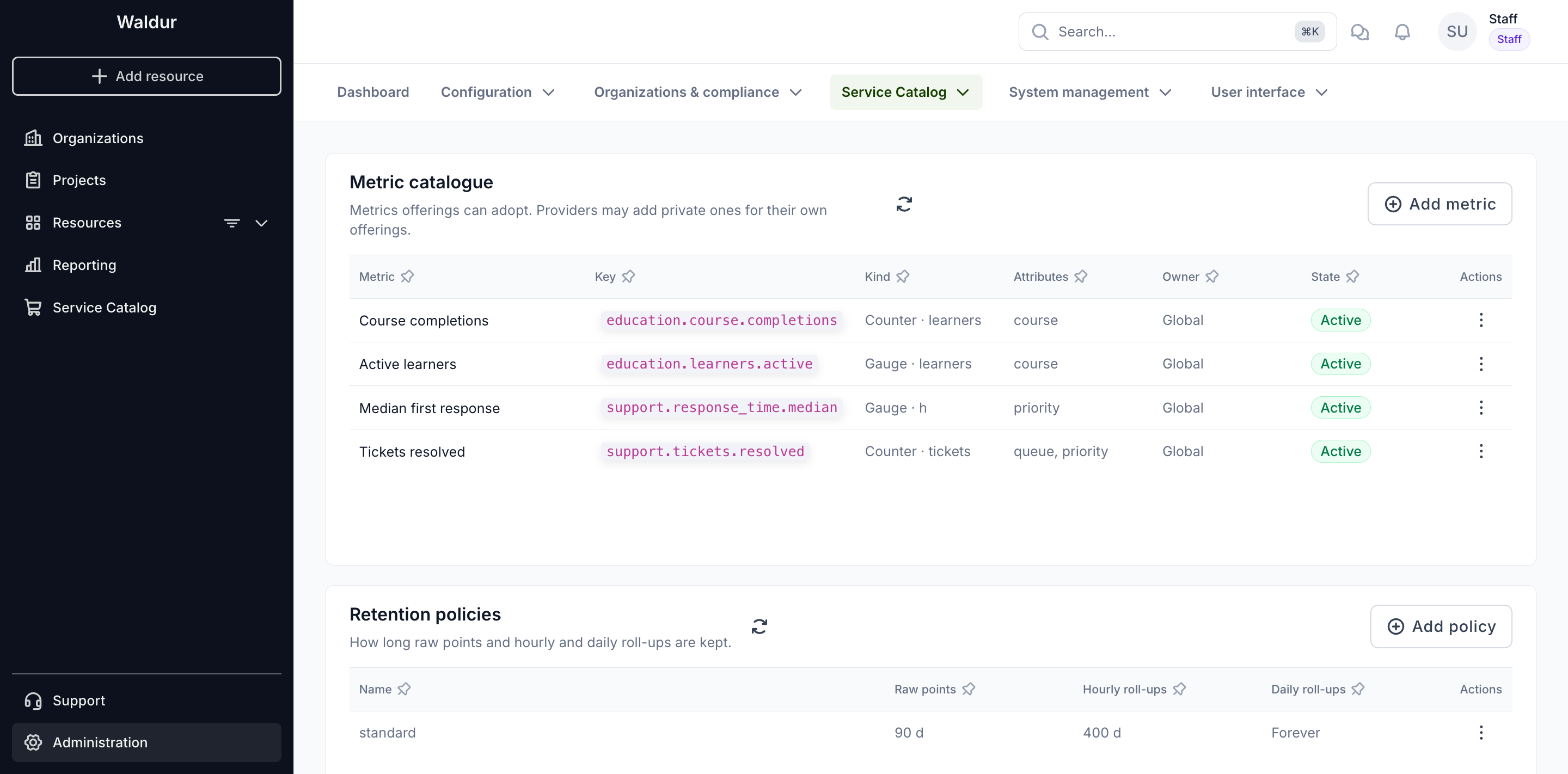
Each definition has:
- Key — the name services report against, written as lowercase dotted
words, for example
education.course.completions. It never changes once created. - Kind — what a reported number is, and the unit it is measured in:
- a Gauge is a level read at a moment, such as active learners or a median response time;
- a Counter counts things that happened, such as courses completed.
- Attributes — the names a point may carry to break a figure down, for
example
courseorqueue. A point with any other attribute is refused. - Owner — Global, or the service provider a private definition belongs to.
- State — Active, or Deprecated when offerings may no longer adopt it.
Adding or editing a definition
Choose Add metric, or Edit in a row's actions menu.
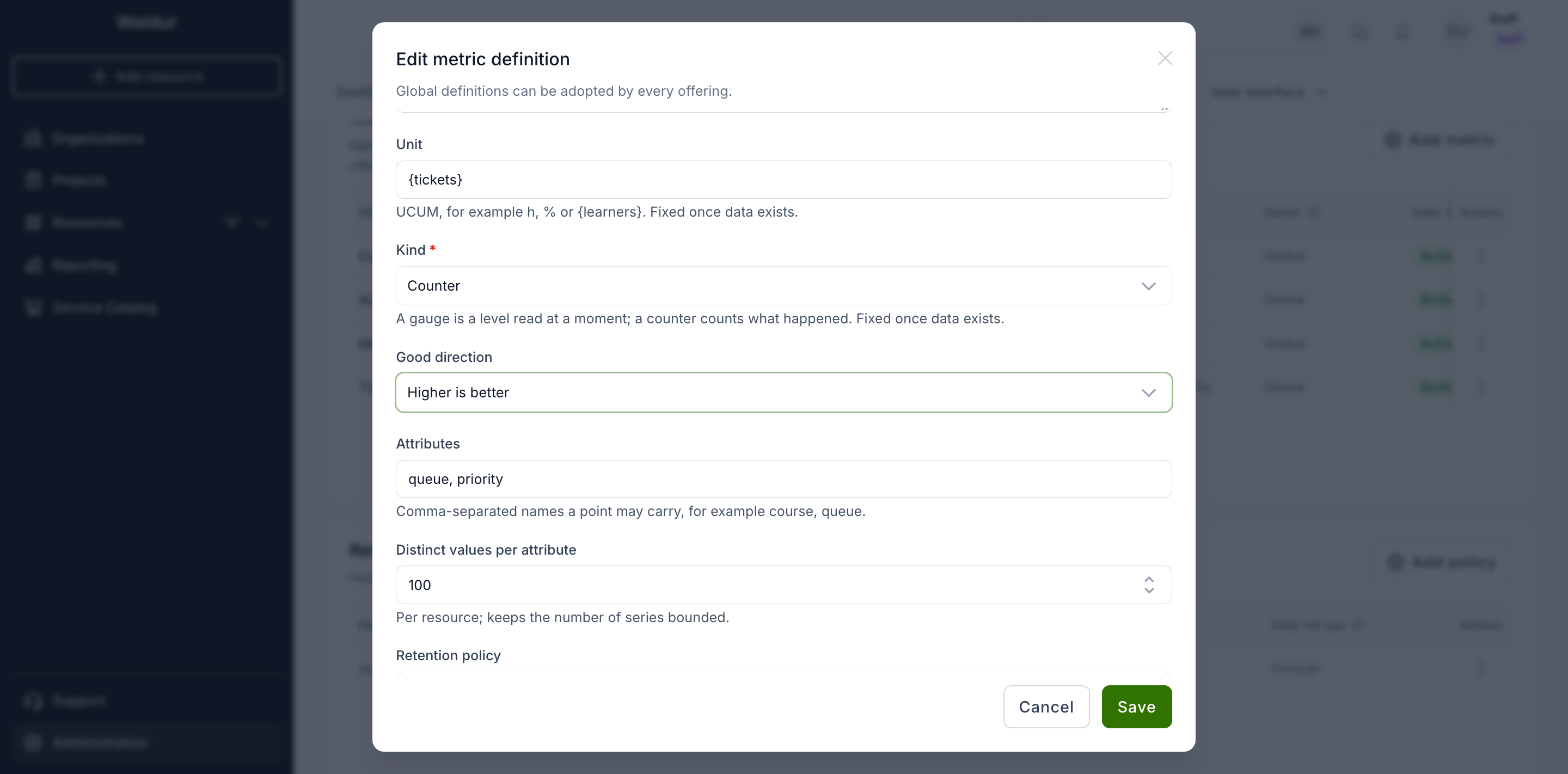
- Unit uses UCUM notation:
h,%, or an annotation in braces for counted things, such as{learners}. Waldur shows annotations without the braces. - Good direction tells the dashboard whether a rising figure is good news (completions) or bad news (response time), and colours the change badge accordingly.
- Distinct values per attribute caps how many different values one attribute may take for one resource. Together with the series cap below it keeps a misbehaving service from flooding the database.
- Retention policy decides how long the metric's data is kept; empty uses the default policy.
Warning
Once any data has been reported, a definition's kind and unit can no longer change and attributes can only be added, because the stored history was reported under those rules. Deprecate a definition instead of deleting it: a definition that offerings have adopted cannot be removed.
Retention policies
Waldur keeps three tiers of data for every metric:
| Tier | Detail | Used for |
|---|---|---|
| Raw points | Every point a service sent | Short ranges, up to two days |
| Hourly roll-ups | Count, sum, minimum, maximum and latest value per hour | Ranges up to two months, period figures |
| Daily roll-ups | The same per day | Long-range trends |
A retention policy says how many days each tier is kept. The standard
policy, created on installation, keeps raw points for 90 days, hourly roll-ups
for 400 days and daily roll-ups forever. Add a policy with Add policy:
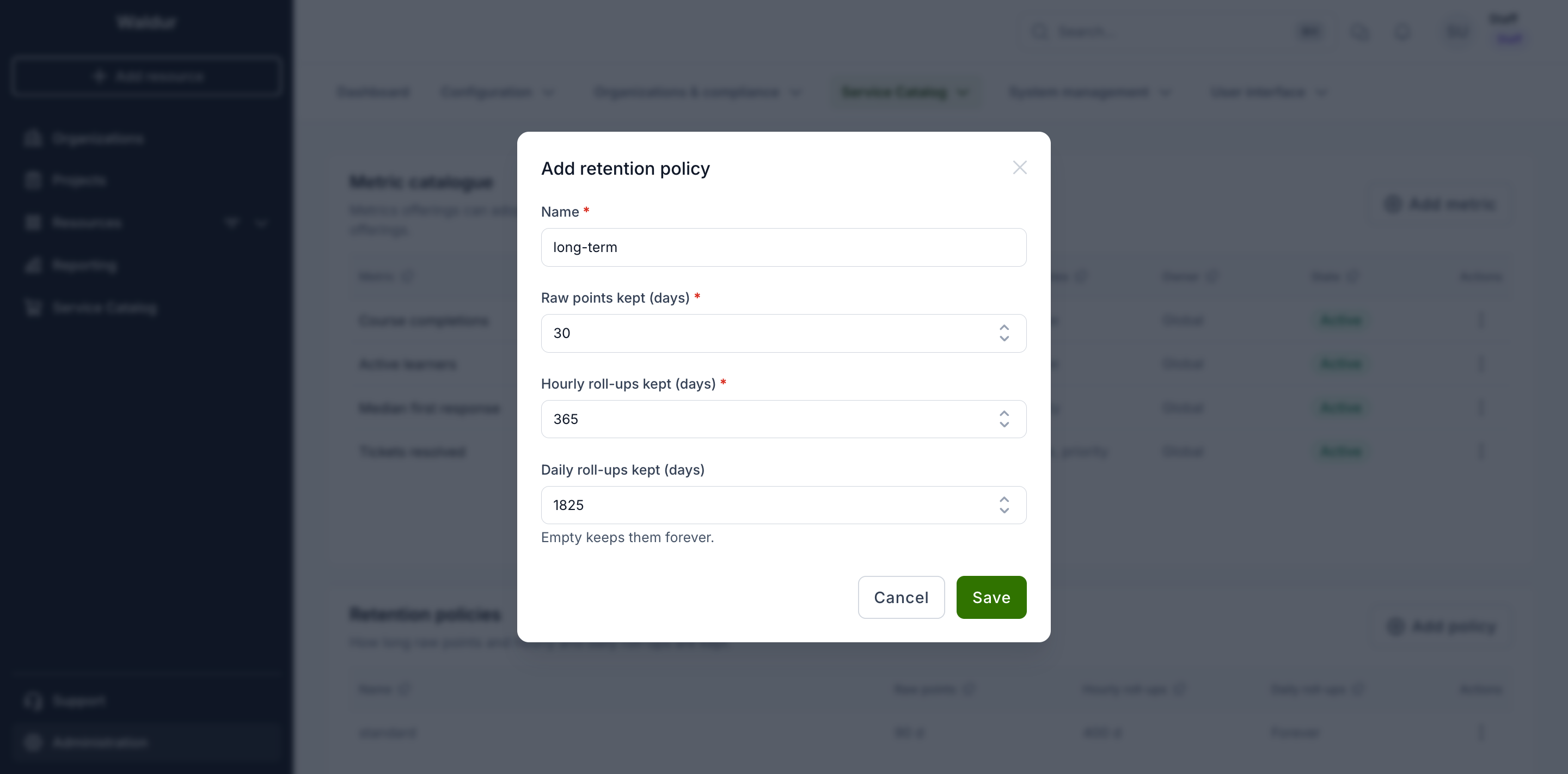
Each tier must be kept at least as long as the finer one before it, and raw
points longer than the late-data window. Policy names are unique. The default
policy (named by METRICS_DEFAULT_RETENTION_POLICY) cannot be removed or
renamed.
Roll-ups are recomputed every 15 minutes, so a figure on the dashboard can lag a fresh report by up to a quarter of an hour. Expired data is deleted once a day.
Limits
These settings live under Administration → Service Catalog → Settings, on the Custom metrics tab:
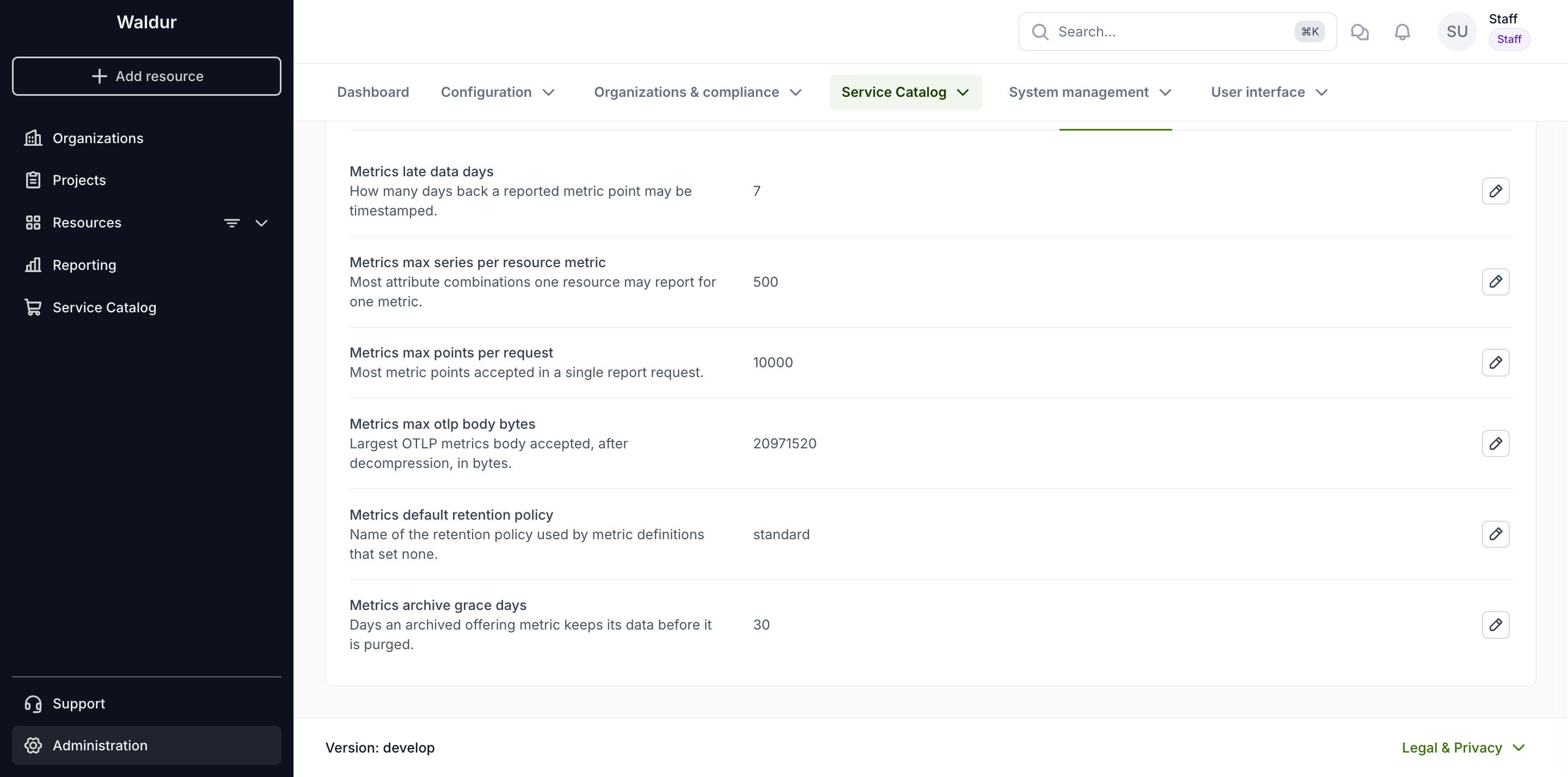
| Setting | Default | Meaning |
|---|---|---|
METRICS_LATE_DATA_DAYS |
7 | How far back a point's timestamp may be. Older points are refused. |
METRICS_MAX_SERIES_PER_RESOURCE_METRIC |
500 | Most attribute combinations one resource may report for one metric. |
METRICS_MAX_POINTS_PER_REQUEST |
10000 | Most points accepted in one request. |
METRICS_MAX_OTLP_BODY_BYTES |
20 MB | Largest OpenTelemetry body accepted, after decompression. |
METRICS_DEFAULT_RETENTION_POLICY |
standard |
Policy used by definitions that set none. |
METRICS_ARCHIVE_GRACE_DAYS |
30 | How long an archived offering metric keeps its data before it is purged. |