Passkeys (FIDO2/WebAuthn)
Passkeys give Waldur phishing-resistant authentication for local and staff accounts, without relying on an external identity provider. A passkey can be used two ways, independently:
- Passwordless sign-in — the user signs in with no username and no password, using a discoverable credential.
- Second factor — a correct password is not enough on its own; the user must also satisfy a passkey before a token is issued.
Deployments that federate to Keycloak or MyAccessID already get
phishing-resistant authentication at the identity provider. Passkeys are for
everything else: deployments without an external IdP, and is_staff accounts
everywhere.
Enabling
Passkeys are inert until an operator opts in. Nothing changes for existing deployments.
1 2 3 4 5 | |
The Relying Party ID and the allowed origins are derived from
homeportHostname, homeportScheme and homeportExtraHosts, so a
single-hostname deployment needs nothing else.
1 | |
Everything else derives from WALDUR_DOMAIN, which Caddy already serves
both the portal and the API from.
The two flows are independent. Enabling the second factor does not switch on
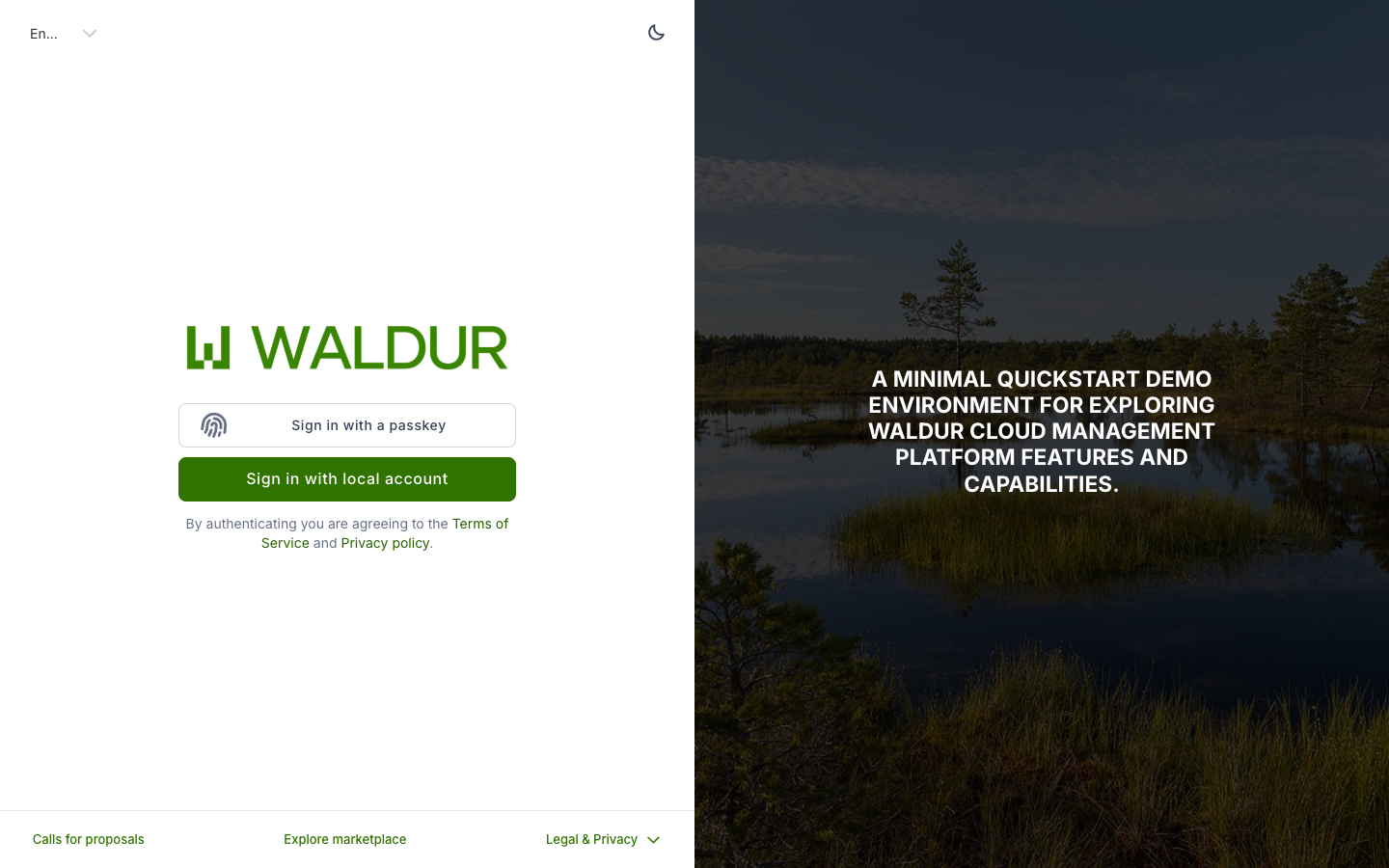
passwordless sign-in, and vice versa. With PASSKEY_SIGNIN enabled the login
page gains a passkey button:
Passkeys need HTTPS
Browsers expose WebAuthn only in a secure context. Every origin other
than localhost must be served over HTTPS, or Waldur refuses to start
with waldur.passkeys.E005.
The Relying Party ID cannot be changed safely
A passkey is bound to the domain it was created under — its Relying Party ID. If that value changes, browsers stop offering every credential registered under the old one.
Changing the RP ID orphans every registered passkey
There is no migration. Every user must enrol again. Waldur stores the RP ID on each credential and logs a startup warning counting the affected ones, but it cannot undo the change.
Choose it deliberately before enabling passkeys, especially if you expect the portal hostname to change.
Several hostnames
A single RP ID cannot span two different registrable domains. If the portal is reachable at more than one hostname, set the RP ID to a shared parent domain:
1 2 3 | |
The Helm chart refuses to render when the derived values cannot cover every
origin, naming both ways out. It is better to find this at helm install than
after a user fails to enrol.
Requiring passkeys of staff
By default a passkey is optional for everyone. Enforcement makes it mandatory
for is_staff and is_support accounts:
1 2 3 | |
1 | |
Enforcement covers support as well as staff, because both reach the Django admin and are privileged in practice. It is inert unless a passkey method is also enabled — otherwise staff would have no way to comply.
What enforcement closes
Without it, several paths yield a privileged session with no passkey. With it:
| Path | Behaviour |
|---|---|
| Reading another user's API token | The raw key is no longer returned at all |
/api/users/me under impersonation |
The impersonated user's token is withheld |
| Impersonating a user | Requires a passkey-verified session |
| Django admin | Gains a passkey step of its own |
| Creating a personal access token | Requires a passkey-verified session |
The check is against the session, not the account: a staff member who owns a passkey but signed in with a password alone has not satisfied it.
Rolling it out
Enabling enforcement logs every staff member out
Tokens issued before the switch were created without a passkey. Leaving them in place would mean the setting changed nothing until each expired, so they must be cleared:
1 | |
Use --dry-run first to see what it would remove.
The command also reports personal access tokens held by staff, which predate enforcement and keep working without a passkey until they expire. They are not revoked by default, because a PAT usually drives CI and removing it without warning breaks pipelines. Once you know what depends on them:
1 | |
Staff without a passkey are not locked out. They sign in with a password and are held at an enrolment page until they add one, and the Django admin has a passkey step rather than being closed. A user promoted to staff after enforcement is enabled can still enrol.
Recovery
There are deliberately no backup codes — they reintroduce a phishable factor. Recovery is:
- Hold more than one credential. Waldur nudges users with only one to add a second, on a different device.
- Staff revoke. A staff user can revoke another user's passkey from the Passkeys tab on that user's page. A reason is mandatory and appears in the affected user's own audit log.
Revoking someone's only passkey holds them at the enrolment page, so make sure they can reach a device first.
Troubleshooting
Waldur refuses to start. The system checks run at startup and fail rather than presenting a sign-in button that cannot work:
| Check | Meaning |
|---|---|
waldur.passkeys.E001 |
RP ID is required when a passkey method is enabled |
waldur.passkeys.E002 |
RP ID must be a bare hostname, with no scheme or port |
waldur.passkeys.E003 |
Allowed origins are required |
waldur.passkeys.E004 |
An origin is missing its scheme |
waldur.passkeys.E005 |
An origin is not HTTPS, and is not localhost |
waldur.passkeys.E006 |
An origin is not covered by the RP ID |
waldur.passkeys.W001 |
Credentials exist under a different RP ID and can no longer be used |
The browser offers a QR code instead of the built-in fingerprint reader. That is the sign-in prompt on a device with no passkey for this site yet. Enrol first, from the user's profile.
Nothing appears in the audit log. Passkey events are in both the auth
and users event groups, so they show on the user's own audit log page as
well as in a staff-wide view.