Access subnets
An organization keeps one list of trusted networks. Each entry is an IP address or range, and says what it is trusted for:
- signing in to the portal on behalf of the organization, and/or
- reaching the resources the organization holds of a particular offering — the backend entity behind each resource, such as an object storage bucket, a database, or a compute allocation.
An address is therefore described once ("office egress") rather than maintained in two separate places.
Warning
The two scopes do very different things. Portal sign-in is enforced by Waldur itself. Offering scopes are, by default, advisory data — they are published through the API so that an external firewall (or the provider's automation) can build an allow-list and enforce it on the actual backend. Waldur only blocks traffic on them if the offering enables concealment.
Managing the list
Open Organization → Manage → Access control and select the Access subnets tab. The table has one row per address and one column per thing it can be trusted for: your Waldur site, then each offering your organization consumes that supports access subnets.
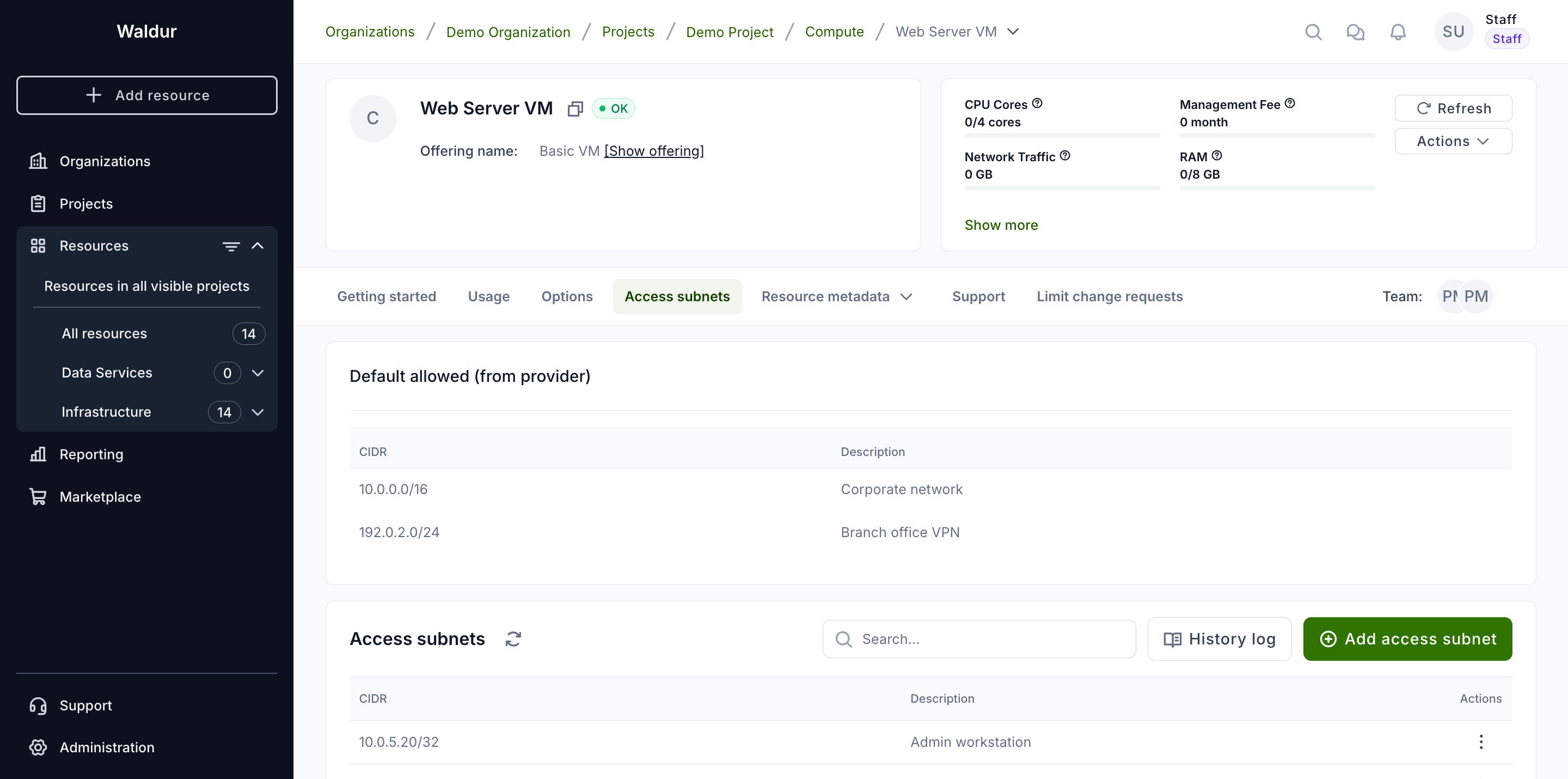
To add an address, use Actions → Add access subnet. Enter the CIDR, an optional description, and tick what it should apply to. Leaving Applies to empty is fine — the entry is then trusted for nothing until you tick a column in the table.
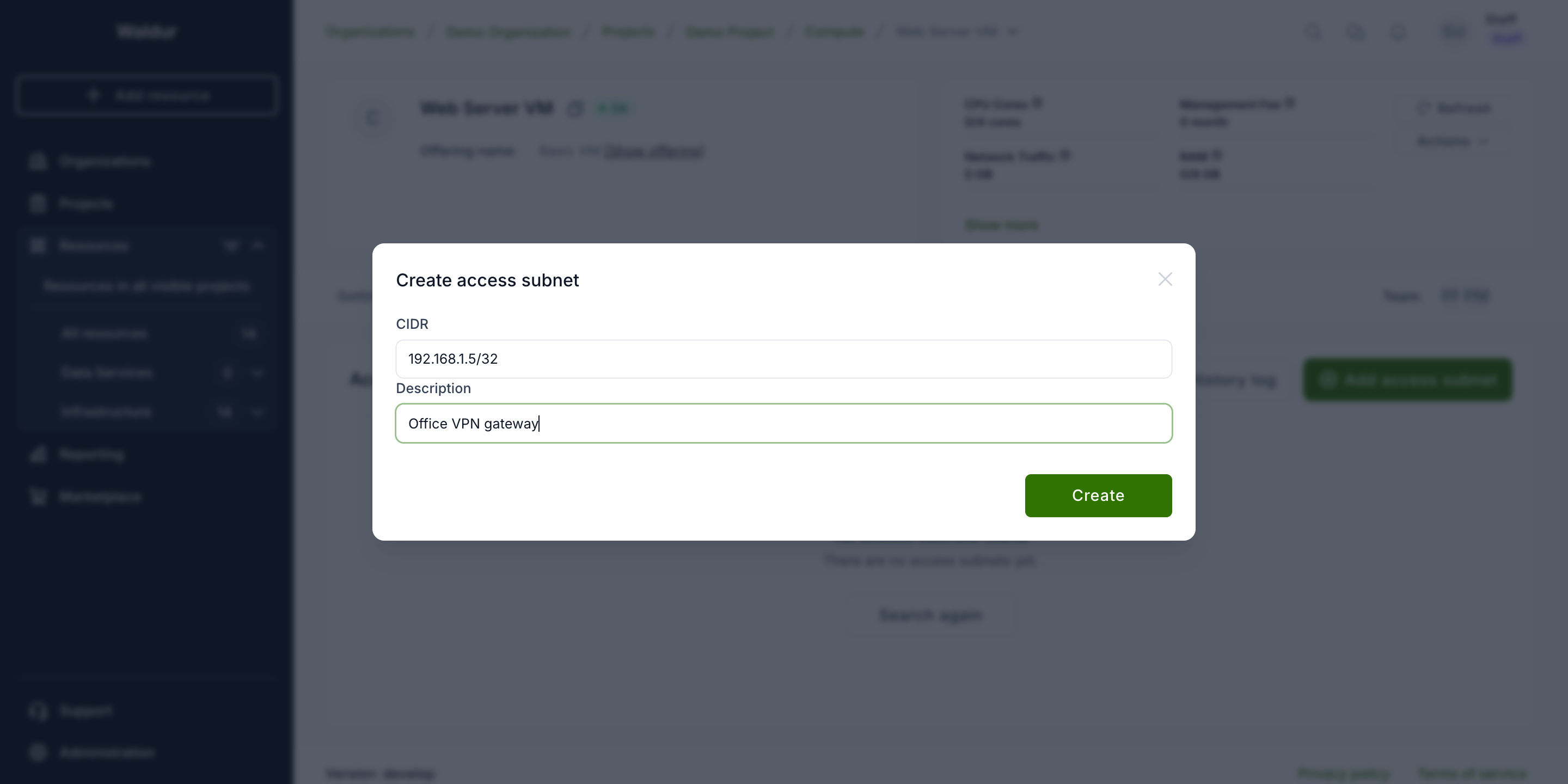
Ticking or unticking a cell asks for confirmation and names the change, so it is clear what is about to happen before anything is saved.
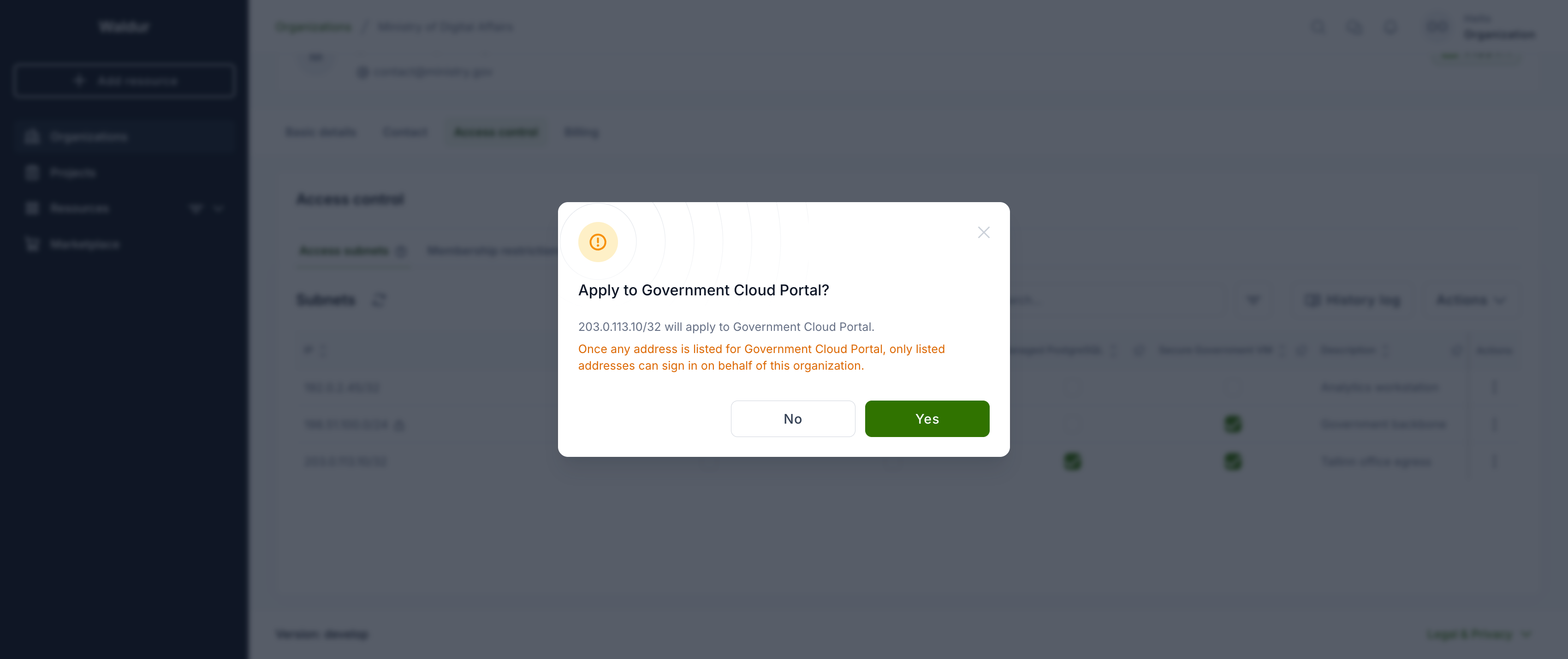
Enabling the sign-in column
As soon as any address is trusted for portal sign-in, only listed addresses can sign in on behalf of the organization. Everyone signing in from elsewhere loses access to it.
This is why the sign-in column is off by default, and why adding an address to reach a bucket never restricts sign-in as a side effect.
What you may enter
| Who | Allowed |
|---|---|
| Organization owners | a single IP address — /32, or /128 for IPv6 |
| Staff | any width except /0 |
A bare address such as 192.168.1.5 is treated as 192.168.1.5/32.
A network with host bits set (for example 203.0.113.5/24) is rejected rather
than silently widened to 203.0.113.0/24 — that would grant a whole range
where a single host was written.
Entries added by staff
An entry created by staff is marked with a lock and cannot be changed or removed by anyone else, whatever its width. It stays visible so you can see why an address is allowed. If staff later widens an entry you created, it becomes staff-managed for the same reason.
Offerings you no longer use
If your organization terminates its last resource of an offering, entries trusted for it are kept — reprovisioning then restores your protection without reconfiguring anything.
Such a column is marked as no longer in use. You can untick it to remove the entry's scope, but you cannot add it back until the organization holds a resource of that offering again. While dormant, the addresses are not published to the firewall allow-list.
Addresses published by the provider
Below the table, Also allowed by the service provider lists ranges the provider publishes on its own offerings. They widen what may reach your resources, they are included in the exported allow-list, and they cannot be changed here — only the provider can edit them.
Checking what it means for your resources
Actions → Show resource impact lists every resource your organization holds, the addresses that can reach each, and whether the list is actually enforced. The row menu on an address answers the reverse question — which resources that one address reaches.
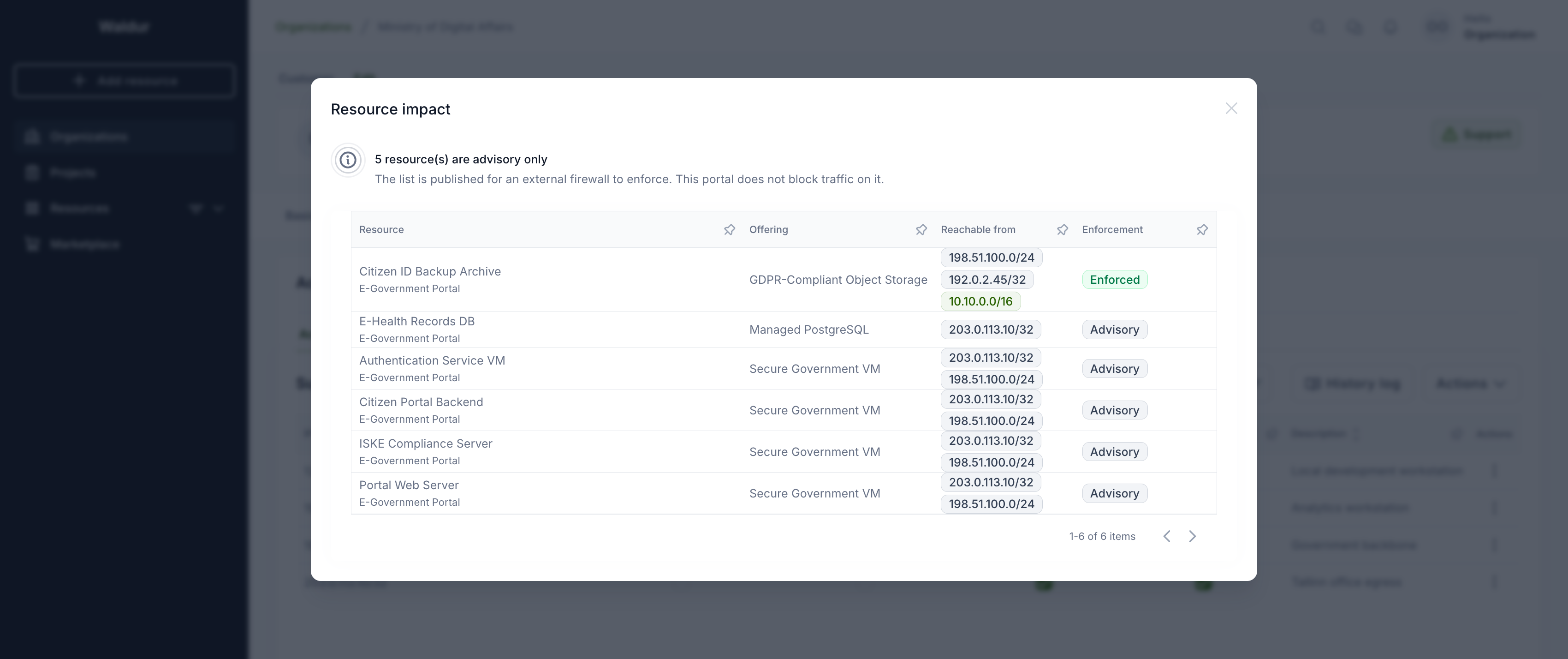
Only resources of offerings that support access subnets are listed. The rest have no allow-list that could apply to them, so including them would bury the resources whose exposure is actually in question.
The view calls out two things the table cannot show:
- resources that are reachable from anywhere, because their offering supports access subnets but nothing is listed for them;
- resources whose list is advisory only, published for an external firewall but not enforced by Waldur.
Enabling the feature (service provider)
Offering scopes are available only for offerings that opt in.
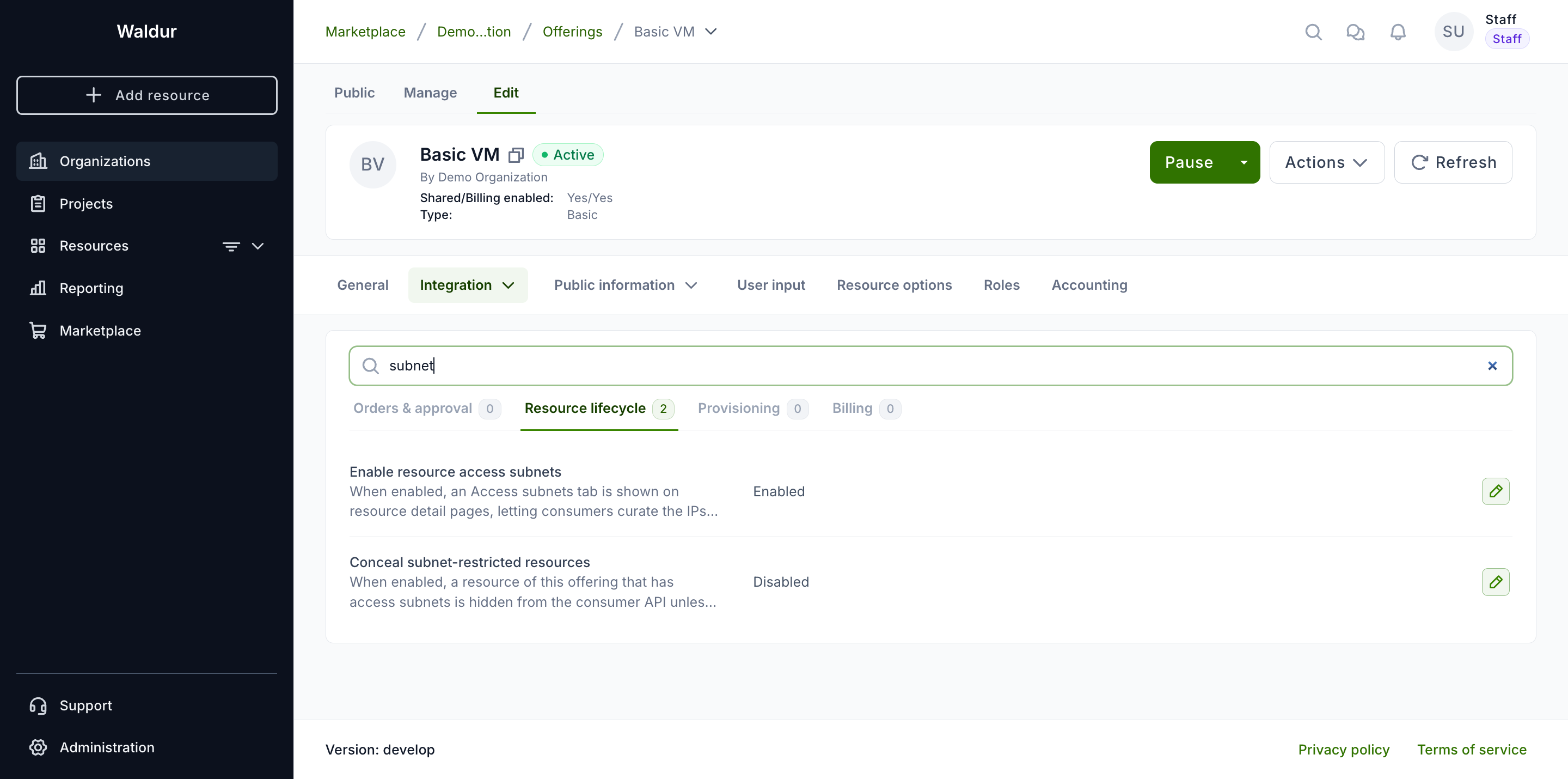
- Open the offering and go to Edit → Integration → Operations.
- Select the Resource lifecycle tab.
- Turn on Enable resource access subnets.
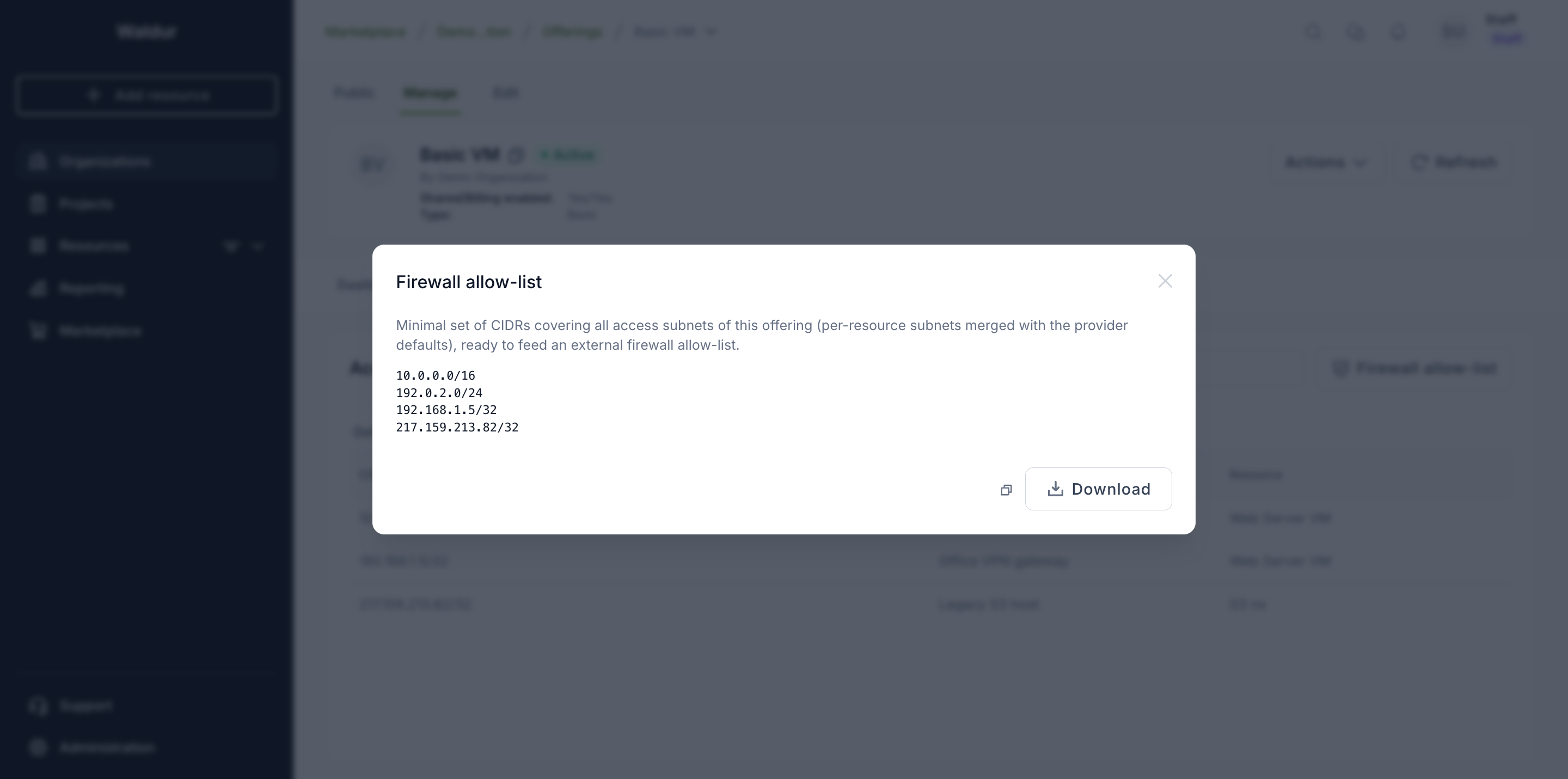
Once enabled, consumers can trust addresses for that offering, each of its resources shows a read-only Access subnets tab, and the offering's Manage view gains an Access subnets tab with two sub-tabs — Default allowed subnets (the provider's own ranges, editable here) and Access subnets by organization (a read-only roll-up of what consumers have listed) — plus a Firewall allow-list button showing the merged list ready to copy or download.
Note
Editing this setting requires permission to manage the offering — the offering's service manager or the provider organization owner.
Concealing restricted resources (optional)
The Resource lifecycle tab has a second toggle, Conceal subnet-restricted resources, which opts the offering into enforcement by Waldur itself.
When it is on, a resource of this offering is hidden from the consumer API unless the caller's IP address is trusted for it. The resource disappears from resource lists and returns not found on direct access.
Warning
This is the one place the feature changes Waldur's own behaviour. It applies to the consumer side only — service providers and the site-agent keep full visibility — and staff and support are exempt.
An organization that has listed nothing for the offering is not restricted, so enabling this does not lock anyone out on its own. Turn it on only if consumers are expected to reach the portal from the same networks they list, or you may lock them out of their own resources.
Provider default subnets (optional)
Besides what consumers list, the provider can publish default allowed
subnets on the offering — broader ranges (/24, /16, …), not just single
hosts. Manage them on the offering's Manage → Access subnets view, under
Default allowed subnets.
These defaults:
- are shown read-only to consumers, so they can see which networks are already allowed;
- widen the concealment allow-list — a caller within a default range can reach the resource even without a matching consumer entry;
- are included in the exported firewall allow-list, merged with consumer entries.
Getting the allow-list
The allow-list — consumer entries and provider defaults, merged and collapsed into the minimal set of CIDRs — is available three ways, all producing the same result:
-
From the UI — on the offering's Manage → Access subnets view, click Firewall allow-list. The dialog shows the merged CIDRs with Copy and Download actions.
-
From the API —
GET /api/marketplace-provider-offerings/{uuid}/access_subnets/returnsexpanded(every address with its organization and offering),packed(the merged allow-list) anddefaults(the provider ranges). An organization's own entries are at/api/access-subnets/, filterable bycustomer_uuidandoffering_uuid.To build one allow-list spanning several offerings, use
GET /api/marketplace-provider-offerings/aggregated_access_subnets/with a repeatedoffering_uuidquery parameter (?offering_uuid=<uuid>&offering_uuid=<uuid>). It returns the sameexpanded,packedanddefaultsfields across all requested offerings, plusorganization_subnets— the sign-in addresses of organizations owning non-terminated resources of those offerings, populated wheninclude_organization_subnets=trueis passed and merged intopacked. The caller must have provider-side access to every requested offering. -
From the command line —
resource_access_subnetsdumps the merged list for one offering, several, or all:1 2 3 4 5 6 7 8 9 10 11 12
# merged allow-list for a single offering
waldur resource_access_subnets --offering <offering-uuid>

# several offerings at once (repeat the flag)
waldur resource_access_subnets --offering <uuid-1> --offering <uuid-2>

# also merge in the sign-in addresses of organizations
# holding non-terminated resources of the selected offerings
waldur resource_access_subnets --offering <offering-uuid> --include-organization-subnets

# all offerings, written to a file
waldur resource_access_subnets --output allow-list.txt
An external firewall typically pulls the API endpoint's packed list, or runs
the command on a schedule and reloads the resulting file.
Sign-in addresses are exported separately
organization_access_subnets dumps only the addresses trusted for portal
sign-in. Addresses trusted only for reaching resources are not included —
those belong to resource_access_subnets above.
Warning
Getting the allow-list does not change access on its own. Unless the offering enables concealment, Waldur only stores and publishes the addresses — the external firewall or provider automation that consumes the list is responsible for enforcing it on the backend.