Affiliate earnings and volume discounts
If your organization is an affiliate — you refer another organization under the affiliate program — you can track the fees you have earned. If your organization receives volume discounts, they appear on your invoices. Both are visible to organization owners.
Viewing affiliate earnings
Open your organization's Accounting → Affiliate earnings page. The tab lists one row per affiliate link, showing the referred organization, the fee percentage, whether the link is active, and the total earned.
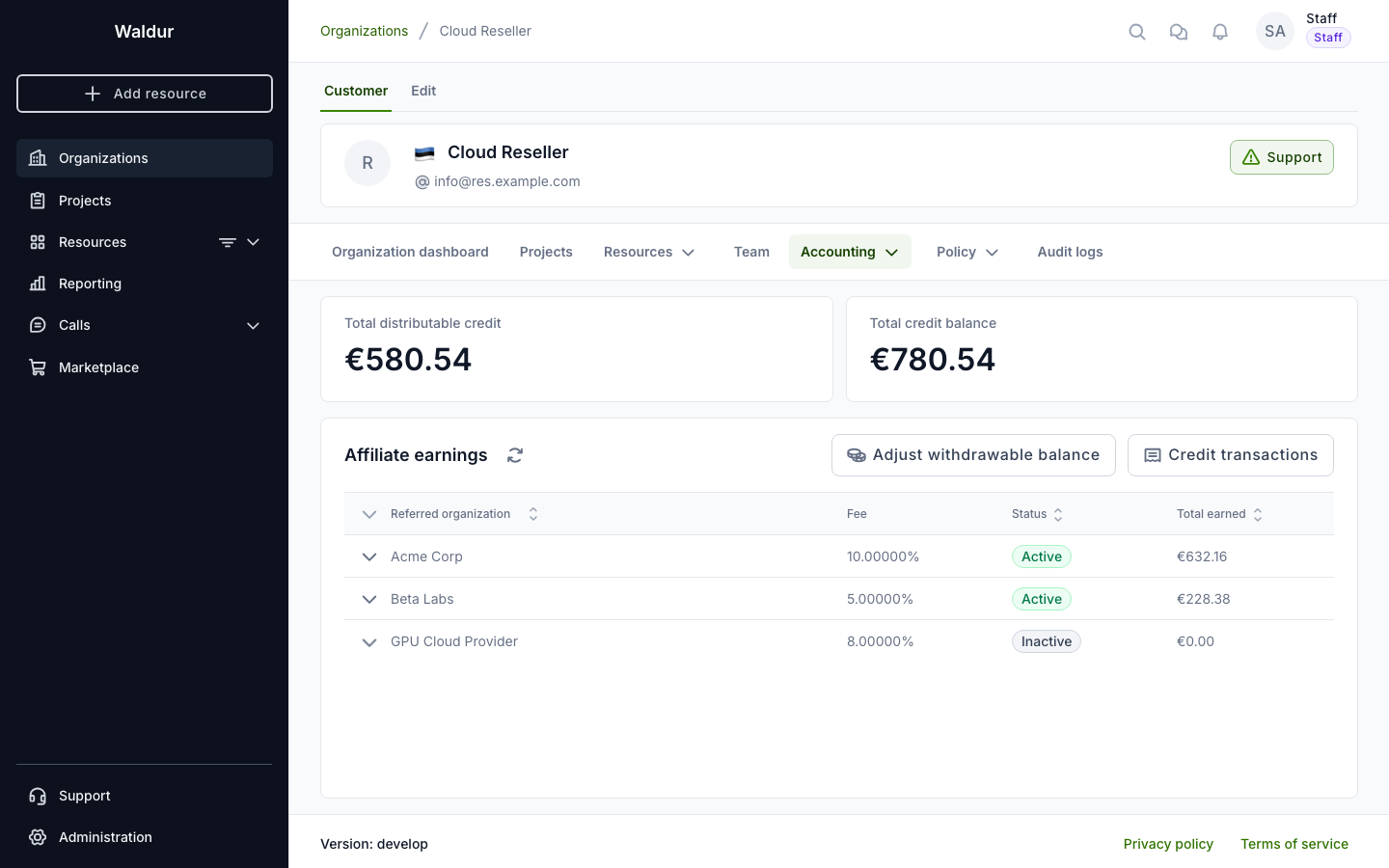
The page shows:
- Total distributable credit and Total credit balance — summary cards. The distributable credit is the withdrawable balance: what is left of the part of your credit that came from earnings, as opposed to credit allocated by staff or prepayments. Your organization's usage spends granted and prepaid credit before earnings, and earnings do not expire.
- Affiliate links — one row per link; expand a row to see the fee expected for the current month and the monthly accruals (one row per fee, with the invoice period, amount and date).
- Credit transactions — a button that opens the full ledger of how your credit changed over time (earned fees, staff adjustments, payouts and more) with the type, amount, comment and date of each entry.
Note
For privacy, the earnings view shows only the amount, the period, and the referred organization's name. It never exposes what the referred organization purchased.
The Expected for line above the accruals is the fee the current month is expected to earn. It is estimated from the referred organization's open invoice: its price after the estimated volume discounts (see below) and after the credit the month is expected to use, except prepaid credit, which still earns the fee. It changes as the month goes on, and becomes an accrual when the month is closed. The line is not shown when the link was not active on the first day of the month, or when the referred organization has no open invoice.
Earned fees are added to your organization's credit. The Adjust withdrawable balance button on this page is available to staff only.
Volume discounts on invoices
When your organization qualifies for a volume discount, it appears as a separate discount line paired with each discounted component. Open an invoice from Accounting → Invoices and expand a resource to see the breakdown.
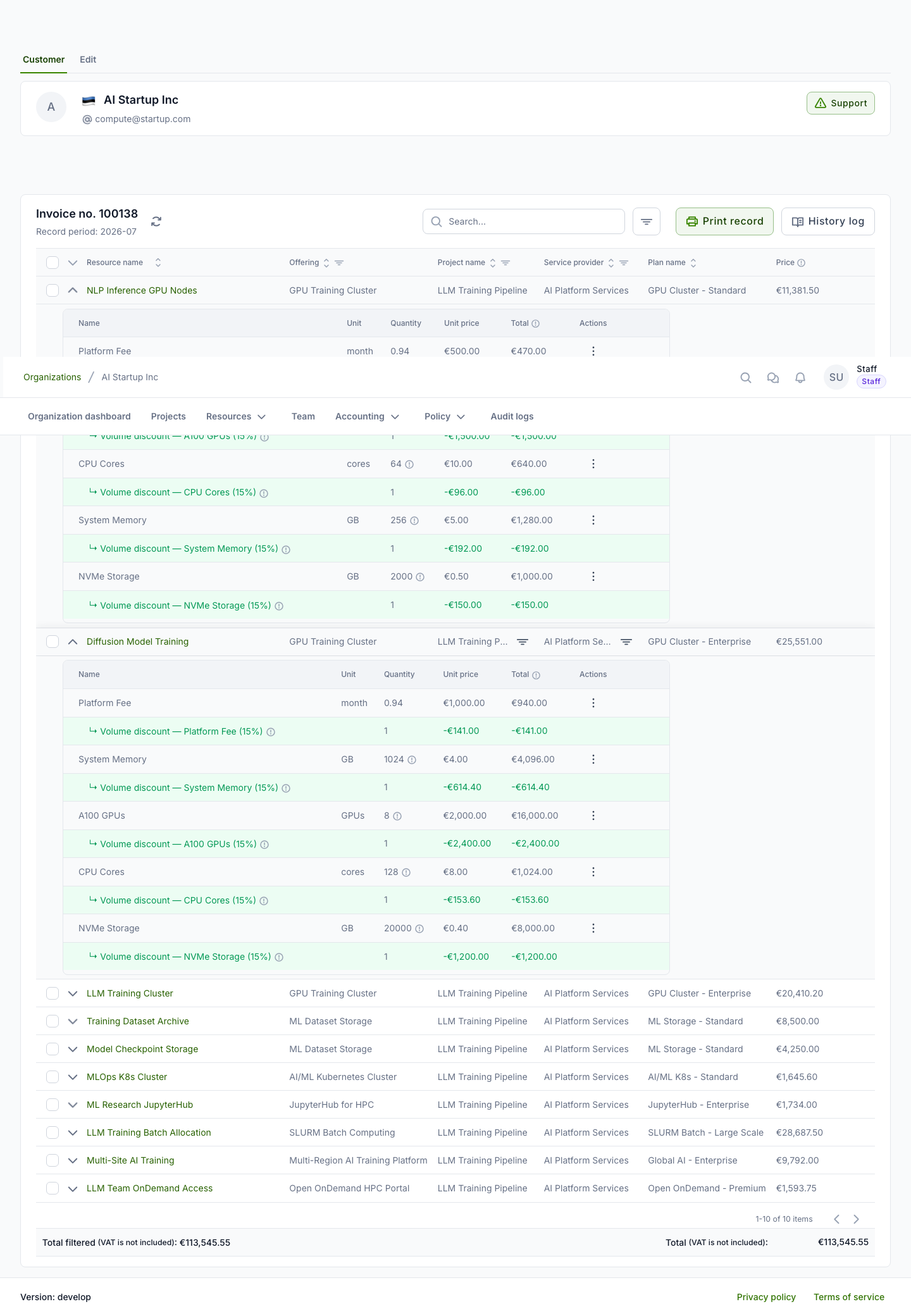
Each discount line is shown in green with a negative amount, indented directly under the component it applies to (for example, ↳ Volume discount — CPU Cores (15%)). Hover over the information icon to see the discount percentage, the formula, and the usage the discount was based on. The discount is distributed across the individual components, so every project's share of the saving is reflected in its own line items.
Estimated discounts on the open invoice
The current month's invoice shows the discount it is expected to get. Its discount lines are marked estimated, and the footer shows their sum as Estimated volume discounts, already included in the expected total.
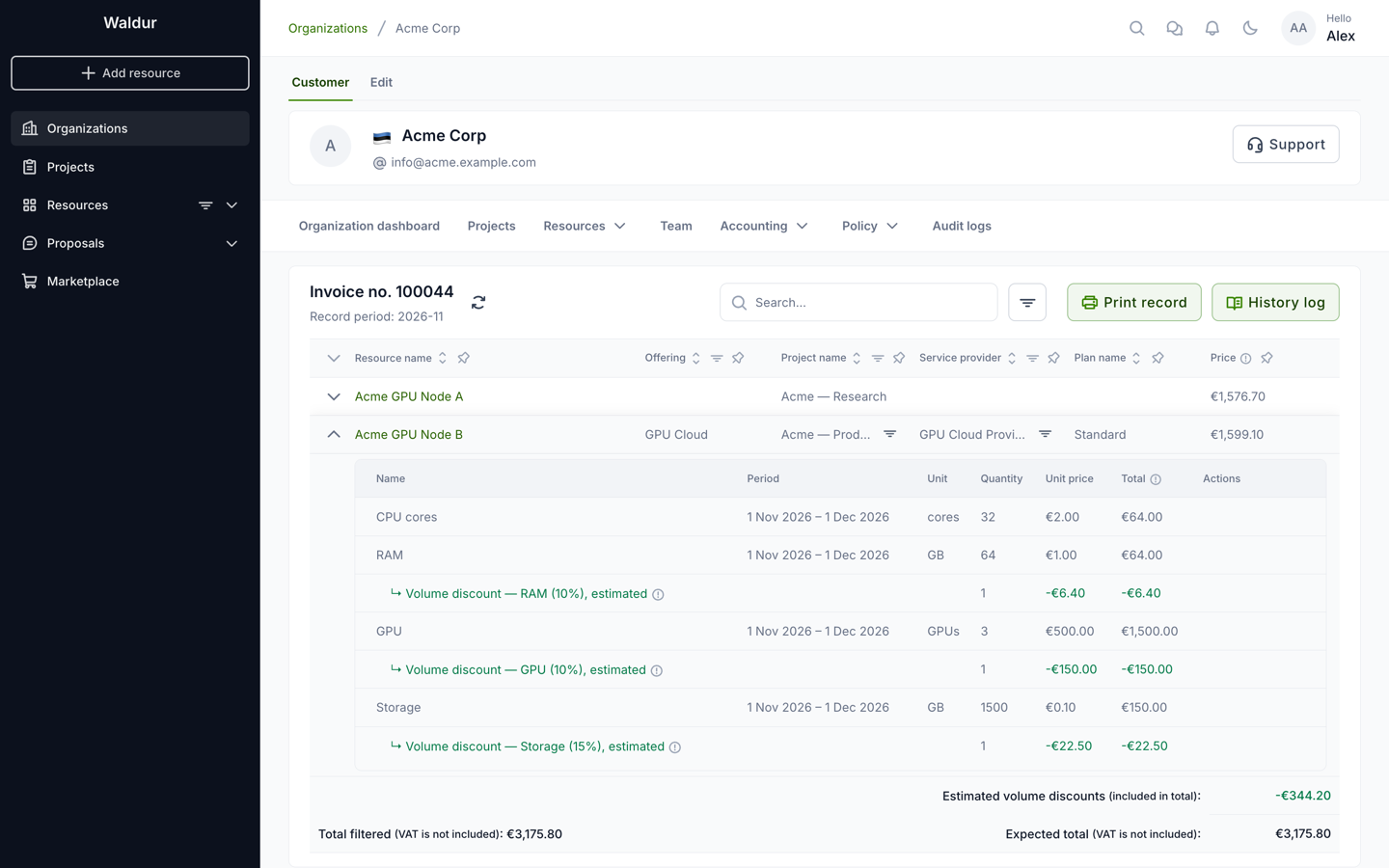
The estimate is based on the usage so far. It is updated daily, and shortly after a resource is created, terminated, switched to another plan or has its limits changed, so it can move into a higher discount tier during the month. When the month closes, the invoice is finalized and the lines become final.
Tip
Depending on how the service provider configured the component, a discount is calculated either on your total usage of that component across the whole organization — so consolidating usage can push you into a higher discount tier — or on each resource's own usage.