Science domain management
Waldur lets staff define a two-level taxonomy of science domains and sub-domains. End users can tag their projects with one of them, which improves reporting and discoverability across the platform.
The end-user picker is only visible once the project.science_domain feature is enabled and at least one domain exists.
Access
Open Administration → Organizations & compliance → Science domains (URL: /administration/science-domains/).
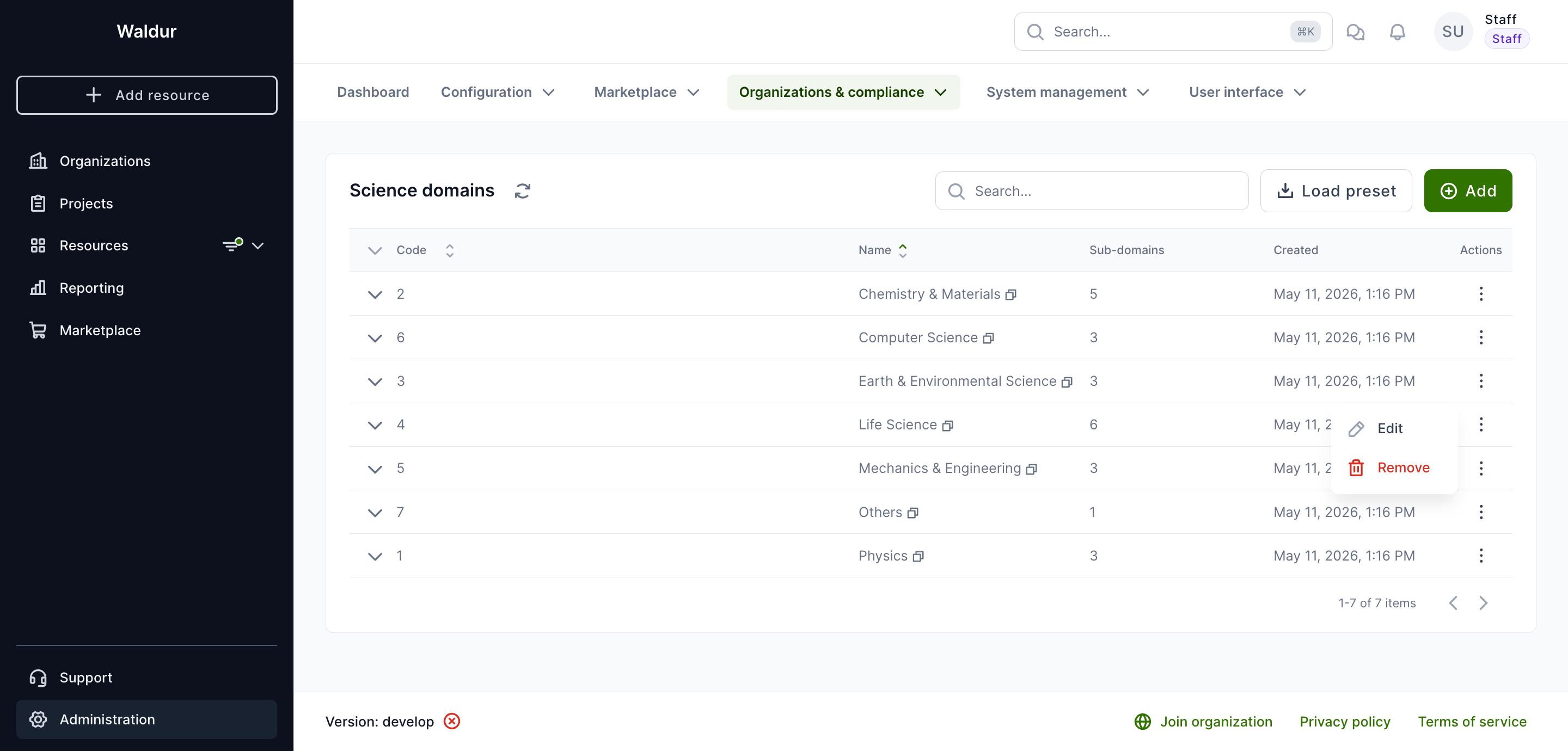
Each row shows the domain Code, Name, Sub-domains count and Created date. Use the row's three-dot menu to Edit or Remove a domain, and the chevron on the left of the row to manage its sub-domains.
Loading a built-in preset
Click Load preset to seed the taxonomy from a curated list. Two presets are bundled:
- CSCS Science Domains — 7 domains, 24 sub-domains. Compact, HPC-oriented; a good fit for supercomputing centres and discipline-aligned compute deployments.
- OECD Fields of Science 2007 — 6 domains, 43 sub-domains. Standard academic classification; recommended for national research infrastructures and broader academic portfolios.
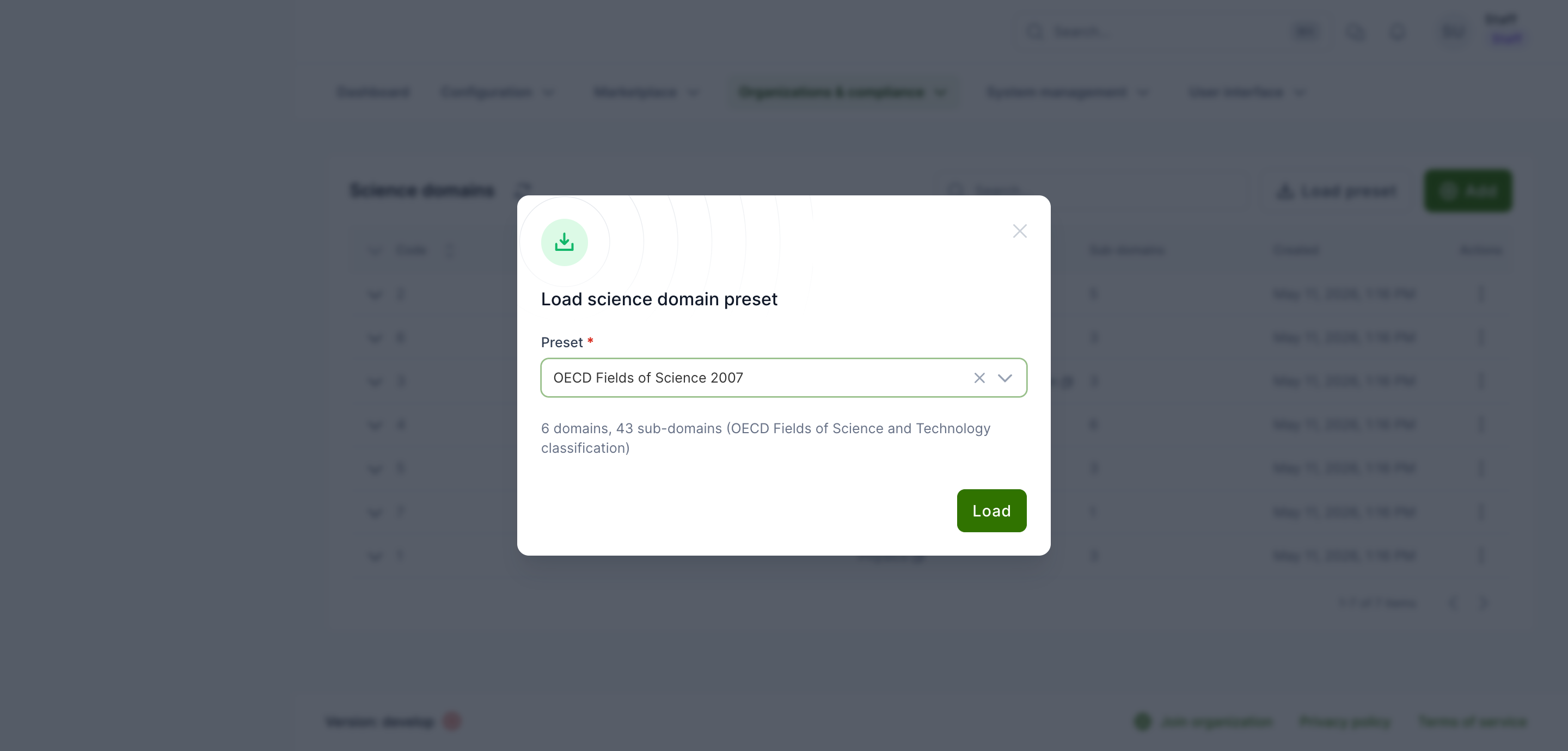
Loading is idempotent — domains and sub-domains with codes that already exist are skipped, so it is safe to re-run. On success a notification reports how many entries were created vs skipped.
Tip
Pick one preset that matches your audience and avoid mixing. Codes differ between presets and cannot be remapped automatically.
Adding domains manually
- Click Add in the top-right of the list.
- Fill in Code (short identifier, e.g.
1,1.1) and Name. - Click Save.
Repeat for each top-level domain you need.
Managing sub-domains
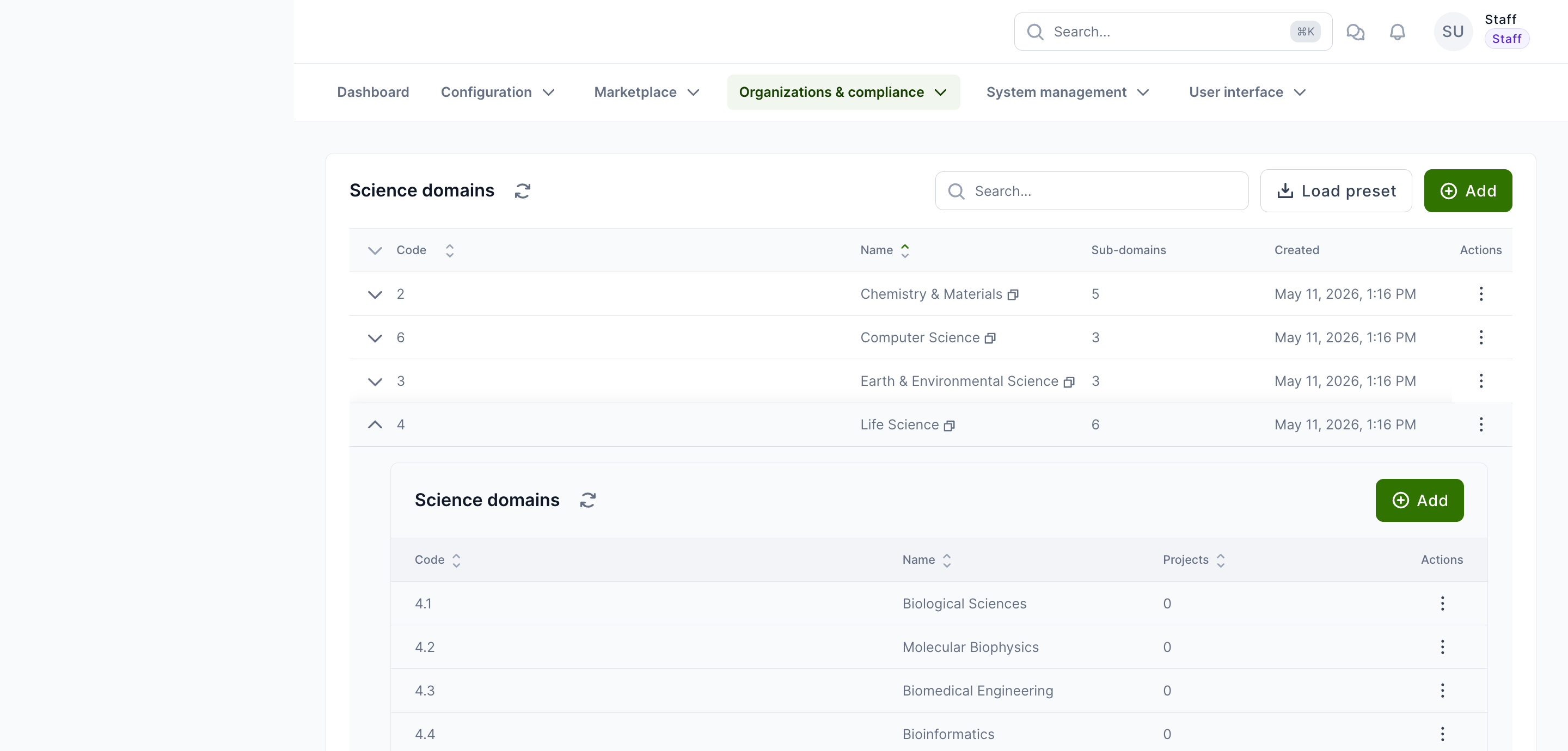
Expand any row using the chevron on the left to reveal its sub-domains table. From there:
- Add — create a sub-domain under this domain. Provide Code and Name.
- The row's three-dot menu offers Edit and Remove actions.
The Projects column shows how many projects currently reference each sub-domain — useful before removal.
Warning
Removing a sub-domain that is referenced by projects unsets the field on those projects. Reassign affected projects first when possible.
Editing and removing domains
Use the row's three-dot menu for Edit (rename or change the code) and Remove. Removing a domain that still has sub-domains is blocked — delete or move its sub-domains first.
Enabling the picker
Even after seeding domains, the end-user picker stays hidden until the project.science_domain feature flag is on:
- Open Administration → Configuration → Features.
- In the Project section, enable Enable science domain/sub-domain selection for projects.
- Save and reload.
Once enabled, the picker appears in the project create dialog and on the project's metadata page (see the customer guide for the end-user view).