Webhook event consumers
A webhook event consumer sends Waldur events as JSON POST requests to an
external HTTP listener, such as an ITSM, CRM or identity management system.
Use it to keep another system in sync with Waldur. For example, it can send
the system the current organization owners, followed by every owner that
is added or removed.
A webhook consumer receives the same events as a RabbitMQ (STOMP) event consumer: role changes, profile changes, account lifecycle, SSH keys, orders, resources and so on. The receiving system only needs an HTTPS endpoint and does not need a message-queue client.
Warning
A webhook consumer created from the user interface is global: it receives events about every user in the system, including names and email addresses. Narrow it down with object types and filters, and only point it at a system you trust.
Prerequisites
- You are logged in as a staff user. Support users can see webhook consumers and resync them, but cannot create, edit or remove them.
- The receiving system exposes a public
https://URL. A credential may be part of the query string (for example?sig=…). The URL is stored as a secret and is never shown again. URLs withuser:password@are not accepted, and neither are private or loopback addresses.
Managing webhook consumers
- Open Administration → System management → Workers & messaging and select the PubSub health tab.
-
Expand the Event consumers card.
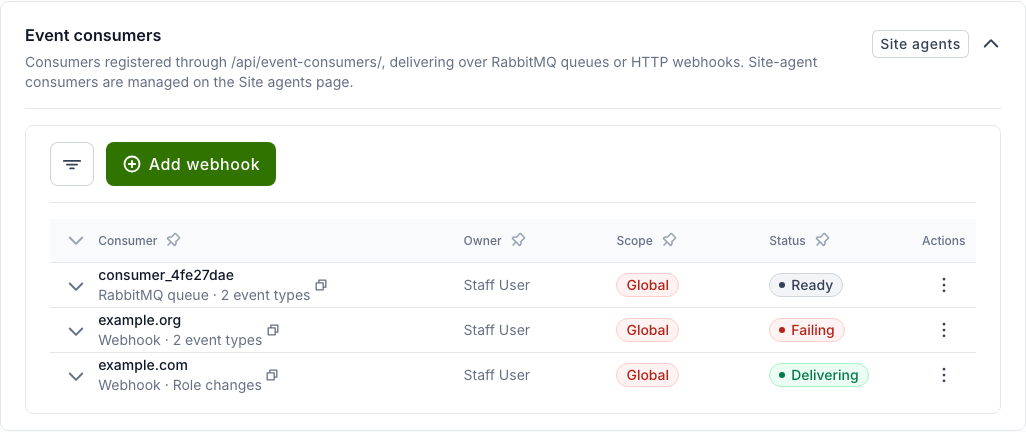
Each row shows:
- Consumer: where the events go (the webhook host, or the RabbitMQ queue name), how they are delivered, and what the consumer receives. Only the host of a webhook is shown, never the full URL.
- Owner: the staff user the consumer delivers on behalf of.
- Scope: Global for a consumer that receives events about the whole system.
- Status: whether events are getting through. Hover over the status to see the detail.
Status Meaning Delivering The last event was delivered successfully. Failing The last delivery attempt failed and has not succeeded since. The tooltip shows the error and when it started. Waiting No event has been delivered yet. Blocked Nothing can be delivered, for example because the owner has been deactivated or is no longer a staff or support user. The tooltip says why. Connected, Disconnected, Pending, Ready States of RabbitMQ queue consumers. 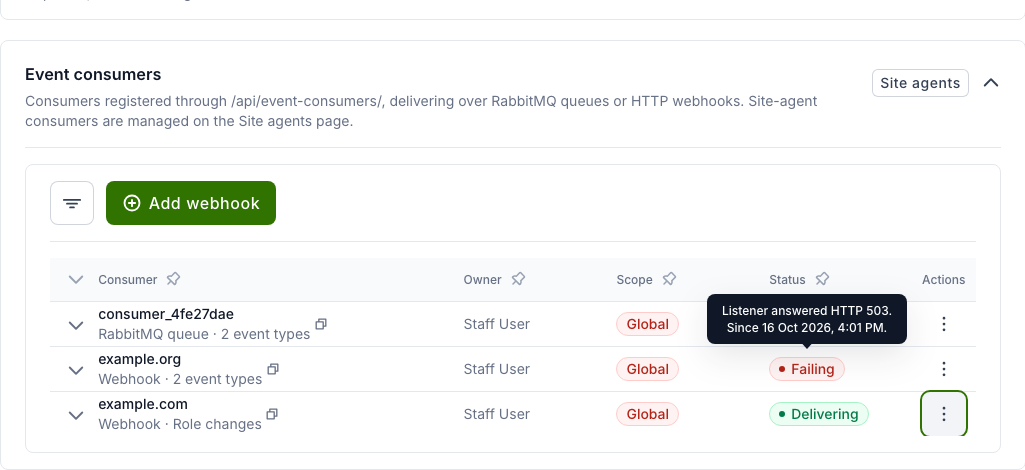
-
Click the arrow at the start of a row to see the consumer's details: UUID, the event types it receives, its payload filters, the destination host, the last delivery and the last error, and how it was registered.
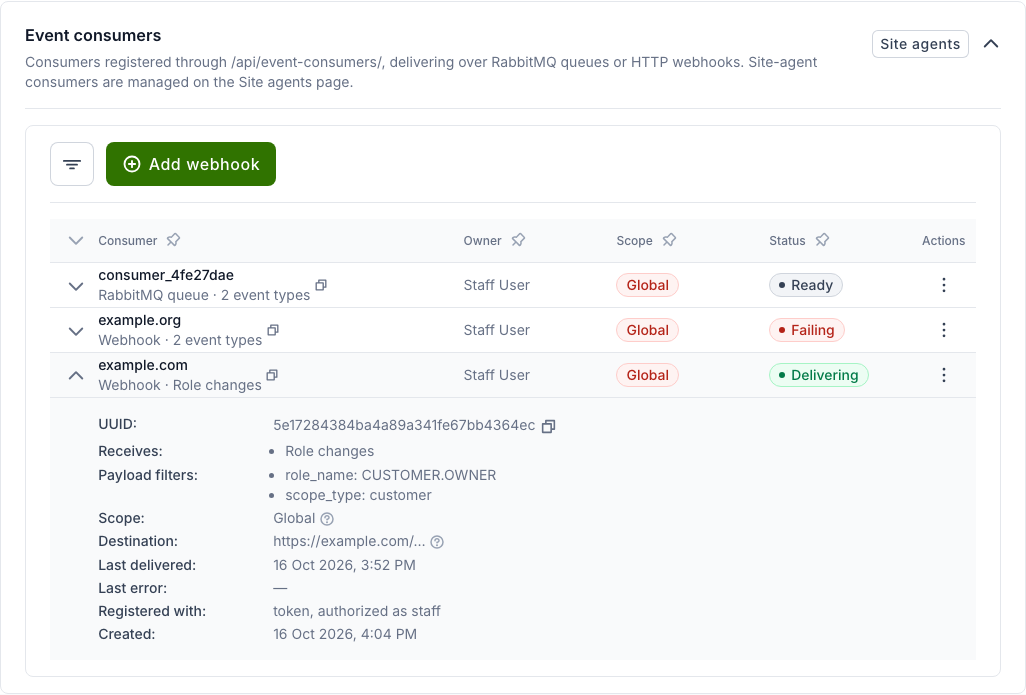
-
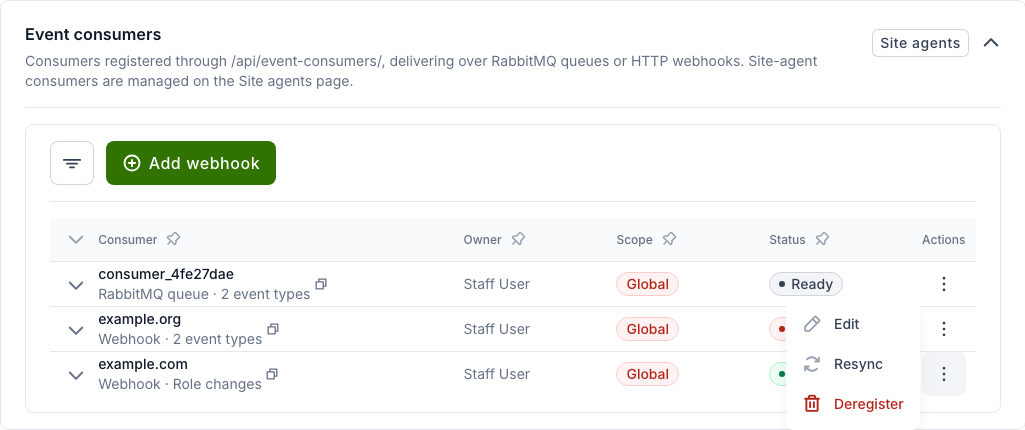
Use the ⋮ menu on a row to Edit, Resync or Deregister the consumer.
Use the filter button to show only webhook consumers (Delivery → HTTP webhook).
Adding a webhook consumer
- In the Event consumers card, click Add webhook.
-
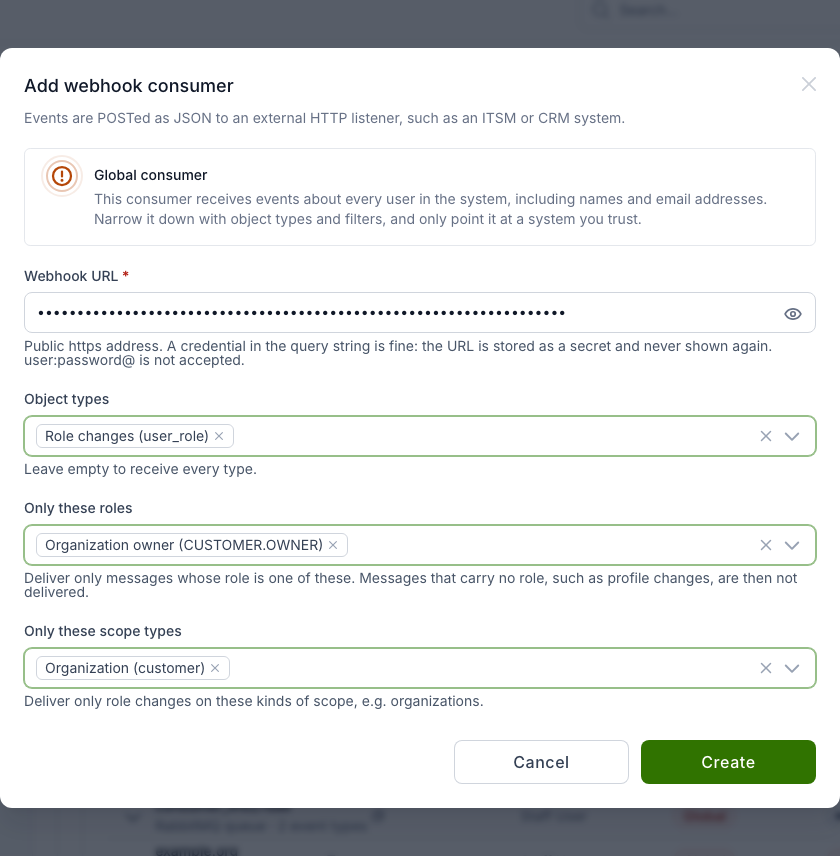
Fill in the form:
- Webhook URL: the listener URL, including any credential in the query string.
- Object types: the event types to send, for example Role changes (user_role). Leave empty to send every type.
- Only these roles: send only role changes for these roles, for example Organization owner (CUSTOMER.OWNER).
- Only these scope types: send only role changes on these kinds of scope, for example Organization (customer).
-
Click Create.
The example above sends a message whenever an organization owner is added or removed, and nothing else.
Note
A role or scope-type filter matches only messages that have that field. With Only these roles set, events without a role, such as profile changes, are not delivered.
Sending the current state (resync)
Events only describe changes. When a receiving system is connected for the first time, or has lost its data, send it the current state:
- Open the ⋮ menu of the consumer and select Resync.
-
Confirm with Yes.
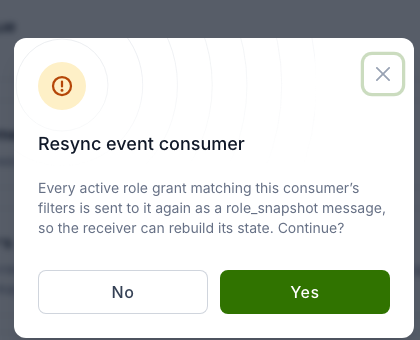
Waldur then sends every active role grant that matches the consumer's
filters. Each is a user_role message with event_type set to
role_snapshot and granted set to true.
Resync is offered only for global consumers that receive role changes
(their object types are empty or include Role changes). Through the API,
a resync is also refused when the consumer's payload filters would exclude
every snapshot message, for example a filter on event_type. A resync runs in the background
and can be requested at most once every 15 minutes per consumer. Every
request is recorded in the audit log.
Editing a webhook consumer
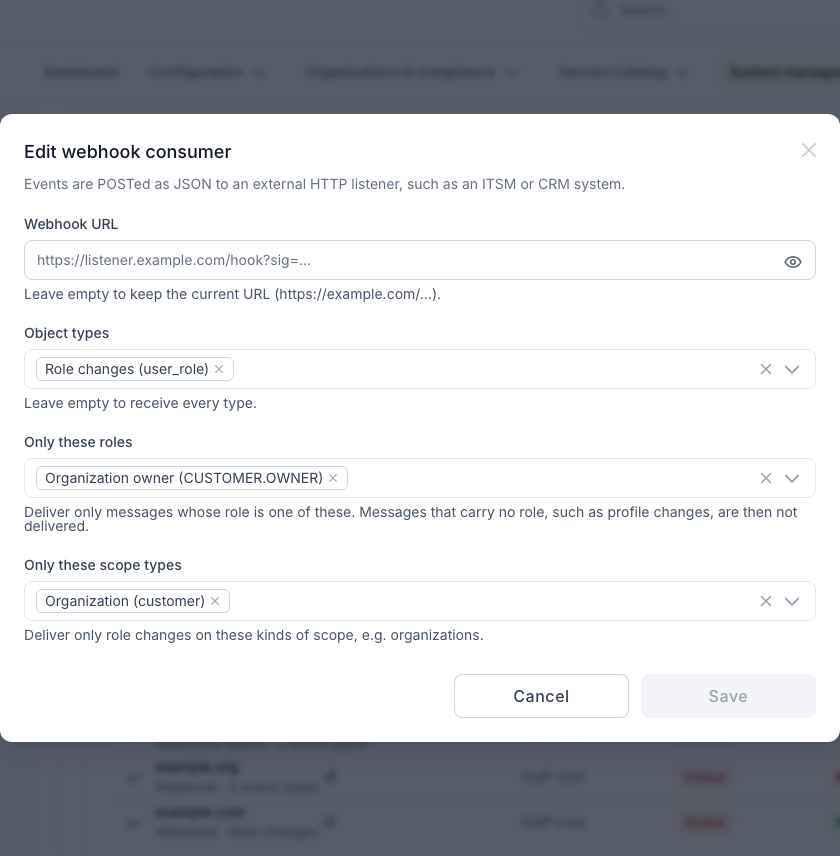
Select Edit in the ⋮ menu to change the URL, object types or filters. Leave Webhook URL empty to keep the current URL.
Note
The staff user who edits a webhook consumer becomes its owner. Every change is recorded in the audit log with the destination host.
What the receiving system gets
Each event is one POST request with a JSON body. A role change looks like
this:
1 2 3 4 5 6 7 8 9 10 11 12 13 14 15 16 17 18 | |
grantedistruewhen a role is added andfalsewhen it is removed (event_typerole_revoked).customer_*fields identify the organization the role belongs to. For a project role this is the project's organization.- Every request carries an
X-Waldur-Message-Idheader. The header stays the same when a request is retried.
The receiving system should answer with any 2xx status. Any other answer,
or no answer within the timeout, counts as a failure.
Delivery behaviour
- Retries: a failed request is retried with increasing delays (from 10 seconds up to 10 minutes) about 8 times over roughly half an hour. After that, the message is dropped. Use Resync to bring the receiver up to date again.
- At least once: a message can arrive twice. Use
X-Waldur-Message-Idto ignore duplicates. - No ordering across events: each event is delivered on its own, so a
removal can arrive before the addition it follows. Use
emitted_atto ignore an update that is older than the one already applied. - Owner changes: if the consumer's owner is no longer an active staff or support user, delivery stops.
API
Webhook consumers can also be managed through the API:
| Action | Request |
|---|---|
| Create | POST /api/event-consumers/register_webhook/ |
| Edit | POST /api/event-consumers/{uuid}/update_webhook/ |
| Resync | POST /api/event-consumers/{uuid}/resync/ |
| List | GET /api/event-consumers/?delivery=webhook |
| Remove | DELETE /api/event-consumers/{uuid}/ |
Through the API you can also use any message field in payload_filters, for
example to send role changes for a single organization only:
1 2 3 4 5 6 7 8 9 | |