Your POSIX identity on Linux and HPC offerings
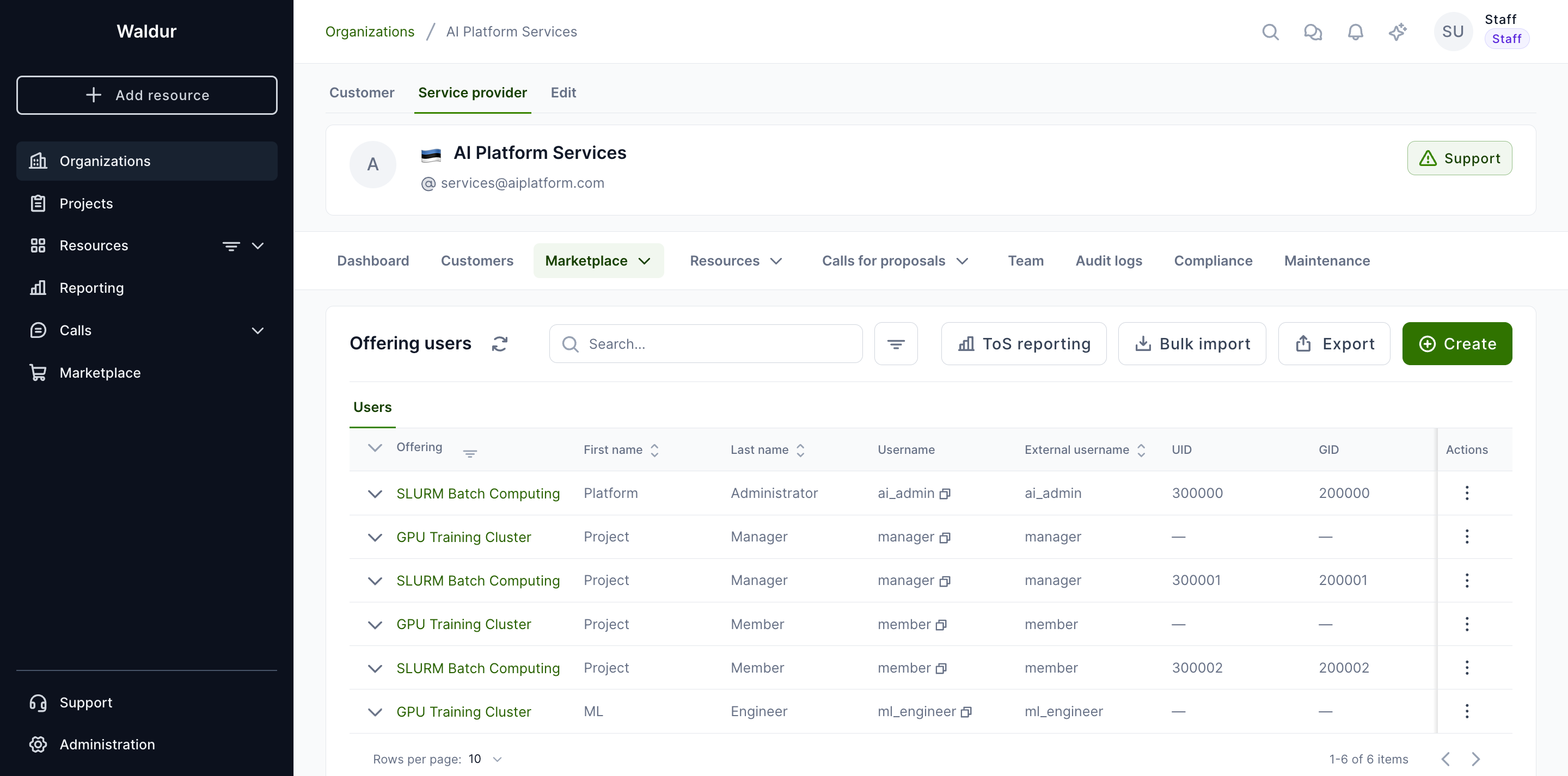
When you get access to a Linux or HPC offering — for example a SLURM cluster or a storage service that provisions a Unix account for you — the service provider assigns you two numeric identifiers:
- a UID (user id), which identifies your personal account, and
- a primary GID (group id), which identifies your default group.
These numbers are how the underlying systems track file ownership, disk quotas and job scheduling. You normally never type them yourself: you log in with your username and SSH key, and the cluster maps you to your UID and GID behind the scenes.
Your project's POSIX groups
Besides your personal identifiers, a service provider may give each project one project group: a POSIX group, named after the project's short name, whose members are the accounts that the project's members hold at that provider. Clusters grant access through it, and files the project shares on storage are owned by its GID. Your account becomes a member when you join the project and leaves the group when you leave it.
The project overview shows the groups in a POSIX groups panel: one line per service provider, with the group name and GID.

Show details opens the project's Settings → POSIX identities tab with the full list. Groups at service providers lists the project's group at each provider with its GID, the offerings the project uses there, the number of members and whether the group is in use. Expand a row to see the members' usernames.
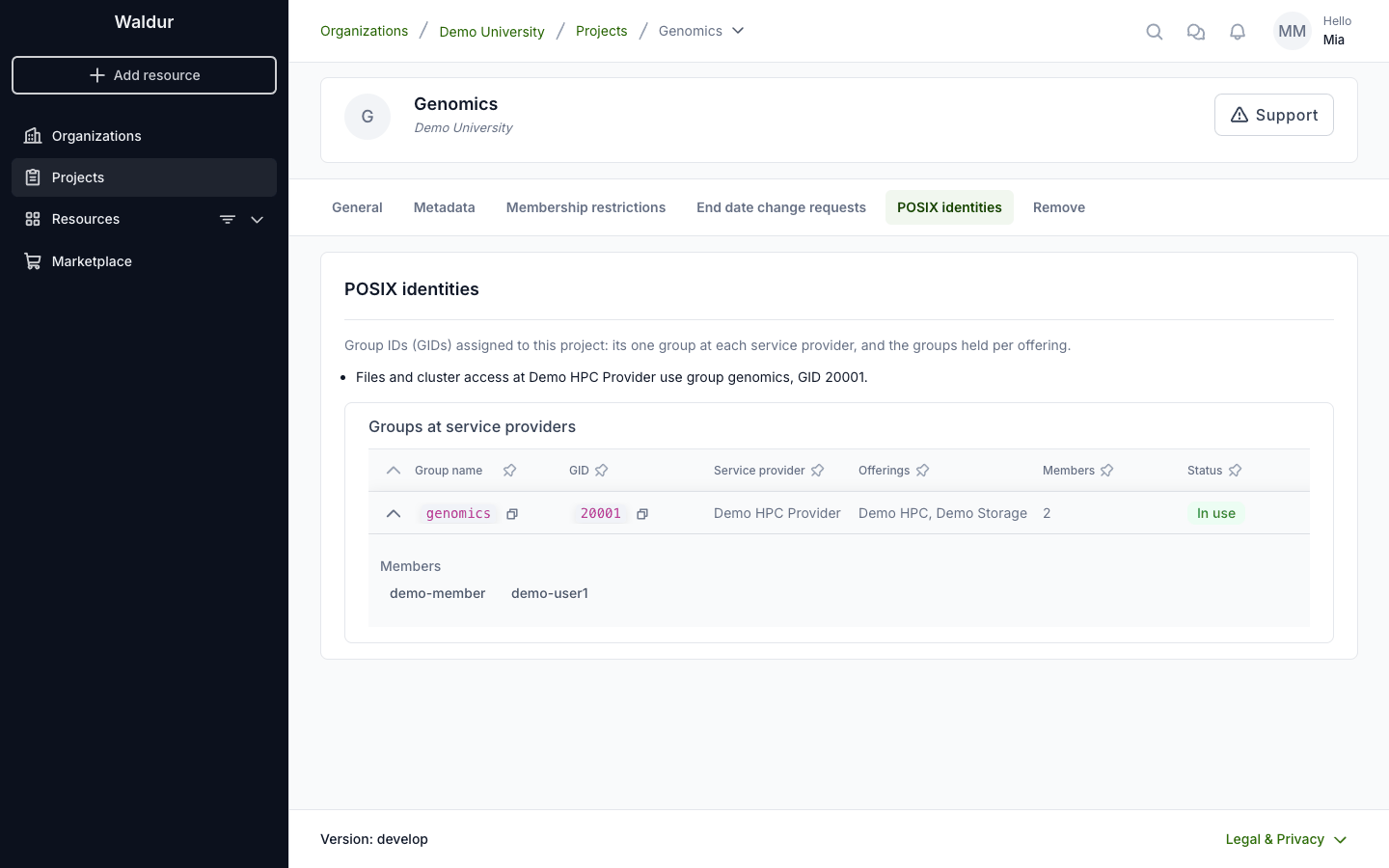
The group's name and GID do not change when the project is renamed. A group is marked Not in use when the project no longer has resources at that provider; it keeps its GID, so files owned by it stay readable to the project when it comes back. Every project member and the organization's owners can see these groups; only the service provider manages them.
What to expect
- They are stable. Your UID and primary GID stay the same for the lifetime of your account, so files you create keep their ownership and your jobs are accounted to you consistently.
- They are unique within a provider. Each service provider keeps its own pool of identifiers, so no two people on that provider's systems share a UID, and a user's id never collides with a project or role group id.
- They are managed for you. You do not request or change these numbers — the provider allocates them automatically from a reserved pool when your account is created.
Your service provider can look up the UID and primary GID that were assigned to your account, which is useful when you open a support request about file permissions or scheduling.
Note
If you have accounts with more than one service provider, your UID and GID may differ between them — each provider numbers its own users independently. Within a single provider they stay consistent across all of that provider's offerings.