Affiliate program (staff)
The affiliate program lets one organization (the affiliate) earn a fee from the finalized invoices of another organization (the referred organization). Affiliate links are configured by staff.
Note
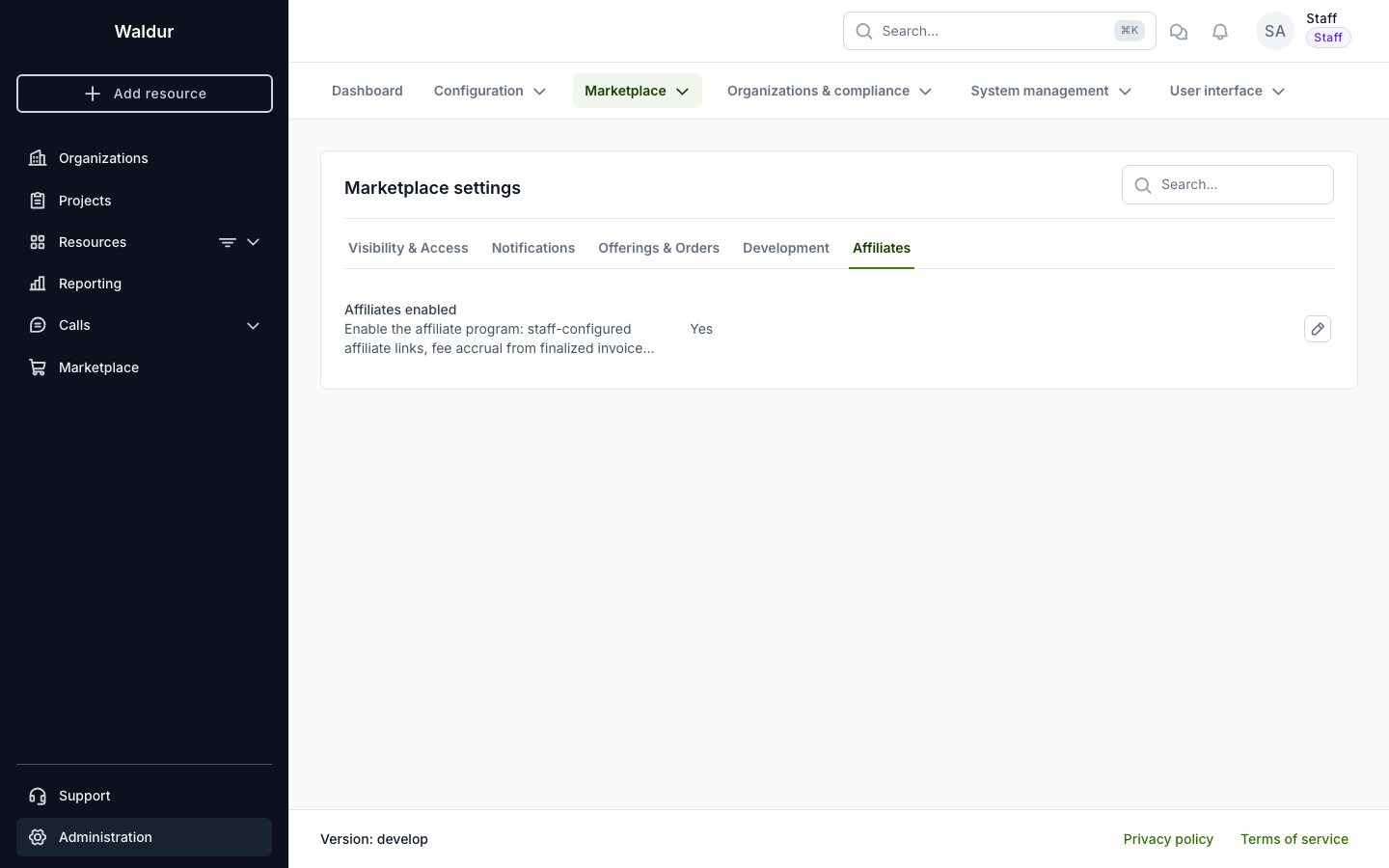
The affiliate program is opt-in and gated by two switches. Enable the
AFFILIATES_ENABLED setting under Administration → Marketplace →
Settings → Affiliates to expose the affiliate API and start accruing fees,
and switch on the reseller.affiliates feature (Administration →
Feature toggles) to show the affiliate menus and pages. Both must be on;
while either is off, existing links stay dormant.
Tip
Volume discounts are a separate feature configured by the service provider on the offering's plan components — see configuring volume discounts.
Managing affiliate links
Open Support → Customer support → Affiliate program to see all affiliate links.
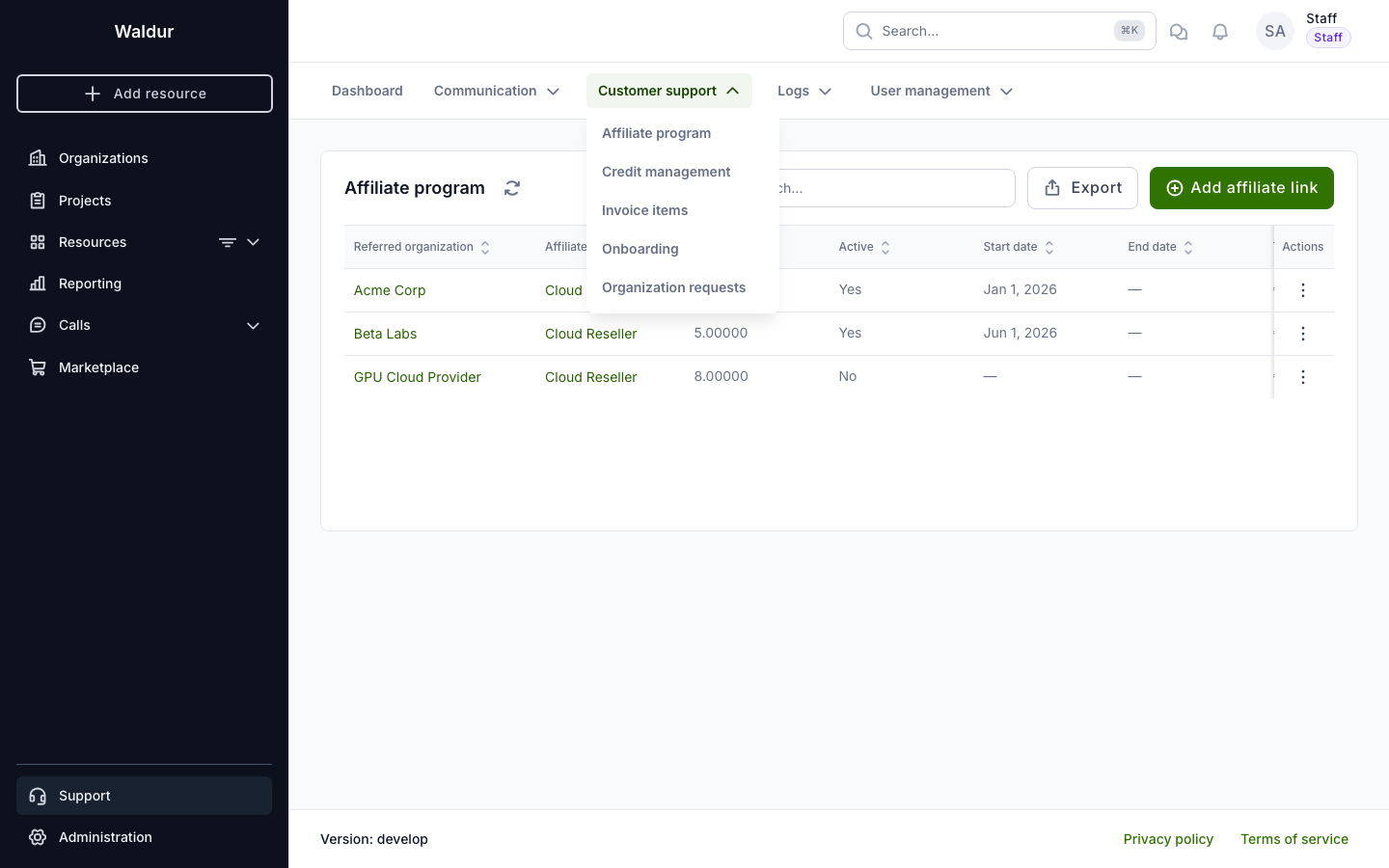
Each link records:
- Referred organization — the organization whose invoices generate the fee.
- Affiliate organization — the organization that earns the fee.
- Fee % — the percentage paid to the affiliate of each finalized invoice's net price (pre-tax, after credit compensation), plus the part of that compensation which the referred organization paid from prepaid credit.
- Active, Start date, End date — control when the link accrues fees.
- Total earned — the lifetime fee accrued through the link.
Click Add affiliate link to create a link. Pick the referred and affiliate organizations, set the fee percentage and the active window, and save.
An organization can have only one active affiliate. While Active is ticked, organizations that already have one are greyed out in the Referred organization list, with the name of their current affiliate. You can still create an inactive link for such an organization, for example to prepare a change of affiliate.
To move an organization to a different affiliate:
- Add the new link with Active cleared.
- Once the organization's invoices for the old affiliate's last month are finalized, choose Edit in the old link's row actions and clear Active. Fees stop accruing at once, even for a month not yet invoiced.
- Edit the new link and tick Active before the invoices for its first month are finalized, or it earns nothing for that month.
Ticking Active on a link while another link for the same organization is active is refused. Prefer deactivating to deleting: deleting a link removes its accrual records and total earned, although fees already credited stay in the affiliate's balance.
How fees accrue
When an invoice is finalized at the end of the month, an affiliate fee is computed and added to the affiliate organization's credit balance. Credit that pays the invoice counts towards the fee only when it was prepaid by the referred organization: a prepayment is revenue, while granted credit is a discount and lowers the fee. See granted, prepaid and earned credit. Accrual is idempotent — re-running finalization never pays a fee twice. Fees for a referred organization are only visible to the affiliate as an amount and period; the affiliate never sees the referred organization's invoice contents.
Adjusting the withdrawable balance
The withdrawable balance is what is left of the part of an organization's credit that came from earnings (such as affiliate fees), rather than from grants or prepayments. Earnings spent on the organization's own usage are no longer withdrawable, and earned credit does not expire. Staff can adjust it manually — for example to record a negotiated top-up, a payout or a clawback.
Open the affiliate organization's Accounting → Affiliate earnings page and click Adjust withdrawable balance (staff only).
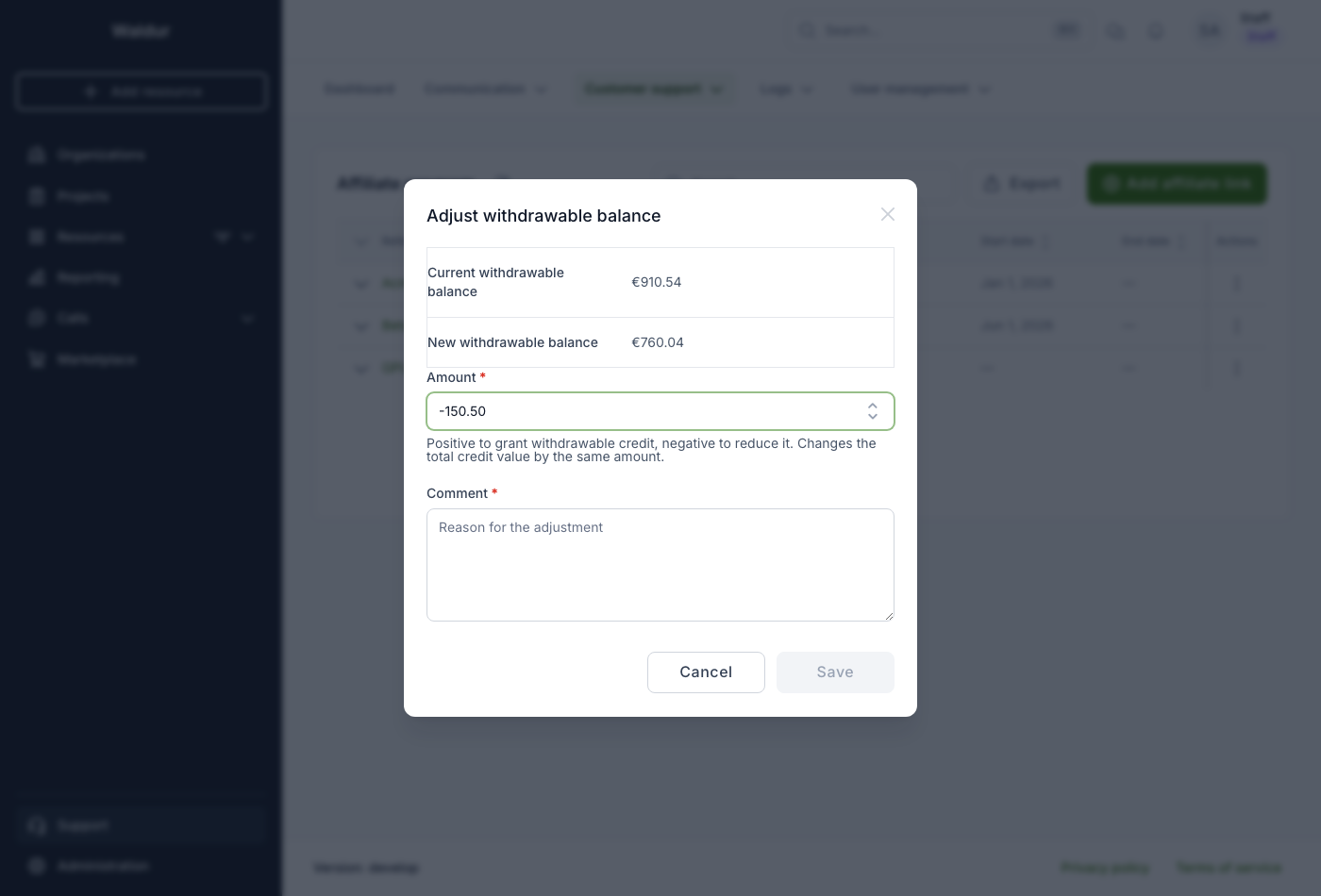
Enter a signed amount (positive to grant, negative to reduce) and a
comment describing the reason. The dialog shows the current withdrawable
balance and the resulting new balance as you type. The adjustment is recorded as
a Withdrawable adjustment entry in the credit-transaction ledger and changes
the total credit value by the same amount.
Note
A reduction cannot exceed the current withdrawable balance — a payout can only draw down earned credit, never granted credit.
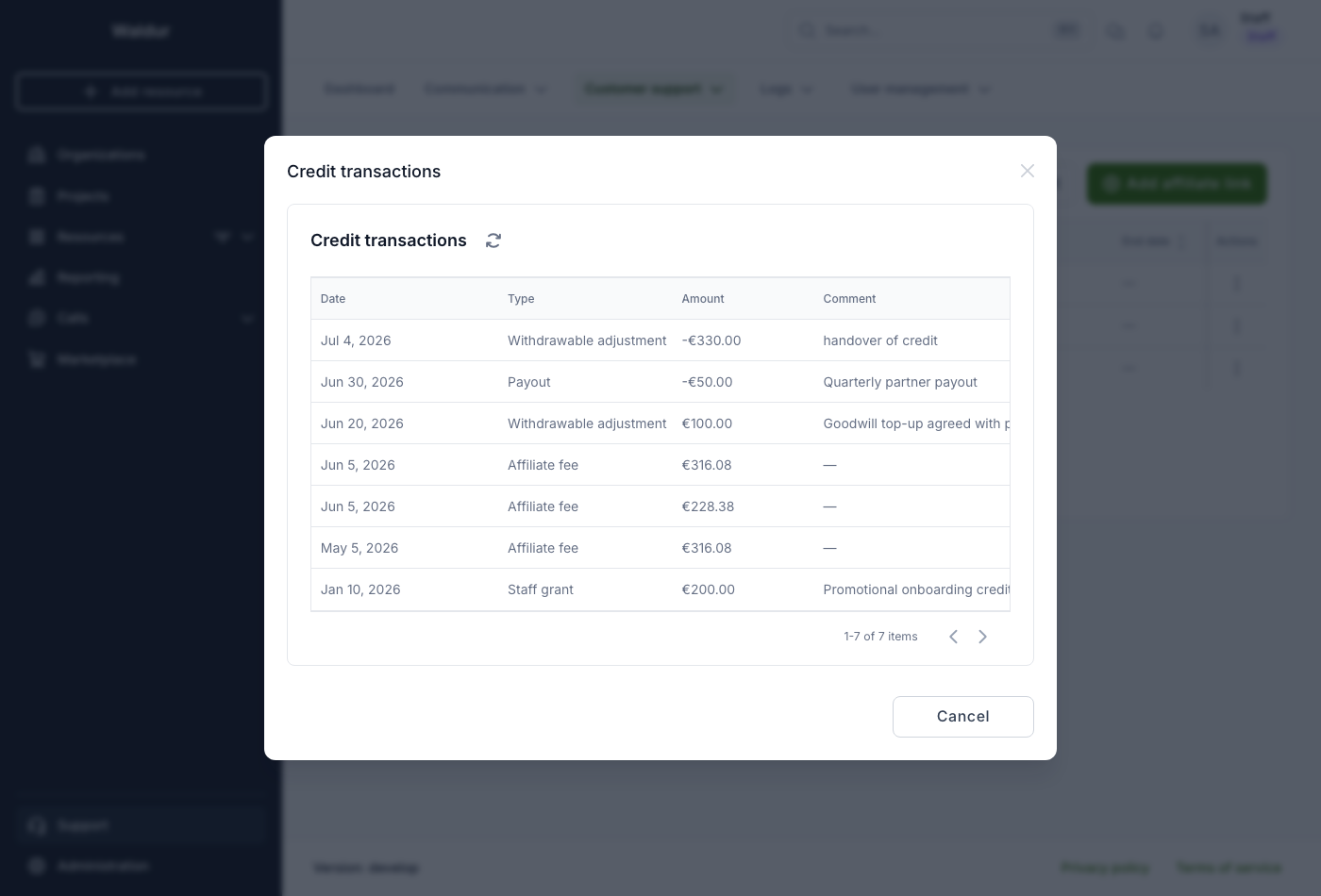
Click Credit transactions on the same page to see the full ledger — every change to the credit value with its type, amount, comment and date. It is visible to staff and to the organization's owners.