Requests for changes and withdrawals
A submitted proposal is fixed: what was submitted is what gets evaluated. Two things change that during evaluation — a step can send the proposal back to its applicant for changes, and the applicant can withdraw it.
Requesting changes from the applicant
Performed by: Whoever acts on the current step (call manager by default)
A step with Allow requesting changes turned on (in the step's settings, under Inputs and visibility) can send a proposal back to its applicant without rejecting it — to fix a missing document or clarify a resource request, say. It is available on assessment and decision steps, but not on the allocation decision, a step the applicant completes, an assignment step or a step that runs once per round.
- On the proposal, click Request changes in the Current step panel.
- Write a Message to the applicant, choose the Parts the applicant may change — for example Summary, Description, Supporting documentation, Resource requests, Project team or Compliance checklist — and optionally a Due date. At a step of an extension or a final report, the parts are that run's own instead: Form answers and, in an extension, Requested end date and resources.
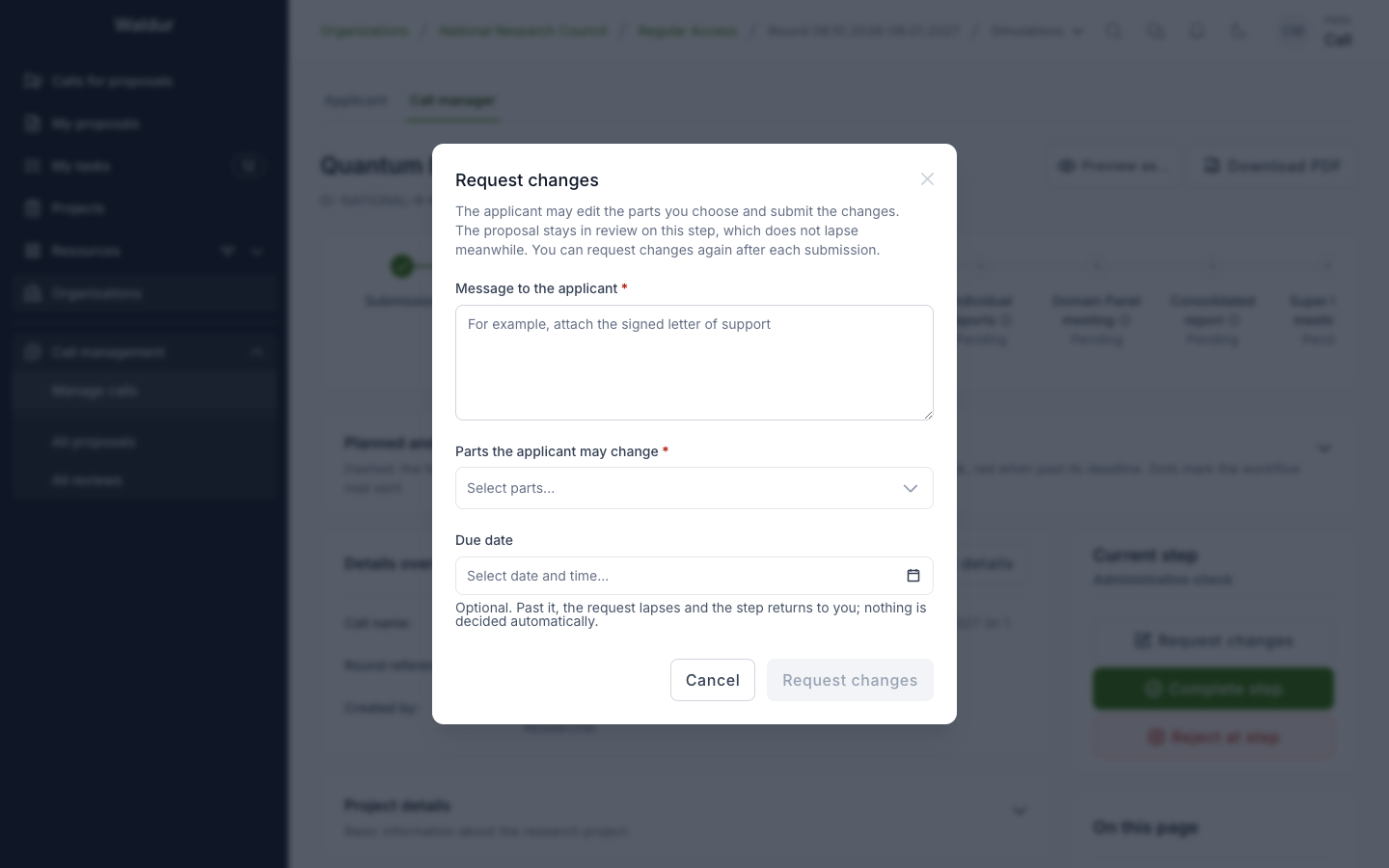
The proposal stays In review on its step (or, in an extension or final report, stays accepted). Only the chosen parts become
editable for the applicant, who is notified and sees Changes requested at
The request closes in one of three ways, and each returns the step to whoever acts on it with its full duration again:
- the applicant submits the changes;
- the call manager uses Cancel request for changes;
- its due date passes without changes — the request lapses and the step's actor is told. Nothing is decided on anyone's behalf.
A step may send the proposal back as often as needed, one open request at a time. Steps running alongside each other can each have a request open; the applicant answers them together. What the applicant sees is described in the Applicant guide.
Withdrawn proposals
A proposal manager of the applicant team can use Withdraw proposal, with an optional reason, while the proposal is Submitted or In review. The proposal is Canceled: its unfinished steps are skipped, reviews still being written are closed, unanswered review assignments lapse, and the call managers are emailed. Once an award awaits the applicant's answer, withdrawing is refused — declining the award is the way out then.