Dashboards and reports
Performed by: Call manager and Call organiser
Waldur shows how calls are doing at three levels: the organisation's Call management dashboard, each call's dashboard, and the Reports that summarise proposals, workflow, reviewers, rounds and budgets. Staff also have portal-wide lists of reviews and proposals. To take data out of Waldur, see Data export.
Call management dashboard
After signing in, open your call-managing organisation and switch to the Call management tab. Its Dashboard counts open calls, accepted proposals, pending proposals and pending reviews — each with a View all shortcut into the matching list — above a second row tracking Active rounds, Round closing soon, Calls closing soon and Pending offering requests.
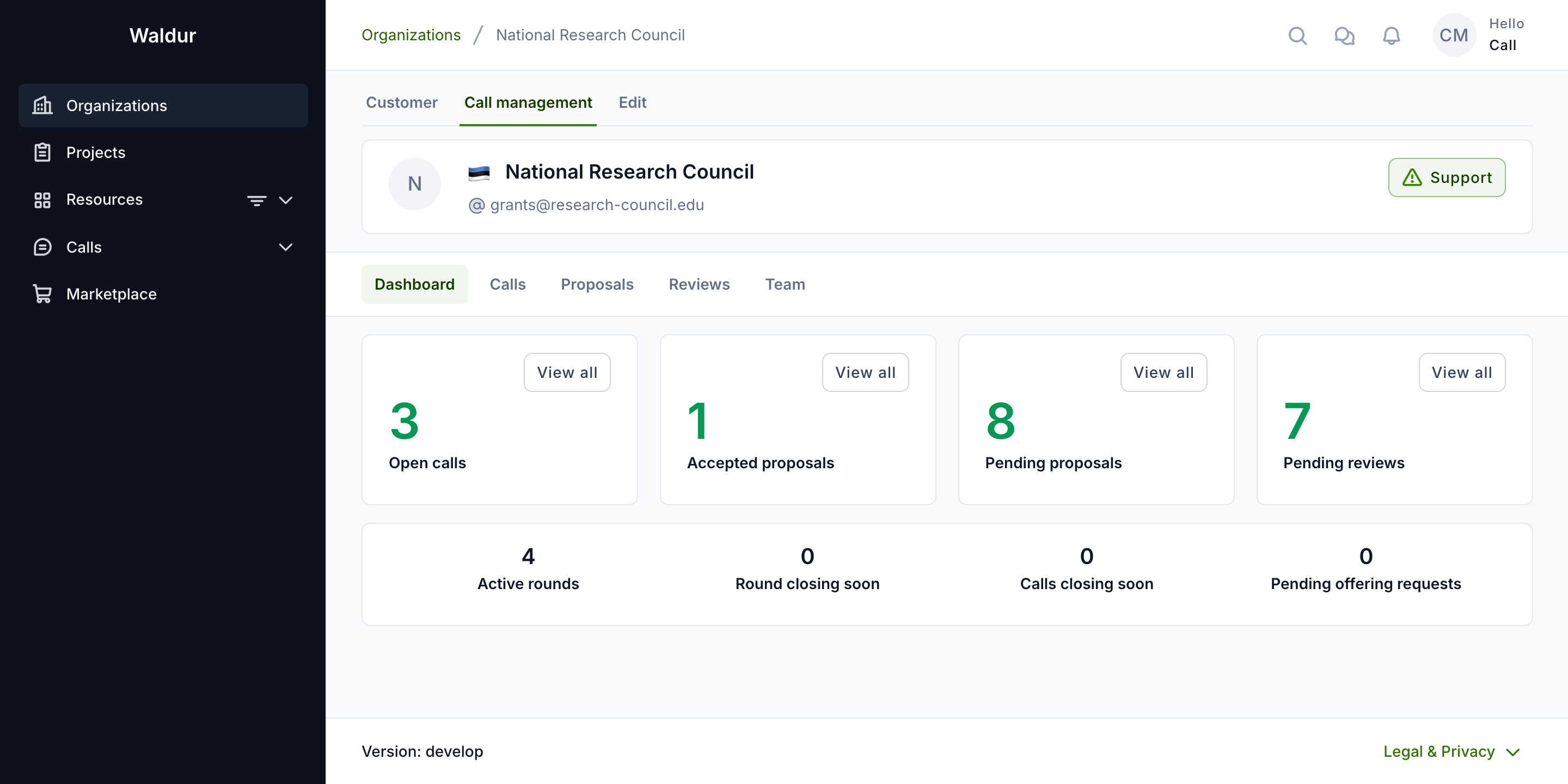
The organization's Call management dashboard counts only the calls you may configure: a call manager's figures cover the calls they manage, while call organisers, staff and support see every call of the organization. Its statistics are refused to anyone who may read none of the organization's call reports.
Call dashboard
The call dashboard provides an overview of the entire call. It counts the call's Rounds, Offerings, Reviewer pool, Proposals and Reviews, and shows the call's workflow steps read-only below the figures:
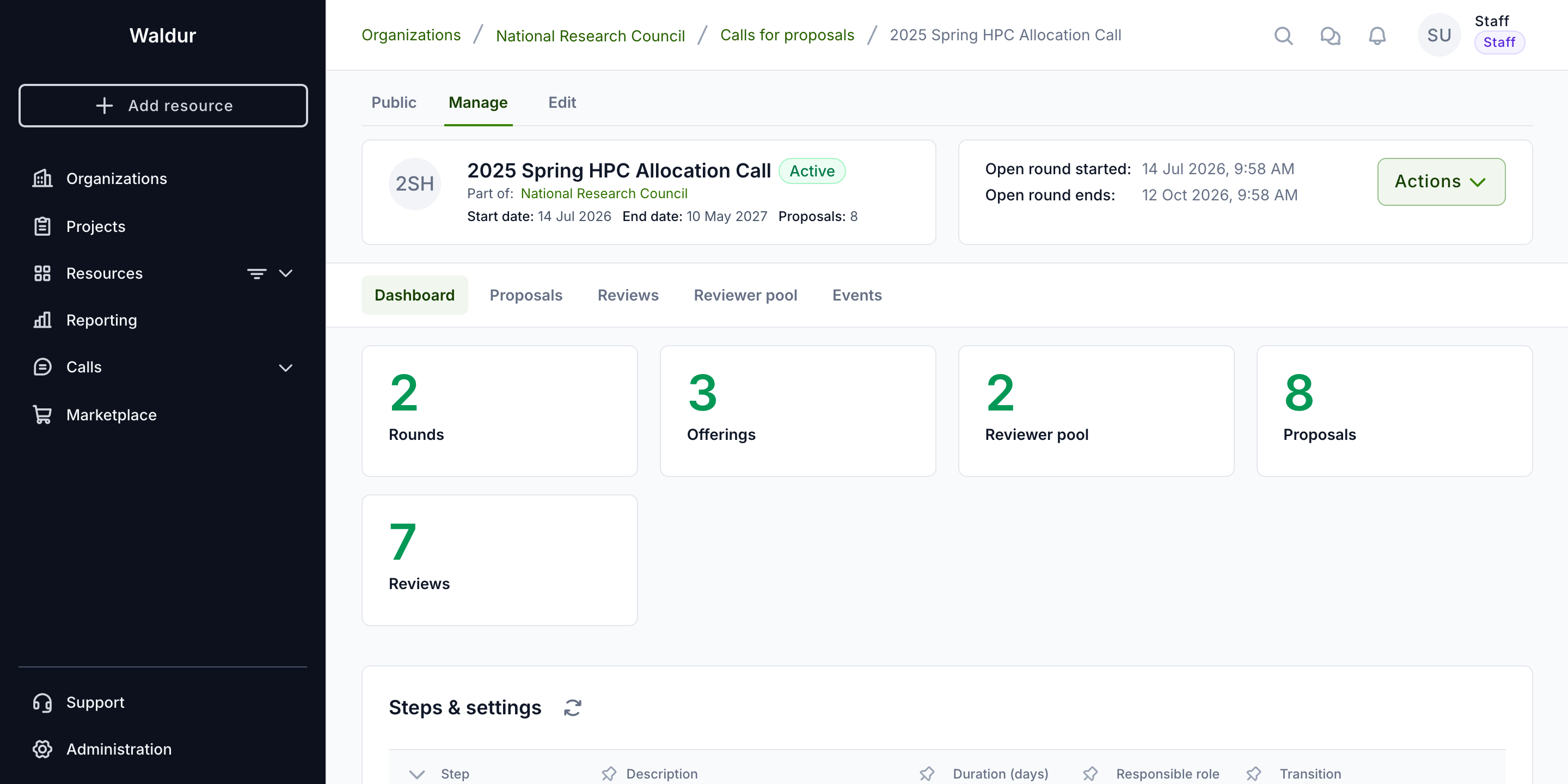
- Use the dashboard to monitor:
- Round statuses
- Proposal pipeline
- Review progress
- Reviewer pool capacity
Call reports
Call management → Reports on a call-managing organisation, and the Reports tab of a call's Manage page, summarise the calls you may configure. Filter them by call, round and dates, and switch between:
| Report | Answers |
|---|---|
| Portfolio | Proposals per call and round: how many were submitted, where they stand, how many were accepted, success rate and mean score |
| Workflow | Where proposals wait: proposals at each step now, those past the step deadline, and how long each step takes |
| Reviewers | How reviewers answer their invitations and how fast they review |
| Rounds | How long each round takes from its cut-off to publishing results, and whether results came after the allocation date |
| Budgets | What each resource pool offers, what proposals ask for, and what has been awarded |
Staff and support find the same reports across every organisation under Reporting → Proposals, filtered additionally by organisation.
Admin reviews and proposals
Staff, support, call organisers and call managers find All reviews and All proposals in the calls section of the sidebar. All reviews lists reviews across the calls, filterable by state, call, round, organisation, reviewer and proposal:
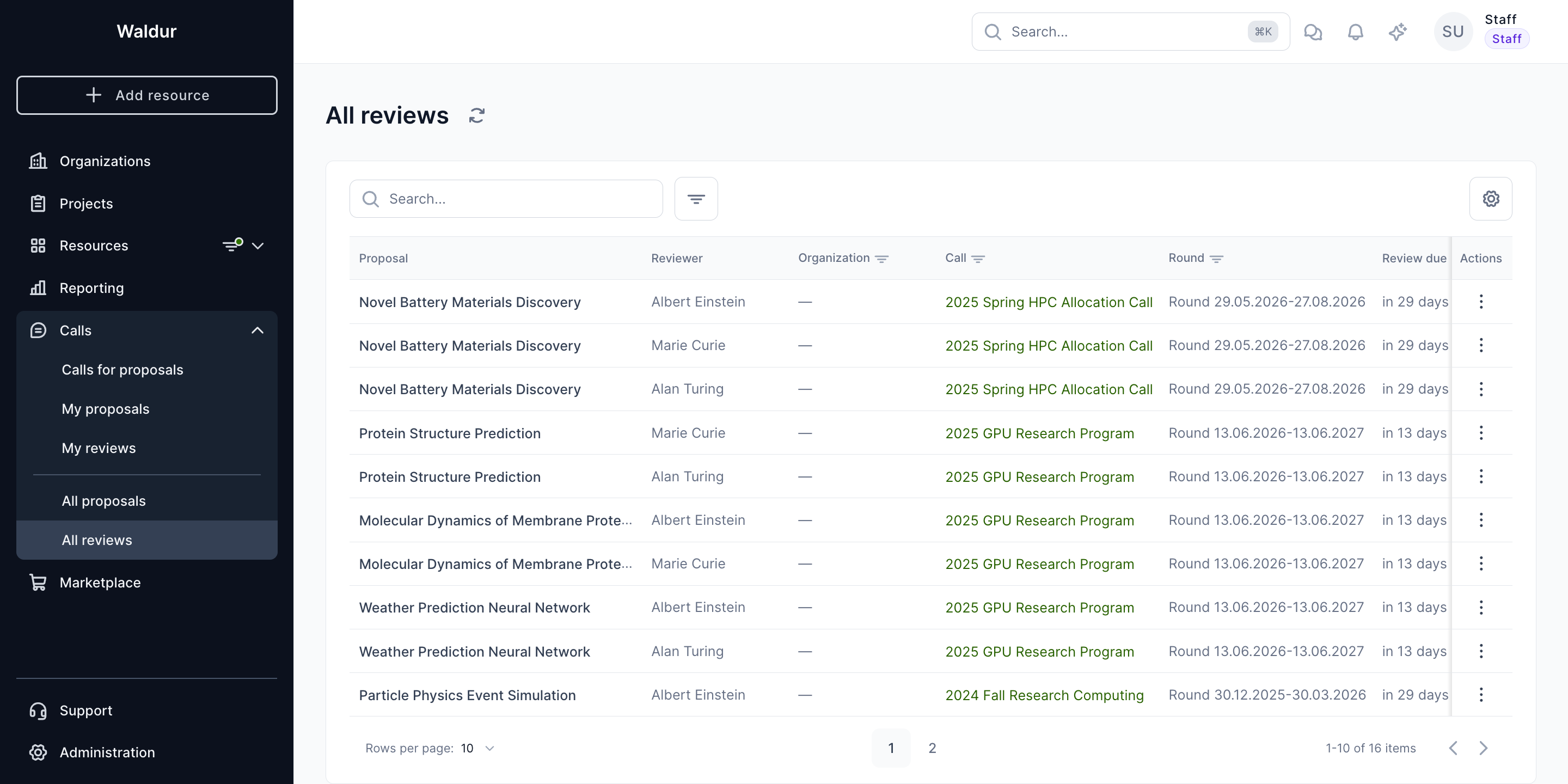
Reviews can be filtered by specific call to focus on a particular review round:
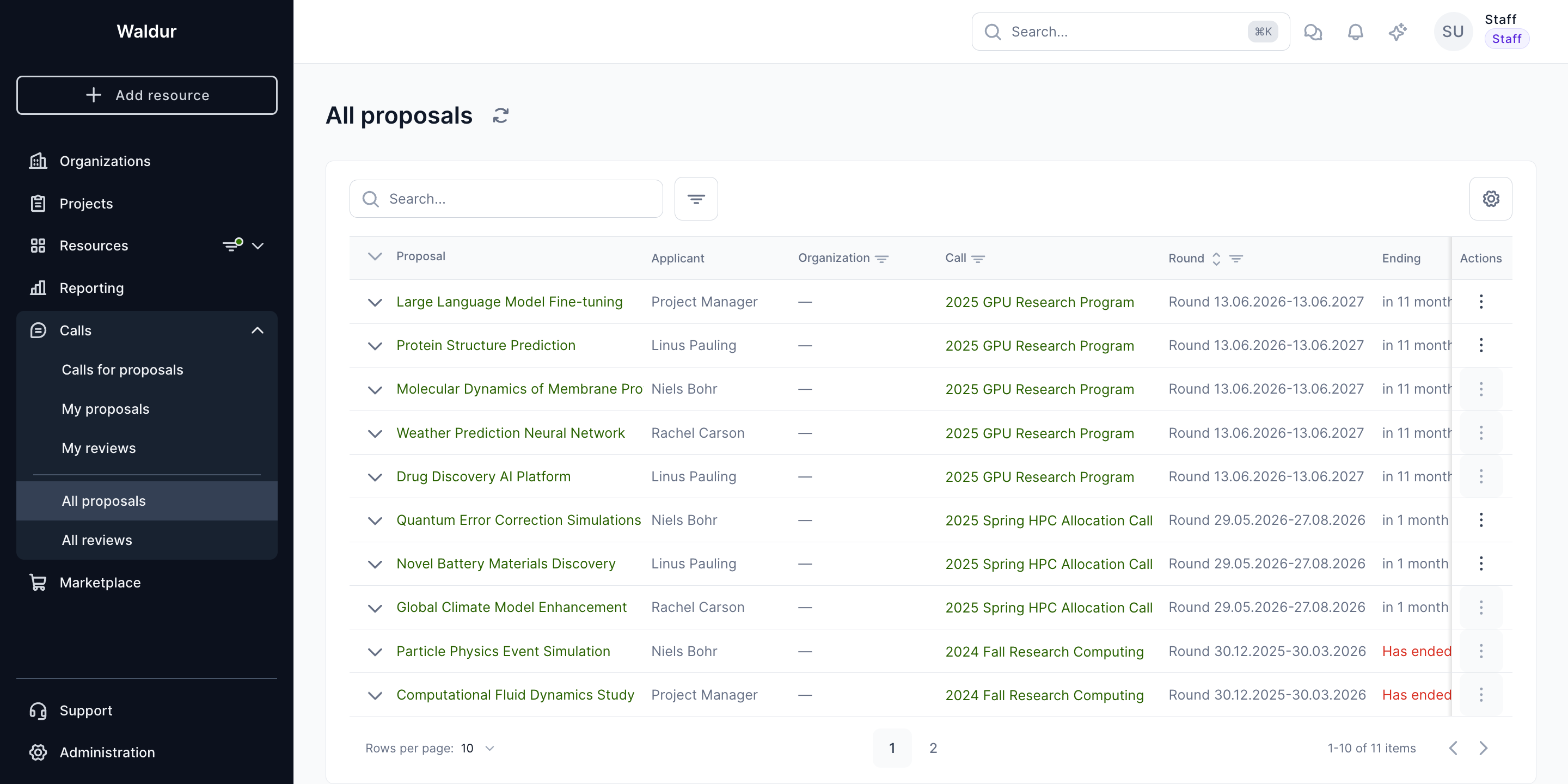
All proposals lists proposals with their call, round, and state, helping staff track which proposals are progressing through review.