Start and end dates
Waldur uses dates in several places to decide when things start and stop: the project, each order, each resource and, for prepaid offerings, the subscription. This page explains what each date does, how the dates affect each other, and what happens on the day each one is reached.
| Date | Set on | What happens when it is reached |
|---|---|---|
| Project start date | Project | Invitations are sent and orders waiting for the project are processed |
| Project end date | Project | Every resource in the project is terminated, after the grace period if there is one |
| Grace period | Organization or project | Pushes the project's terminations back by a number of days |
| Order start date | Order | The approved order is processed |
| Resource termination date | Resource | The resource is terminated |
| Subscription period | Prepaid resource | Sets the resource's termination date; extended by renewal |
Dates are calendar days
All of these are dates, not times, and they are read in the time zone of the Waldur server. The checks run in the background a few times a day, so an action due on a date happens during that day, not at a precise hour.
How the dates fit together
- An order's start date must fall between the project's start date and end date.
- A resource's termination date cannot be later than the project's end date.
- A resource is terminated on its own termination date or on the project's termination day, whichever comes first.
Project start date
The project start date lets you prepare a project before it begins. Until that date:
- Invitations are held. Invitations you create are saved but not sent. They go out once the start date is reached, and their expiry is counted from the start date, not from when you created them.
- Orders are held. An order placed in the project waits in the Pending project state. Once the start date is reached it continues to provider review, if the offering needs it, and is then processed.
The dates are on the project's Edit tab, under General. Once a grace period is set, Resource termination date shows the day the resources will actually be terminated.
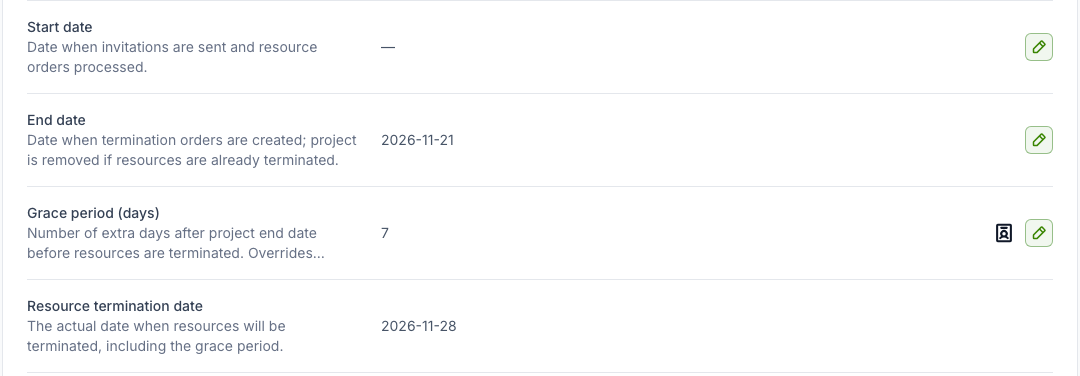
A start date cannot be in the past. Once it has been reached, it cannot be changed. Clearing the start date of a project that has not started yet releases the held invitations and orders straight away.
Project end date
The project end date is the day the project's resources are terminated. When it is reached, Waldur creates a termination order for every active resource in the project. Treat the day before the end date as the last full day of work: the terminations are started in the early hours of the end date itself.
Once every resource has been terminated, the project itself is removed.
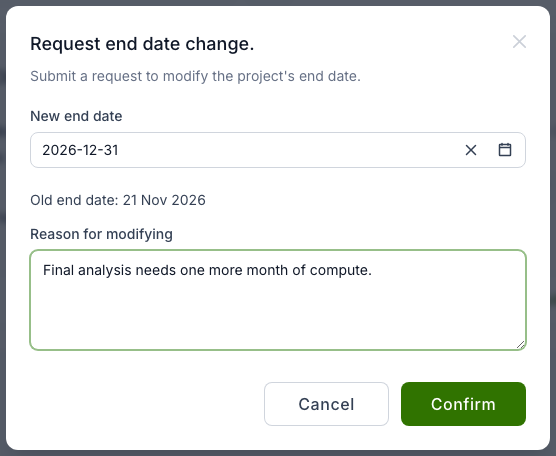
A project end date cannot be set in the past. Users who may edit the project change it on the project's Edit tab, or with the pencil next to End date in the project list. For other project members, the same pencil opens Request end date change: they pick a new date and give a reason, and an organization owner approves or rejects the request.
Reminders
Project members and organization owners receive an email 7 days and 1 day before the project's resources are terminated, so with a grace period the reminders are counted from the end of the grace period. They are sent only if the notification is enabled on your Waldur.
Grace period
A grace period gives the project's users extra days after the end date to back up their data or to ask for an extension before anything is deleted.
- Staff set it in days, on the organization (the default for all of its projects) or on a single project. A project's own value always wins, and a value of 0 turns the grace period off for that project even when the organization has one.
- Resources are terminated on end date + grace period.
- During the grace period, resources of offerings that support pausing are paused: they keep existing, but you cannot start new work on them. For SLURM, for example, no new jobs can be submitted.
- The project list marks the project In grace with the days left, and the project's pages show a warning bar with the original end date, the last day of the grace period and the days remaining.
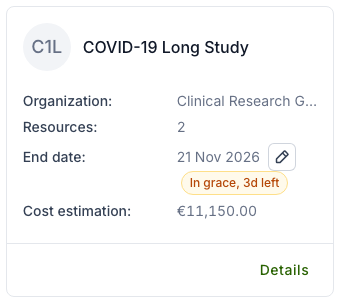
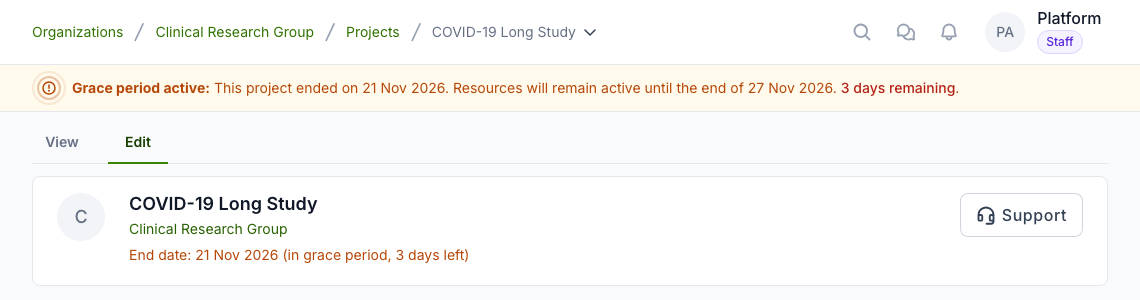
Extending the end date during the grace period brings the project back to normal: the pause applied for the grace period is lifted automatically. While a project is in its grace period, its end date can be moved to any date whose grace period has not yet run out, including a date in the past.
Offerings that opt out
A service provider can switch the grace period off for an offering. Its resources are terminated on the project end date itself, while the project's other resources still get the grace period.
A project with a 3-day grace period
A project ends on 30 November and has a 3-day grace period:
| Day | State of the project | What happens to its resources |
|---|---|---|
| 26 November | Active | Reminder email: 7 days until termination |
| 29 November | Active | Last full day before the end date |
| 30 November | Active (end date reached) | Nothing yet |
| 1 December | In grace period | Resources that support pausing are paused |
| 2 December | In grace period | Reminder email: 1 day until termination |
| 3 December | Grace period over | Resources are terminated; the project is removed once they are gone |
Without a grace period, the resources would be terminated on 30 November, and the reminders would arrive on 23 and 29 November.
Order start date
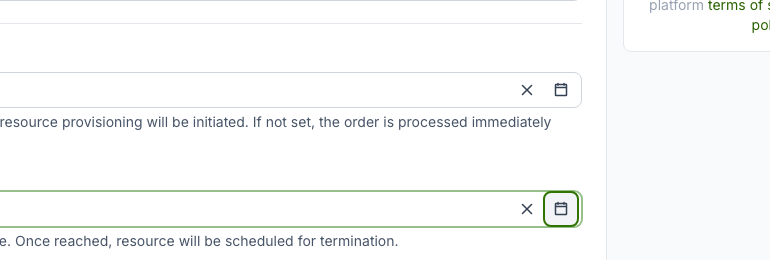
An order's start date delays the processing of an approved order, for example to have a resource ready on the first day of a course. It is shown as Start date in the last step of the order form.
- It is optional. Without it, an order is processed as soon as it is approved.
- It must be a future date, not before the project's start date, and not after the project's end date.
- Approvals still happen first. An order with a future start date goes through consumer and provider review as usual, then waits in the Pending start date state.
- A future project start date is waited for before the provider review, and the order's own start date after it.
- On the start date, Waldur starts processing the order, as if it had just been approved.
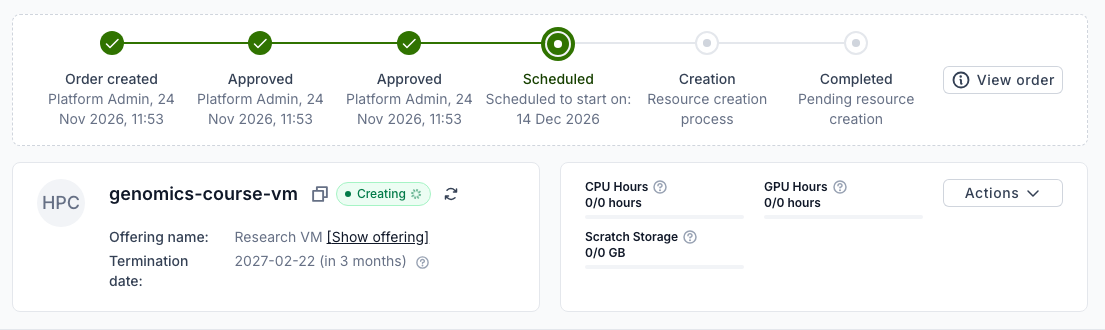
Until then, the resource page shows the order as Scheduled, with the date it will start on.
Note
The field is available only if your Waldur administrator has enabled order start dates. Without it, every order is processed as soon as it is approved.
Resource termination date
The termination date (end date) is the day a single resource is terminated, independent of the rest of the project. Like the project end date, it is the day the resource goes away, not the last day you can use it.
You can set it in the order form as Termination date, or later with Actions → Set termination date on the resource. Those without the permission to set it can ask for a new date instead: see Changing a resource end date.
A termination date must be:
- today or later;
- not before the order's start date;
- not after the project's end date;
- within any limits the service provider sets for the offering.
Depending on the offering, the service provider may also:
- require a termination date for every new resource, in which case the order form fills in a default date a set number of days ahead, never after the project's end date, and you can change it within the allowed range;
- cap it at a maximum number of days after creation, or at a latest date.
Resource reminders are sent 7 days and 1 day before the termination date by default. A service provider can choose other days for its offering.
Three resources in one project
A project ends on 31 December with a 10-day grace period. Three of its resources:
| Resource | Its termination date | Terminated on |
|---|---|---|
| A | none | 10 January (project end date + grace period) |
| B | 15 December | 15 December (its own date comes first) |
| C | none, from an offering that opts out of the grace period | 31 December |
Resource B cannot be given a termination date later than 31 December while the project ends on that date.
Prepaid subscriptions
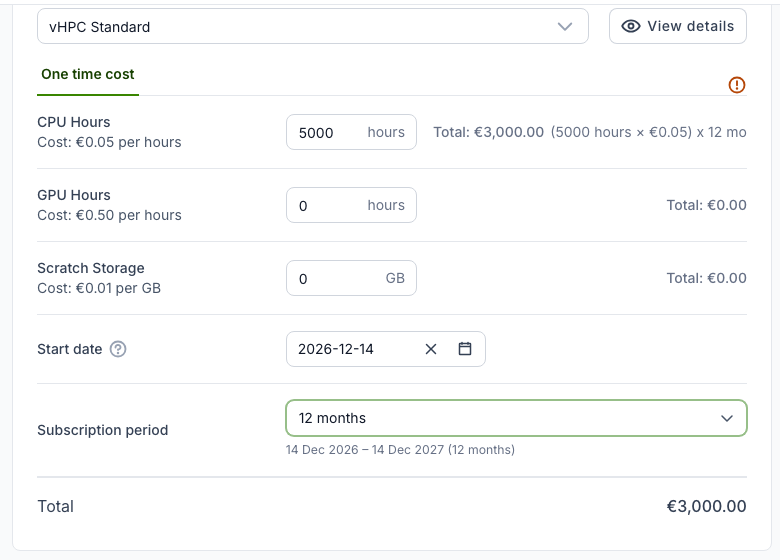
For prepaid offerings, you buy a subscription period of a number of months and pay for it upfront. You do not choose a termination date: it is the order's start date (or the day you order) plus the subscription period. With order start dates enabled, the start date is asked for next to the subscription period, and the form shows the period it covers.
- The service provider decides which subscription periods can be chosen.
- Only staff can change the termination date of a prepaid resource directly. End date change requests are not available for prepaid offerings.
- To keep using the resource, renew it with Actions → Renew allocation. The renewal is priced and charged upfront, like the original order, and can increase the limits at the same time.
A renewal extends the resource from its current termination date or from today, whichever is later:
| Termination date when renewing | Renewing on | Extension | New termination date |
|---|---|---|---|
| 31 January | 1 December | 1 month | 28 February |
| 15 November (already passed) | 1 December | 12 months | 1 December next year |
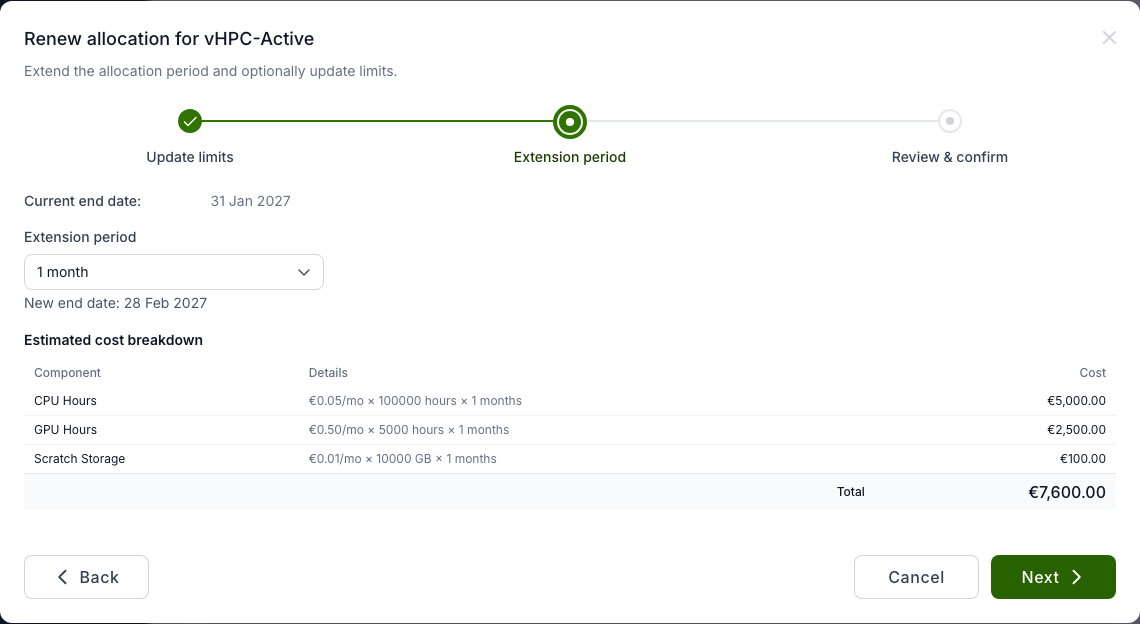
The new date is applied once the renewal order has been completed. A renewal is an order, so renew well before the termination date to leave time for any approval it needs.
Related pages
- Project management: setting the project's dates and grace period
- Changing a resource end date: requesting and approving a new termination date
- Resource lifecycle: order and resource states